User Guide 11
Now that you’ve had a quick overview of the key features of Tagg—The Pet Tracker, you can start the
setup process. There are four easy steps to complete:
• Step I: Charge the Tagg tracker
• Step II: Activate the Tagg tracker online
• Step III: Personalize your pet’s prole
• Step IV: Attach the Tagg tracker to your pet’s collar
Step I: Charge the Tagg Tracker
1. Attach the AC adapter to the USB cable and plug the USB cable into the docking station power
port. Be sure to only use the AC adapter and USB cable provided.
2. Plug the AC adapter into an electrical outlet.
Note: The docking station cannot be powered through your computer’s USB port.
3. If your Tagg docking station has an on/off switch on the bottom of the device, move it to the “on”
position (power indicator will turn blue).
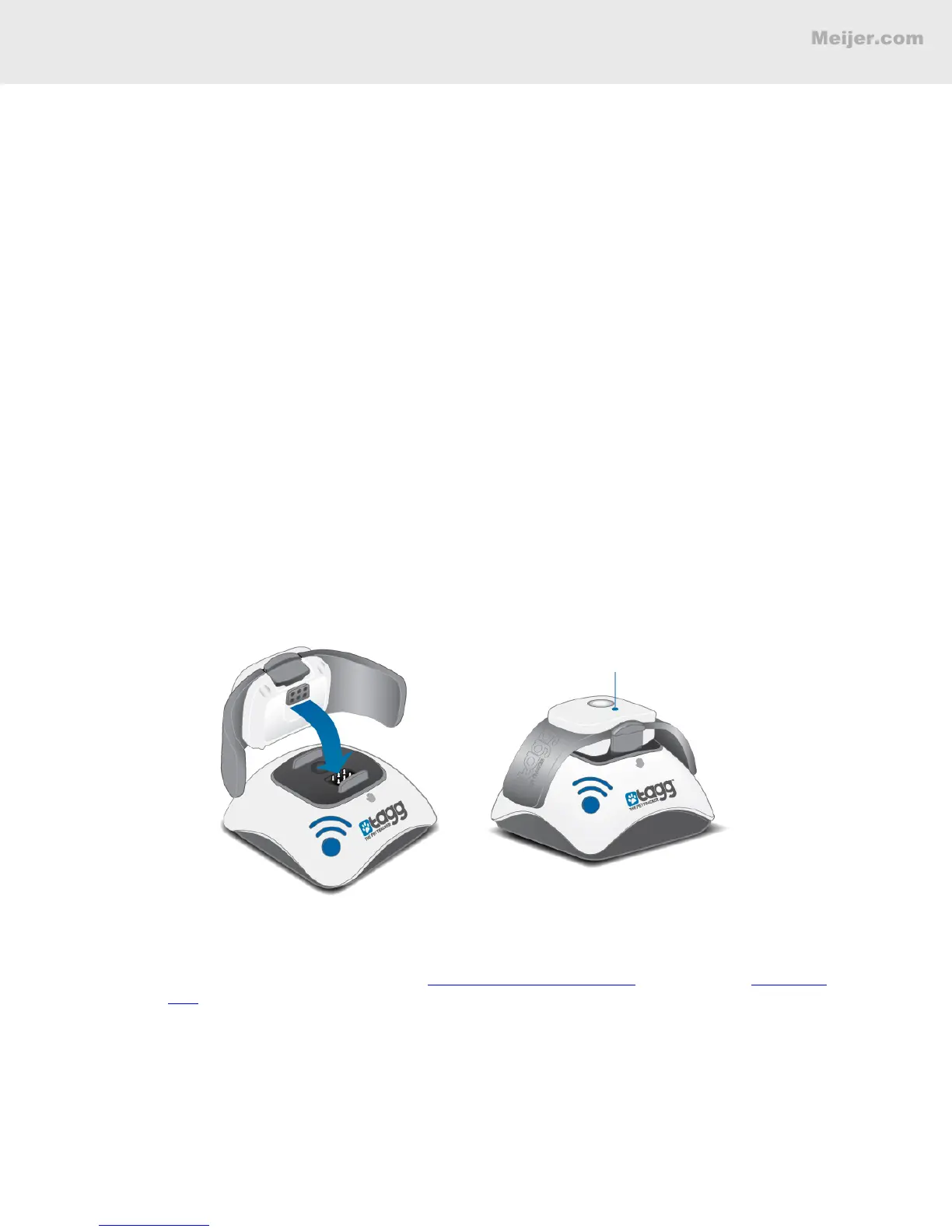
4. Properly secure the tracker on the docking station by making sure its charging contact aligns
with the docking station’s charging pins. (When the tracker is docked correctly, the tracker
status indicator will start ashing blue within 60 seconds of docking. The status indicator will
be solid blue when the device is fully charged.)
It will take up to two hours for your tracker to charge. We recommend charging as soon as you
receive the low battery notication. The battery may last up to 30 days, but actual battery life
will vary based on usage patterns. A Battery Life Estimating Chart can be found at www.tagg.
com in the Support section.
Note: When your tracker is near the docking station, it automatically enters power saving mode,
giving you the maximum amount of time between charges.
While your tracker is charging, you can complete Step II and Step III.
BASIC SETUP
Status Indicator


 To Next Page