User Guide 22
View Your Pet’s Location Trail
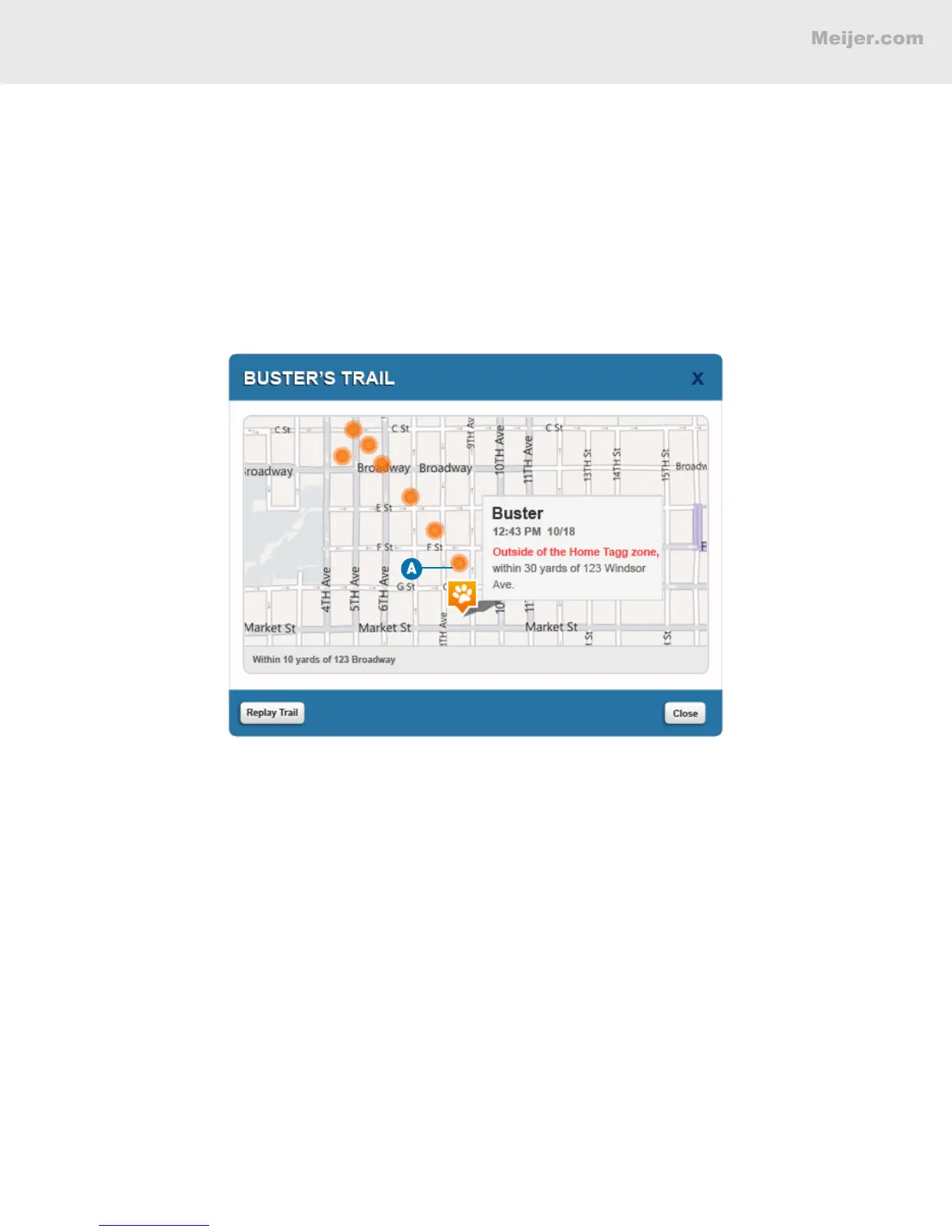
When your pet leaves the Tagg zone, you can turn on tracking to see his location trail. The location trail
is a dotted path that shows all of your pet’s known locations since leaving the Tagg zone. When tracking
is on, the Show Trail button appears under the tracker command bar.
To see the location trail on the Tagg map:
A. Click Show Trail and then hover over a dot to see the address of that location
and the date and time your dog was there.
(Your screen will look similar to this.)
Your dog’s location trail will be recorded the entire time he is outside of the Tagg zone, even if you
initiate multiple tracking sessions or one-time locates. Clicking Replay Trail will replay all of the
locations in order.
HOW TO READ YOUR TAGG MAP


 To Next Page