User Guide 31
TAGG MOBILE FEATURES
Tagg on Your Mobile Browser
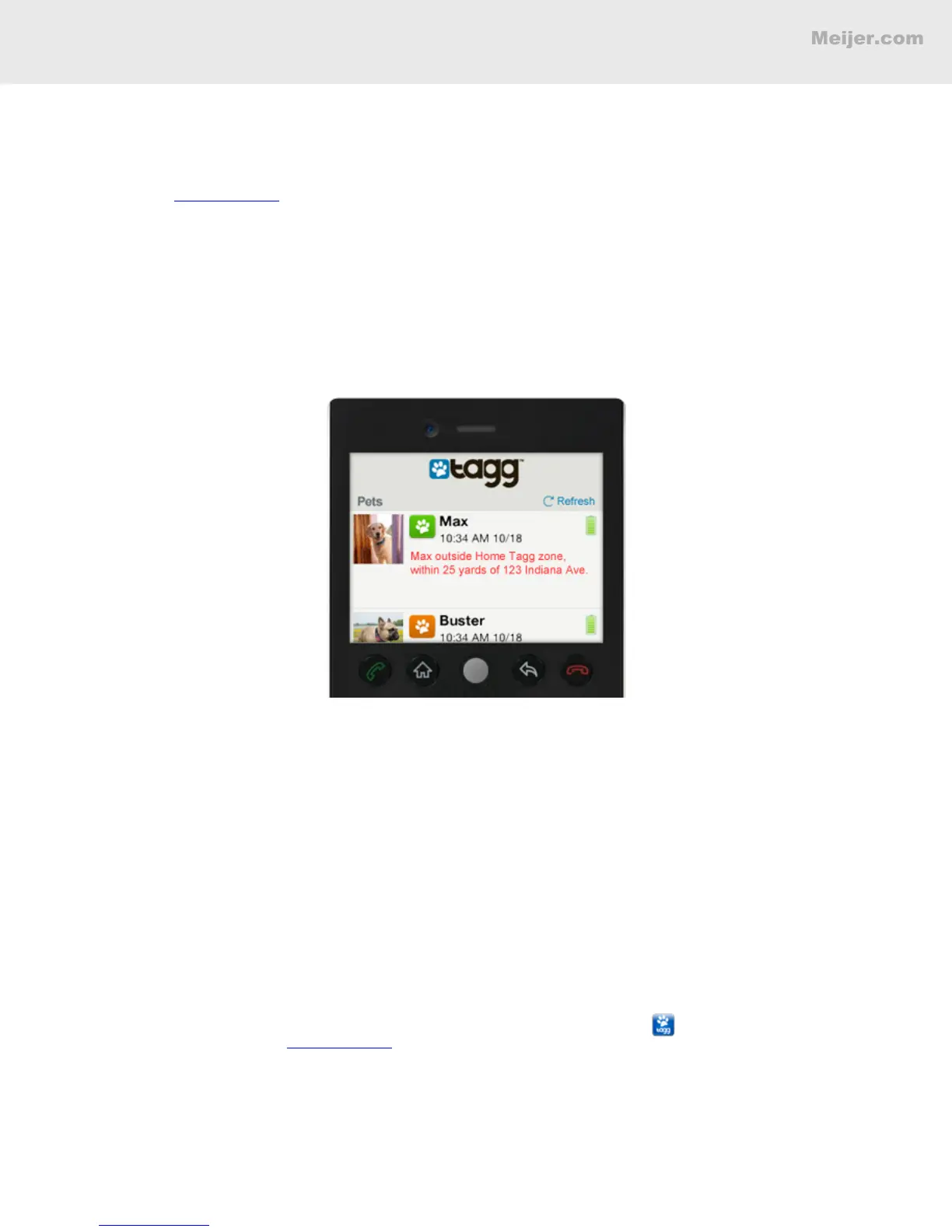
It’s easy to access your Tagg account from any mobile phone with a web browser. Just go to the Tagg
website, www.tagg.com, and enter your email address and password. From there, you can:
• Track and locate your pet.
• View the Tagg map.
• View or change your notication settings.
• View your tracker's battery status.
Note: When tracking your pet using your mobile browser, you’ll need to tap the Refresh button in the top
right corner each time you want to see his most recent location.
Tagg Android and iPhone Apps
If you have an iPhone or Android smartphone, you can download the Tagg app to:
• Track and locate your pet.
• View the Tagg map.
• View or change your notication settings.
• Get driving directions to your pet’s location.
• Find pet-friendly places nearby.
• Access your pet prole.
• View your tracker's battery status.
To get the free Tagg app, search for “Tagg – The Pet Tracker” in the iPhone App Store, Play Store, or
Verizon Apps, and download it to your phone. Before launching the Tagg app , be sure you’ve set
up your Tagg account on www.tagg.com, and that GPS and/or Location Services are enabled on your
phone.


 To Next Page