User Guide 23
Adjust the Tagg Zone
You can adjust your Tagg zone at any time. You can make it larger, smaller, or change it completely
when you make a signicant relocation of your docking station (to a vacation house, etc.).
Note: The Tagg zone is managed in your account and is communicated to each of your trackers.
To Adjust the Tagg Zone
1. Click Adjust Tagg Zone on the Tagg Map.
2. Use the navigation tools at the top of the map to adjust your view.
3. There are three ways to change your Tagg zone:
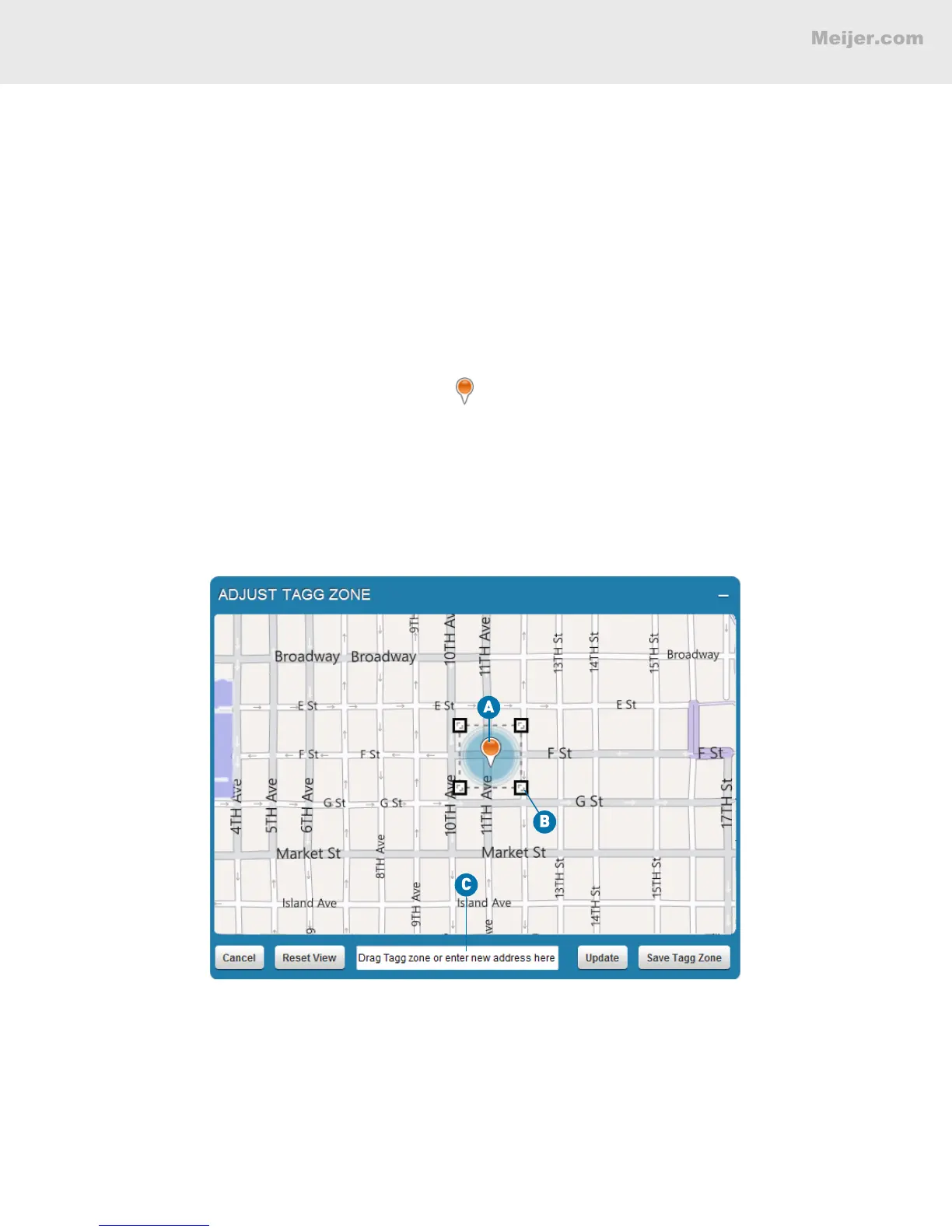
A. Click and drag the orange center pin to re-center the Tagg zone.
B. Click and drag the corners of the Tagg zone to expand or contract the zone.
C. Type a new street address in the space provided, and click Update.
4. Click Save Tagg Zone to save your changes.
(Your screen will look similar to this.)
HOW TO READ YOUR TAGG MAP


 To Next Page