User Guide 32
TAGG MOBILE FEATURES
Tagg App on Your Android or iPhone
There are three primary screens that you’ll use to keep track of your pet: the Tagg Dashboard, Map and
Pet Prole.
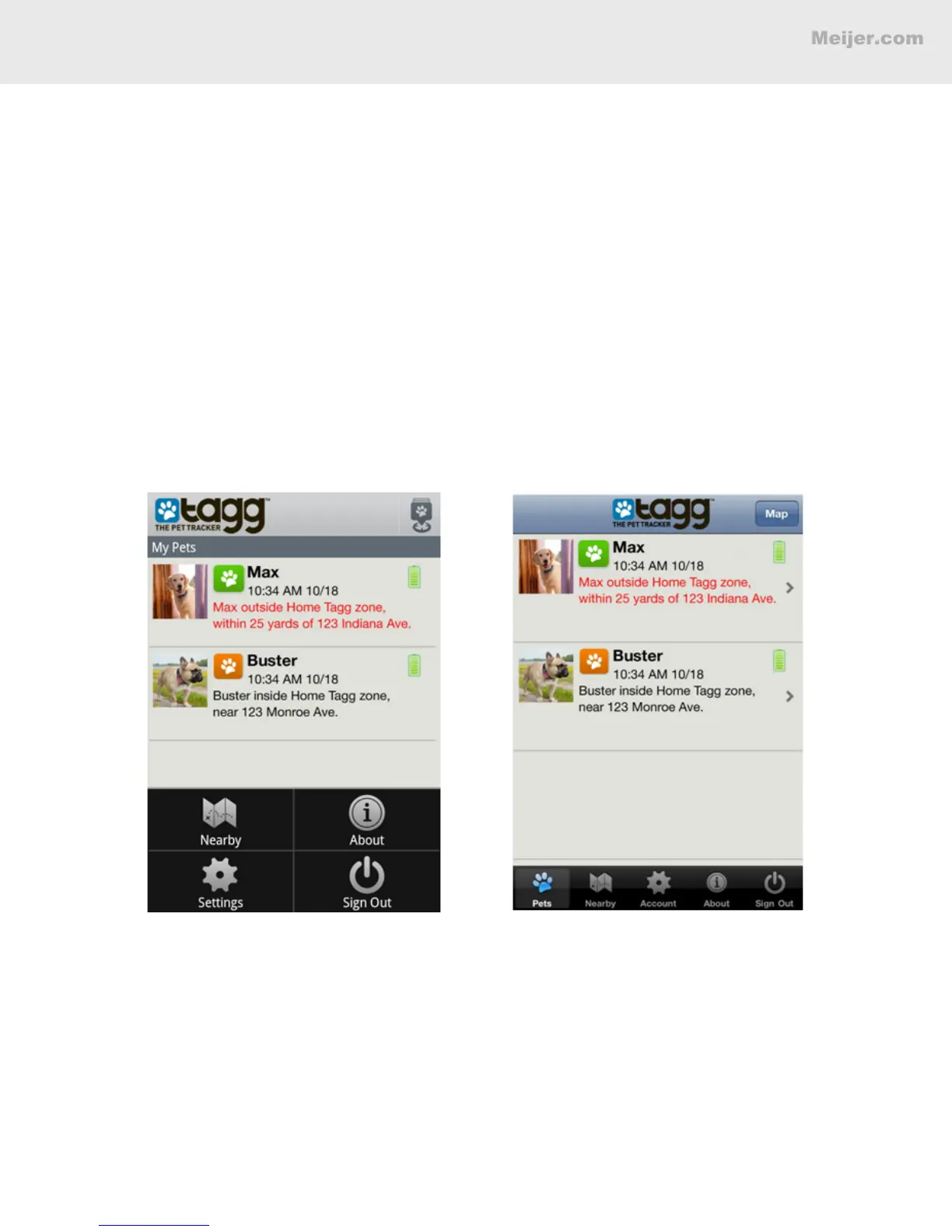
Dashboard
The rst screen you’ll see when you launch the app is the dashboard.
You will always see your pet’s current known location and battery status in the dashboard. Go to the
menu options to:
• Tap Nearby to nd pet-friendly places close to you, like pet stores or dog parks.
• Tap Settings to view or change your Tagg notication settings.
• Tap About to access the Tagg Terms and Conditions and Tagg Customer Support numbers.
• Tap Sign Out to sign out of the Tagg app.
Android Dashboard iPhone Dashboard


 To Next Page