User Guide 33
TAGG MOBILE FEATURES
Map
To get to the Tagg map from the dashboard screen, tap on your pet’s last known location, or tap
(Android), or the Map button (iPhone) in the top right corner.
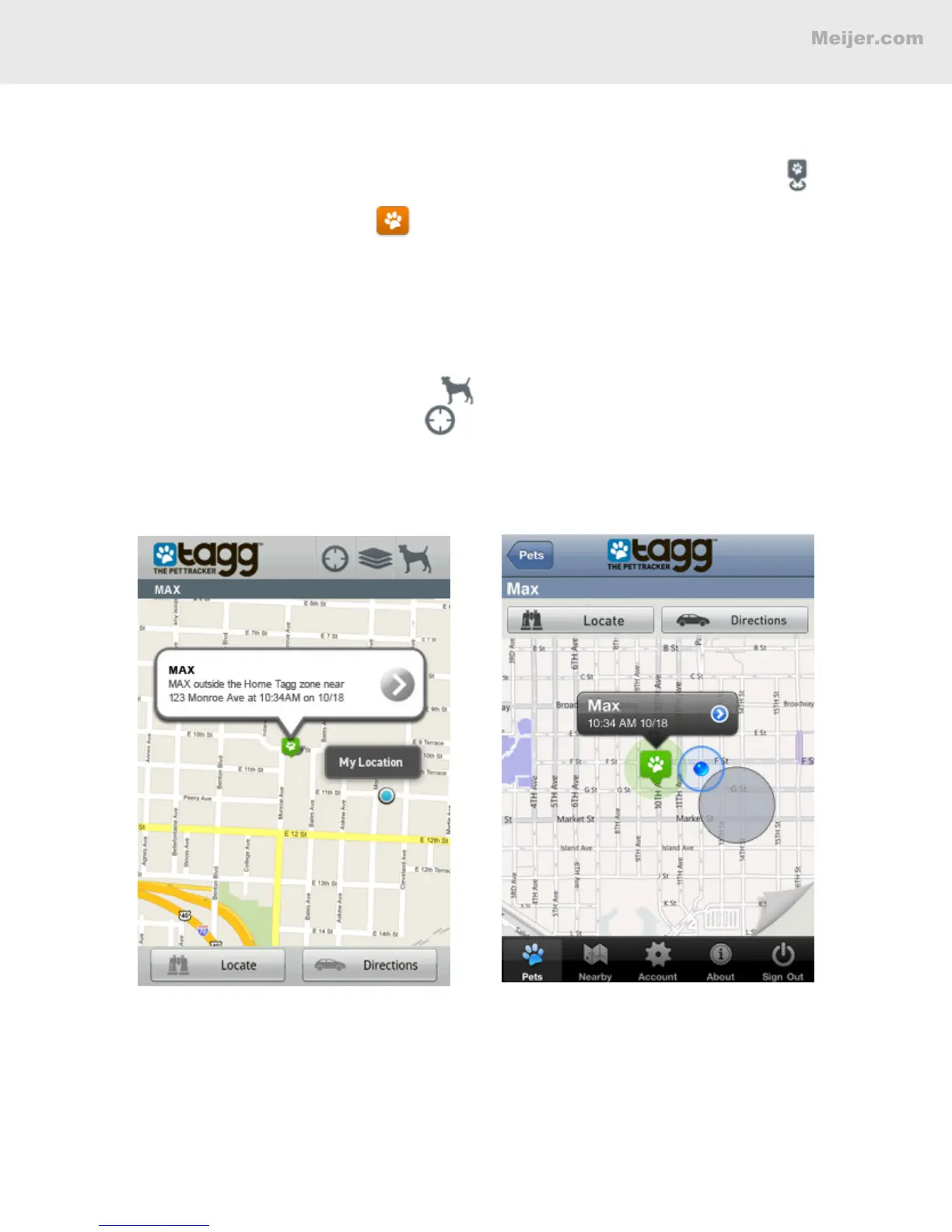
• On the Tagg map, the paw icon indicates your pet’s location.
• Your location is the blue dot.
• Tap Locate to get your pet's most recent location.
• Tap Directions to get driving directions to his most recent location.
Note: Before requesting directions, always perform a Locate from the pet prole page. This will
ensure that you are getting directions to your pet’s most recent location.
• To see one of your pets on the map, tap (Android), or the map curl (iPhone).
• To view your location on the map, tap (Android), or the map curl (iPhone).
• To Start Tracking, go to the Pet Prole page.
Android Map
iPhone Map


 To Next Page