User Guide 27
YOUR PET ON THE GO
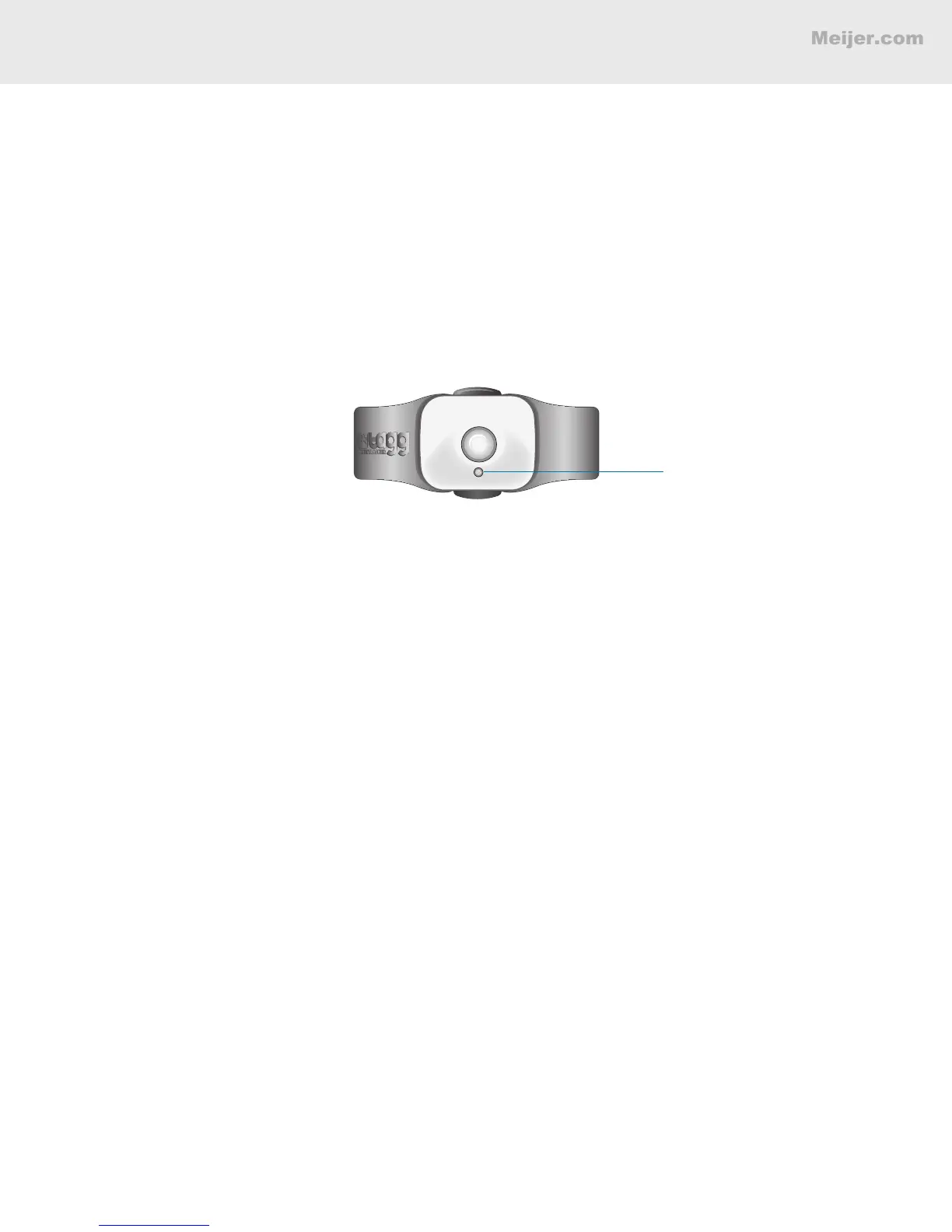
Status Indicator
Trip Mode
When you take your pet for a walk or on an errand, you might exit the Tagg zone, which would trigger
an alert notication. Trip mode allows you to avoid sending alerts to your contacts when you leave the
Tagg zone. To put the tracker into Trip mode:
• Double-press the Trip button on the top of the Tagg tracker.
IMPORTANT: Do not press and hold the Trip button because this will power off the Tagg tracker.
• The status indicator will quickly ash blue three times to let you know that Trip mode has
started.
• The status indicator will continue to ash blue for 15 minutes. During this time, alerts are
suppressed so your pet can leave the Tagg zone.
• At the end of 15 minutes, Trip mode is canceled and your pet will trigger alert notications if he
leaves or enters the Tagg zone. To continue suppressing alerts for another 15 minutes, press the
Trip button again.
• You can also press the Trip button any time during Trip mode to restart the 15-minute timer.
Outside the Tagg Zone While in Trip Mode
• If your pet wanders off, you can still use Locate or Track to nd him.
Note: Trip mode can be activated at any time, even when you’re away from the Tagg zone.


 To Next Page