User Guide 17
BASIC SETUP
Attach the Tracker to the Collar Clip
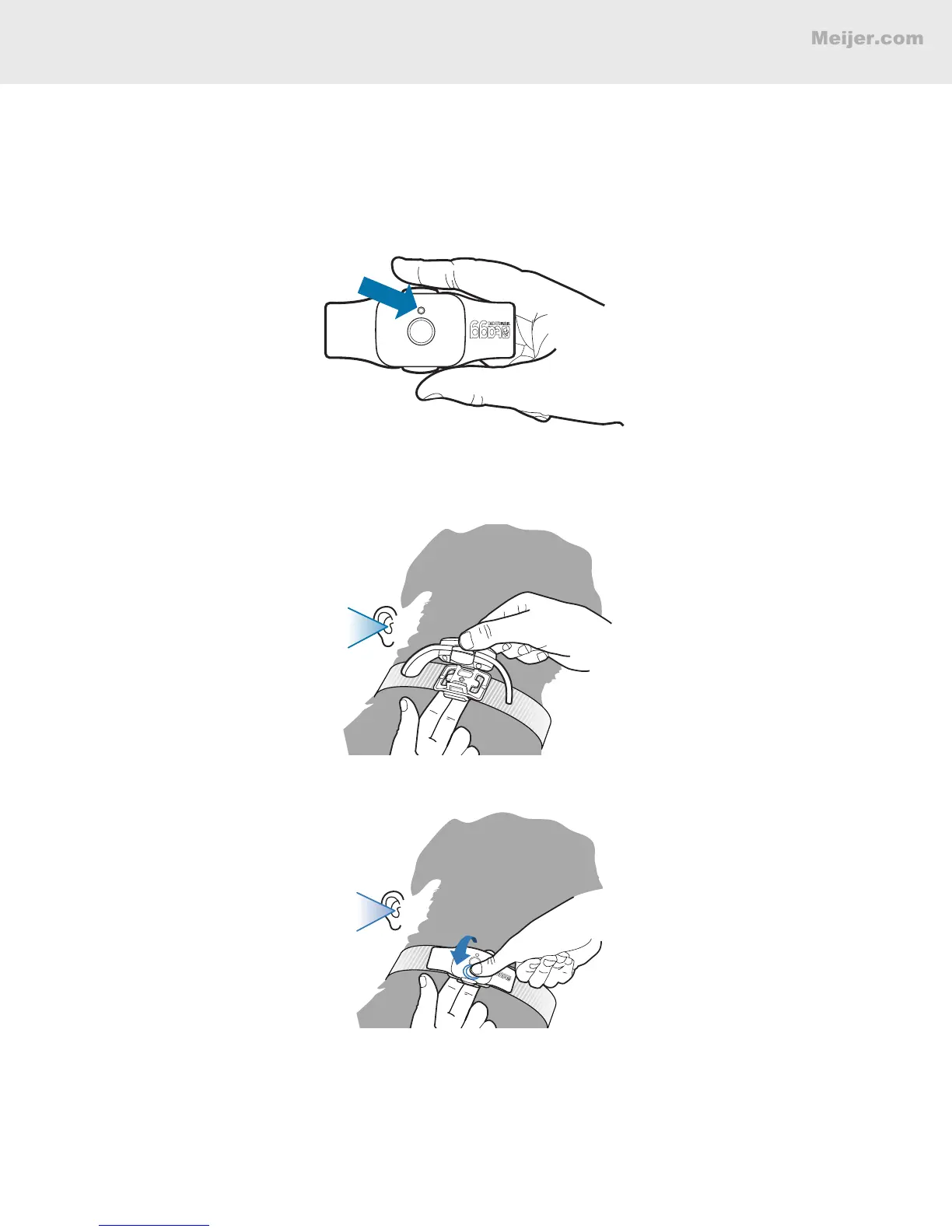
Once the tracker is activated and fully charged, remove it from the docking station by squeezing the
release points on each side of the tracker. Attach one side of the tracker at a time to the collar clip.
1. Locate the side of the tracker with the status indicator light.
2. Press the side of the tracker with the status indicator light to the collar clip post until you hear
a "click."
CLICK
3. Roll the other side of the tracker to the collar clip post and press until you hear another “click.”
CLICK


 To Next Page