12
snom 710 User Manual Setting up the Phone
Setting up the phone
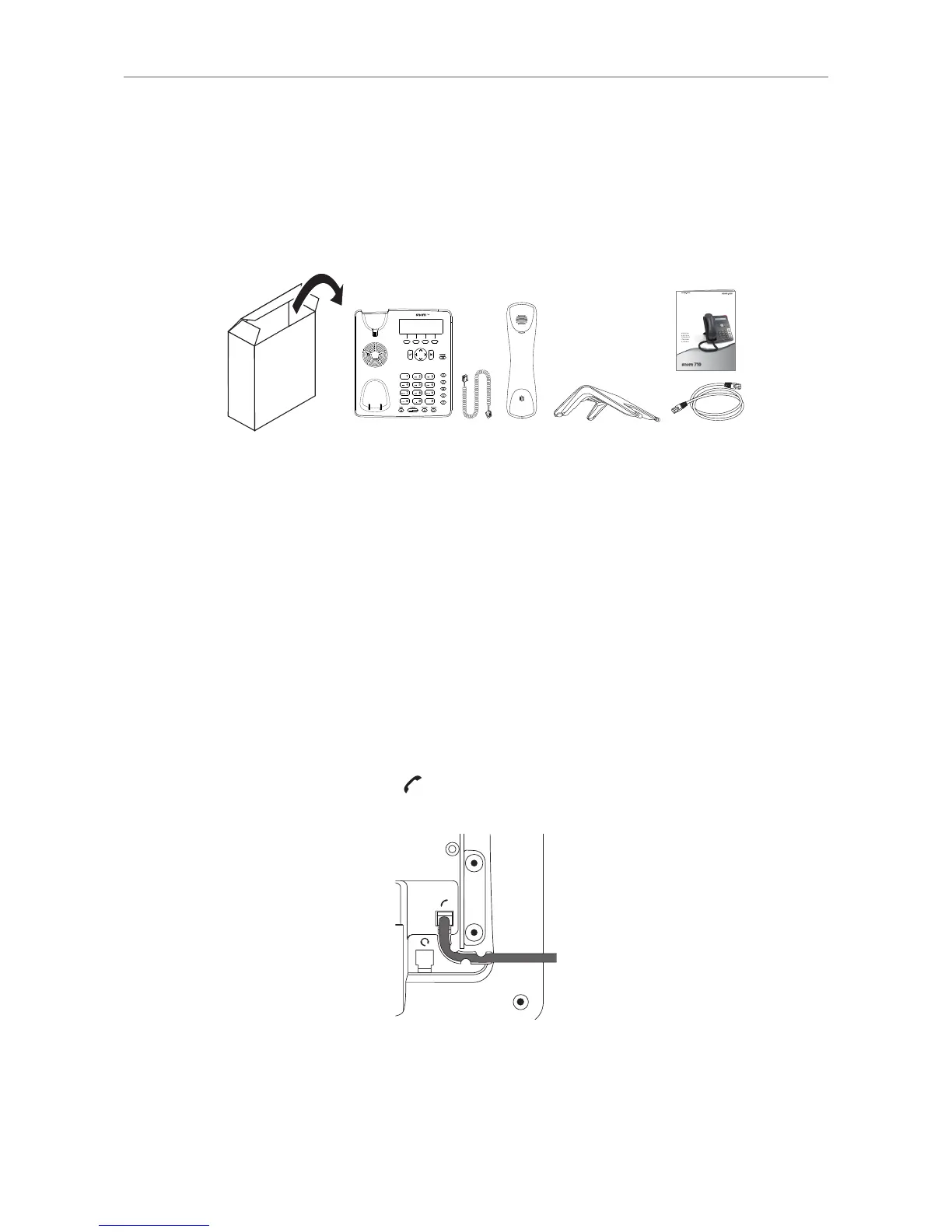
Delivery Content
Your specialist retailer - Ihr Fachhändler -
Votre distributeur - Su distribuidor - Il tuo rivenditore:
© 2012 snom technology AG
v1.03
Quick Start Guide
IP Phone
ENGLISH
DEUTSCH
FRANÇAIS
ITALIANO
ESPAÑOLS
snom technology AG
Charlottenstr. 68-71
10117 Berlin, Deutschland
Tel. +49 30 39 83 3-0
Fax +49 30 39 83 31 11
info@snom.com, sales@snom.com
snom technology, Inc.
18 Commerce Way, Suite 6000
Woburn, MA 01801, USA
Tel. 781-569-2044
Fax 978-998-7883
infoUSA@snom.com
snom UK Ltd
Amethyst House, Meadowcroft Way
Leigh Business Park, Leigh
Manchester, WN7 3XZ, UK
Tel. +44 169 348 7500
Fax +44 169 348 7509
uksales@snom.com, info@snom.com
snom France SARL
6 Parc des fontenelles
78870 Bailly, France
Tel. +33 1 80 87 62 87
Fax +33 1 80 87 62 88
info@snom.com, sales@snom.com
snom technology SRL
Via A. Lusardi 10
20122 Milano, Italia
Tel +39 02 00611212
Fax +39 02 93661864
info@snom.com, sales@snom.com
snom technology Ltd.
Rm. A2, 3F, No. 37, Ln. 258
Ruiguang Rd., Neihu Dist.
Taipei City 114, Taiwan
Tel +886-2-8751-1120
Fax +886-2-8751-1130
infoASIA@snom.com
◦ Base phone unit
◦ Footstand
◦ Handset
◦ Handset cord
◦ Ethernet cable
◦ Quick Start Guide
Attaching and detaching the footstand
The footstand can be attached at two different angles: 28° and 46°.
Note: Before attaching the footstand to the phone, plug the long end of the handset
cord into the connector labelled " " on the back of the phone and place the cord in the
cable guide.
1. Place the top of the grooves on the footstand (Fig. 1) below the slideguides on the back of the
phone (Fig. 2). For the upright position, the short "legs" of the footstand must be attached to the
phone; for the more horizontal position, use the long ones.
2. Push the footstand upwards onto the slideguides until they lock in place (Fig. 3).



 To Next Page