22
snom 710 User Manual Getting to Know Your Phone
Message key with LED
This key is a dedicated, programmable function key. It can be mapped with other key events and a
number of other functionalities. See "Configuring the function keys" on page 56. Factory settings:
• The LED is lit when a new message is waiting on mailbox
• Press the key to retrieve messages
Audio Control Keys
Press the right or left edge of the key to adjust the volume
◦ of the ringer when the phone is idle or ringing
◦ of microphone/loudspeaker when in call
Keys with LEDs. The LED lights up when the function is activated:
Muting and unmuting the microphone
• Toggling between handsfree and handset mode
• Dialing numbers on speakerphone
• Accepting calls on speakersphone
Toggling between headset and handset modes.
Note: Handset mode overrides headset mode. When the handset is picked up
while you are using the headset, the phone switches the audio connection to the
handset, and the LED of the headset key will turn off.
Alphanumeric Keypad
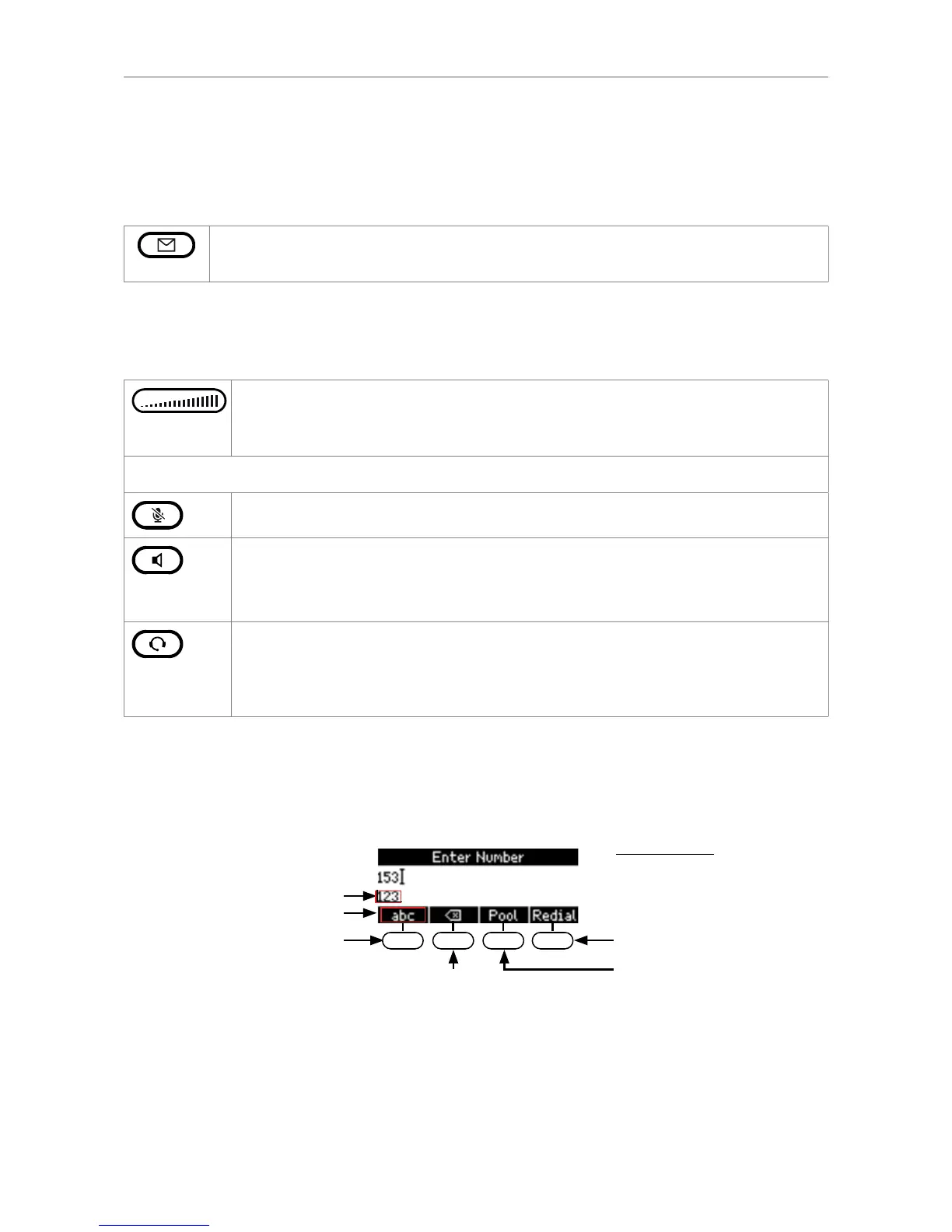
Input modes and navigation
Directories, call lists,
contact list, favorites
Input modes:
123: Numerals
abc: Small letters
ABC: Capital letters
Deleting character to
Current input mode:
Next input mode:
Redialing
Moving cursor to the left
Move cursor to the right
:
:
Changing input mode:
Press any key on the alphanumeric keypad or pick up handset to open the "Enter Number" screen.
The current input mode is indicated in the information line underneath the cursor line. Press the left
function key underneath the display to switch to the input mode indicated by the symbol directly above
it in the function key line.



 To Next Page