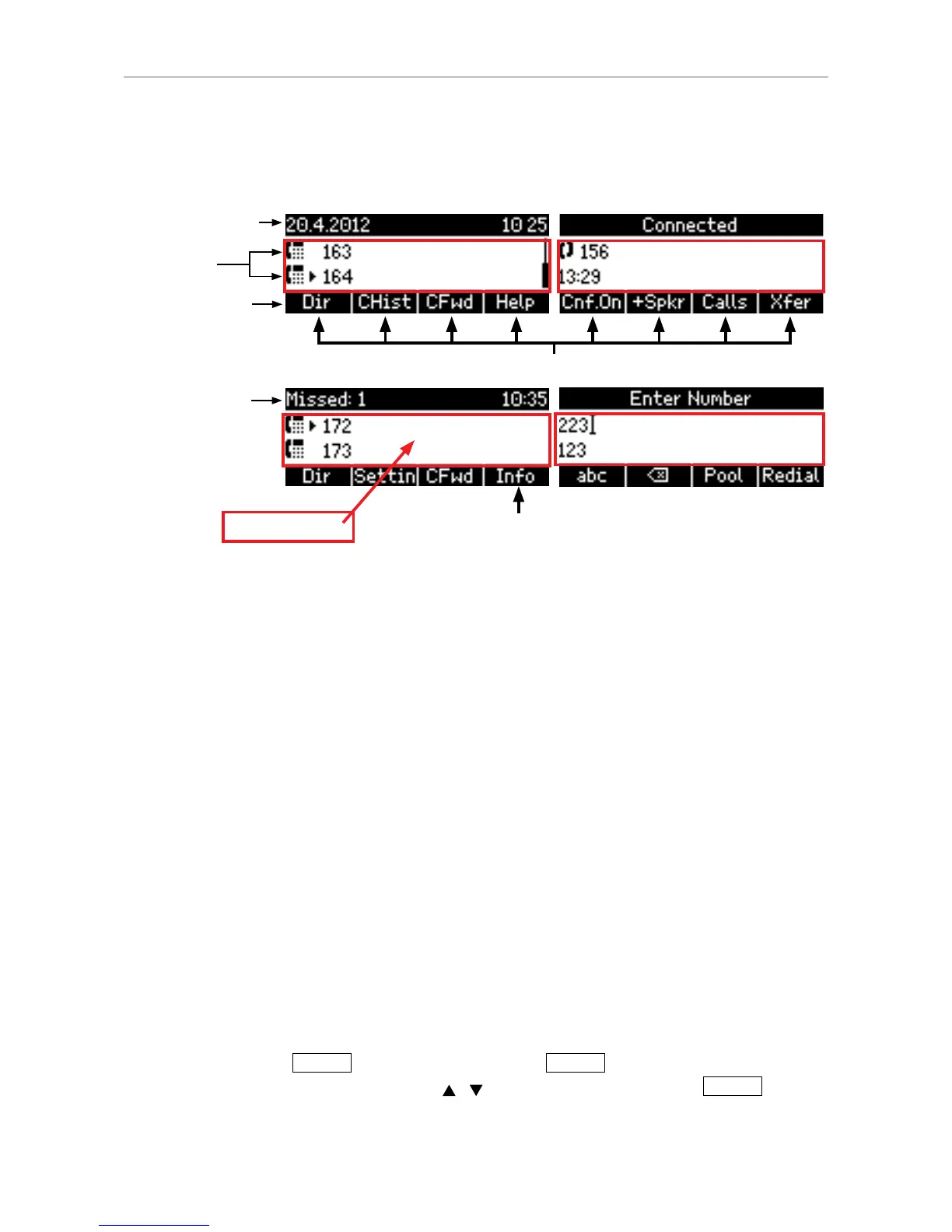
Info & status bar
with date and time
Confi gured
identities
Context-sensitive function key symbols
Context area
Idle Mode
In idle mode, the display presents the following information:
Info and status bar: The date and time are displayed in this line, unless there is a new status
message. Any of numerous messages concerning the current status of the phone will replace the
date in this bar, for example missed calls, the availability of a firmware update, a reboot being required,
etc. If there is more than one current status message at any one time, the one with the highest priority
will be shown. For a comprehensive list in descending order of priority, see "Appendix 1 - Display
Symbols" on page 79.
Two of the most common status messages you will see in idle mode are:
• The text "Missed:" and the number of missed calls since the last time you checked missed calls or
turned off the missed calls indicator.
• The text "Forward" followed by "all", "on busy", or after Timeout" and the phone number incoming
calls will be forwarded to. When there are missed calls, this information is replaced by the missed
calls information.
Deleting status messages:
◦ Messages will be deleted automatically when the underlying cause is removed, i.e., call
forwarding is turned off, password is set, etc.
◦ Manually: Press
Info
, if the button is available, or
Settin
> 6 Information > 1 Status info
to open the "Status info" screen. Use
/ to scroll through the list. Press
Del
to delete
the selected item.



 To Next Page