40
snom 710 User Manual Directories
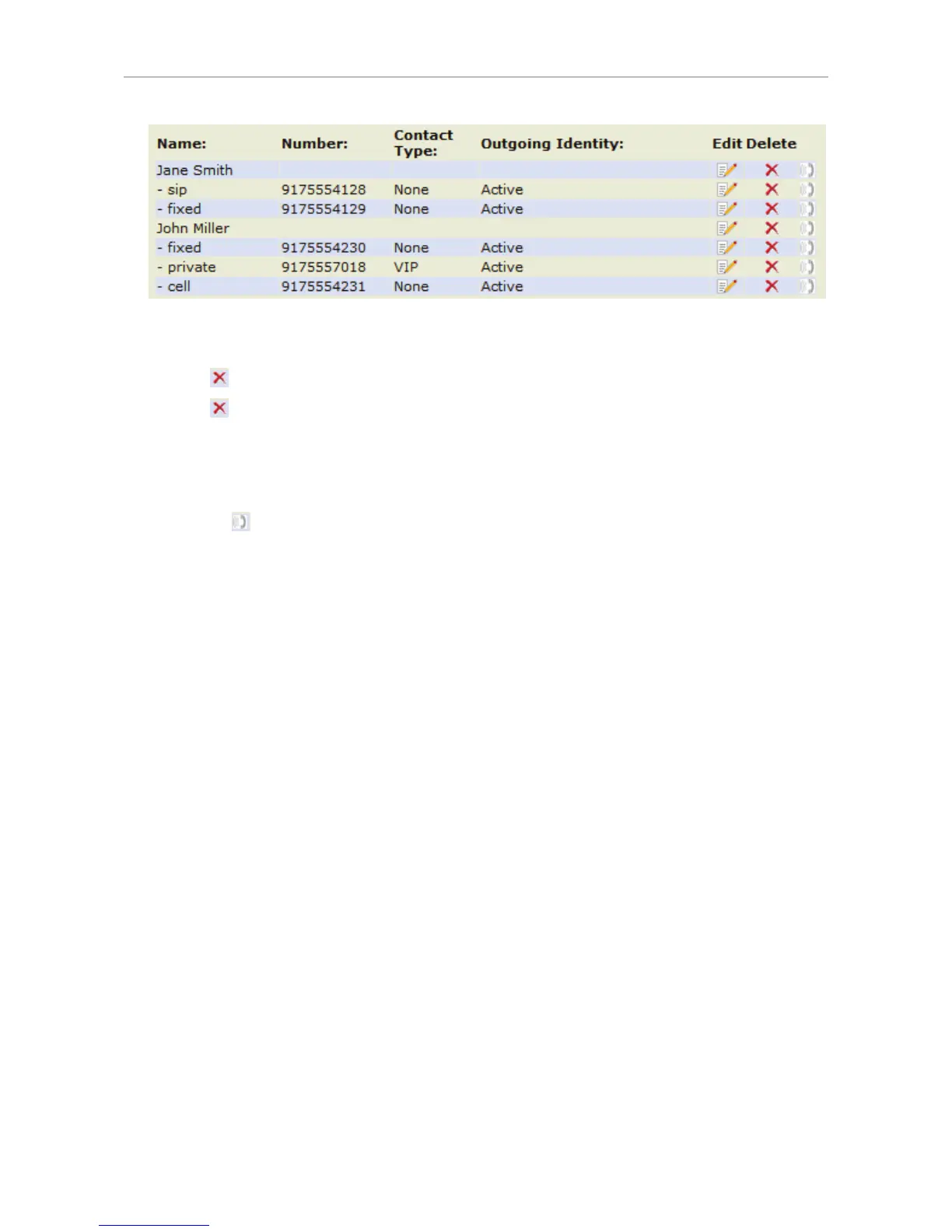
Deleting entry on web interface
• Click on
in the line of the master record to delete the name and all associated phone numbers.
• Click on
in the line of a phone number to delete that subentry, while keeping the master record
and any other subentries.
Dialing from phone directory
To dial, click on in the line of the phone number.
Deleting whole directory
Warning: Clicking on this button deletes the entire directory irretrievably!
Importing/Exporting Directory
Please note: Files to be imported must be in UTF-8 unicode format in order to display
special characters properly.
To load a phone book from a file, click on the Browse button in the “Import Directory (CSV)” window of
the page. Select the CSV file from the storage medium.
For more information, see our Wiki at http://wiki.snom.com/Web_Interface/V7/Directory.
External directories
Provided by your network, your VoIP provider, or another external source.
LDAP
To be able to access LDAP, a function key must be mapped with the function key type "Key event"
and set to the value "LDAP" (see "Configuring the function keys" on page 56 for more information).
Press the configured function key to open the external directory.
Enter the necessary data received from your administrator, VoIP provider or other external source in the
text fields of the phone‘s web interface > Advanced > Network > LDAP and click on "Save".



 To Next Page