62
Editing PTT Contact
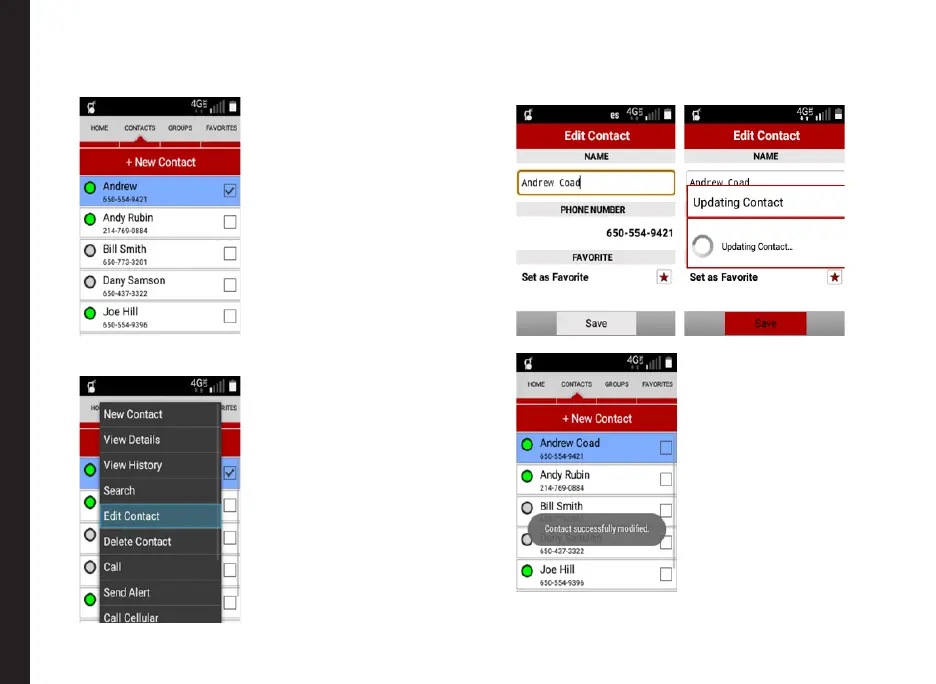
1. Select the Contact from the list to be edited.
2. From the menu option, select Edit Contact.
3. The Edit Contact details screen is displayed. Edit
the contact name and favorite setting if required and
press Save.
The contact modications are updated.
Managing PTT Contacts and Groups



 To Next Page