64
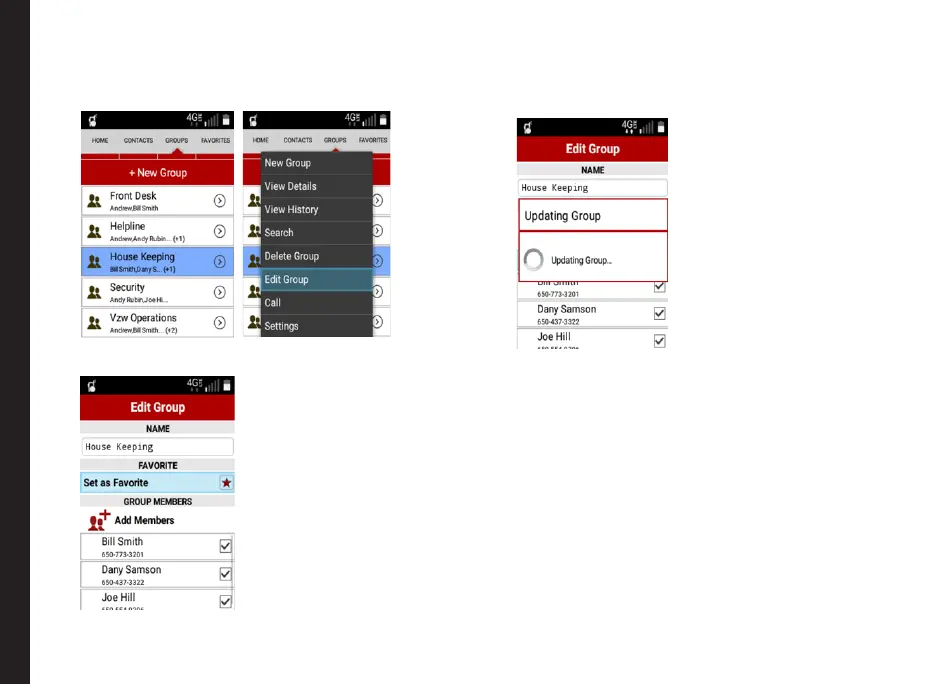
Editing PTT Group
1. Select a group from the list and select Edit Group
from the menu list.
2. The Edit Group screen is displayed.
Modify the G p name, Group Members (Add/
Remove the Group Member) and Favorites
settings.
The group details are modied.
Managing PTT Contacts and Groups



 To Next Page