65
Deleting PTT Group
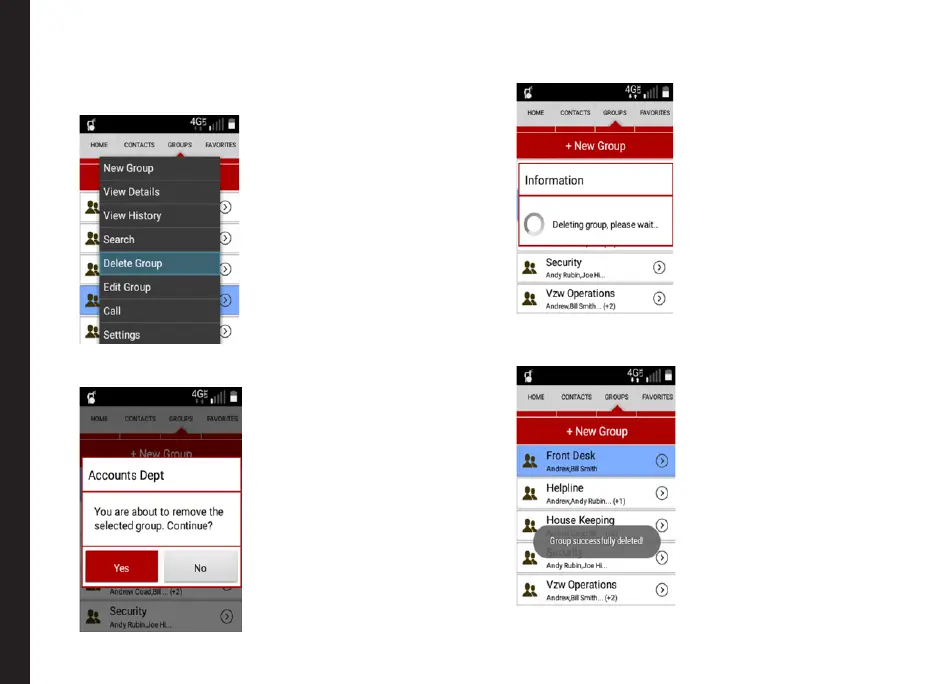
1. Select the required PTT group from the group list.
Select Delete Group option from the menu list.
2. A conrmation message is displayed. Select Yes to
delete the group.
3. A pop-up message is displayed conrming that the
selected group is getting deleted.
4. The selected group is deleted and a message is
displayed Group successfully deleted.
Managing PTT Contacts and Groups



 To Next Page