72
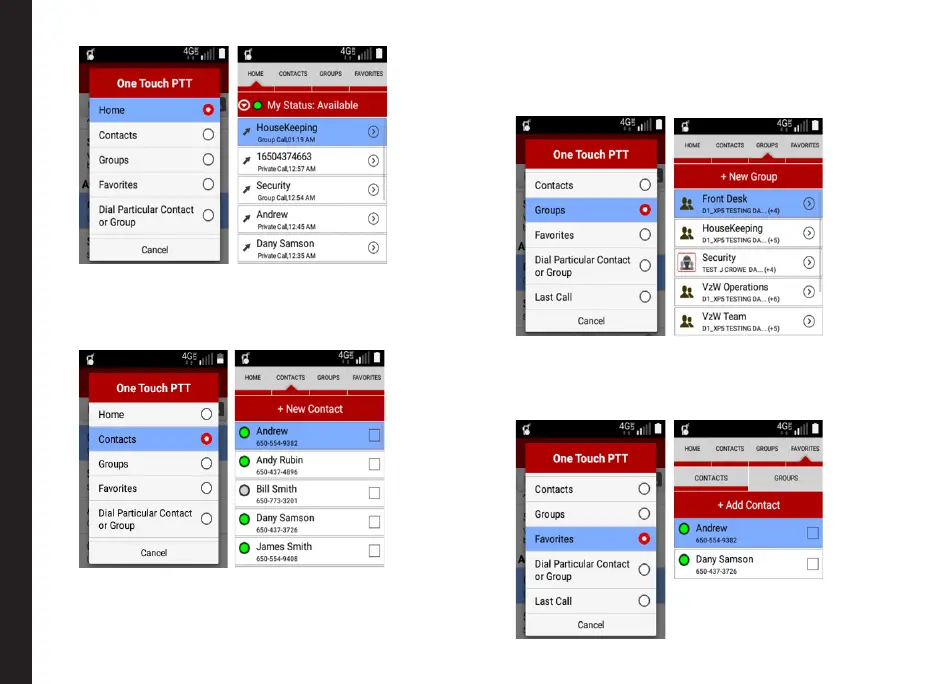
• Contacts: PTT+ application is launched
with the Contacts tab when the PTT key is
pressed, when the user is not in any of the
PTT+ application screen.
• Group: PTT+ application is launched
with the Groups tab when the PTT key is
pressed, when the user is not in any of the
PTT+ application screen.
• Favorite - PTT+ application is launched
with the Favorite tab when the PTT key is
pressed, when the user is not in any of the
PTT+ application screen.
PTT Settings Overview



 To Next Page