Chapter 1: Introduction 3
Introduction
The software that runs the system uses graphic display elements similar to those used in many
personal computers. System terms are explained in Chapter 9, “Glossary.” On-screen symbols are
explained in “Screen Layout and Icons” on page 11.
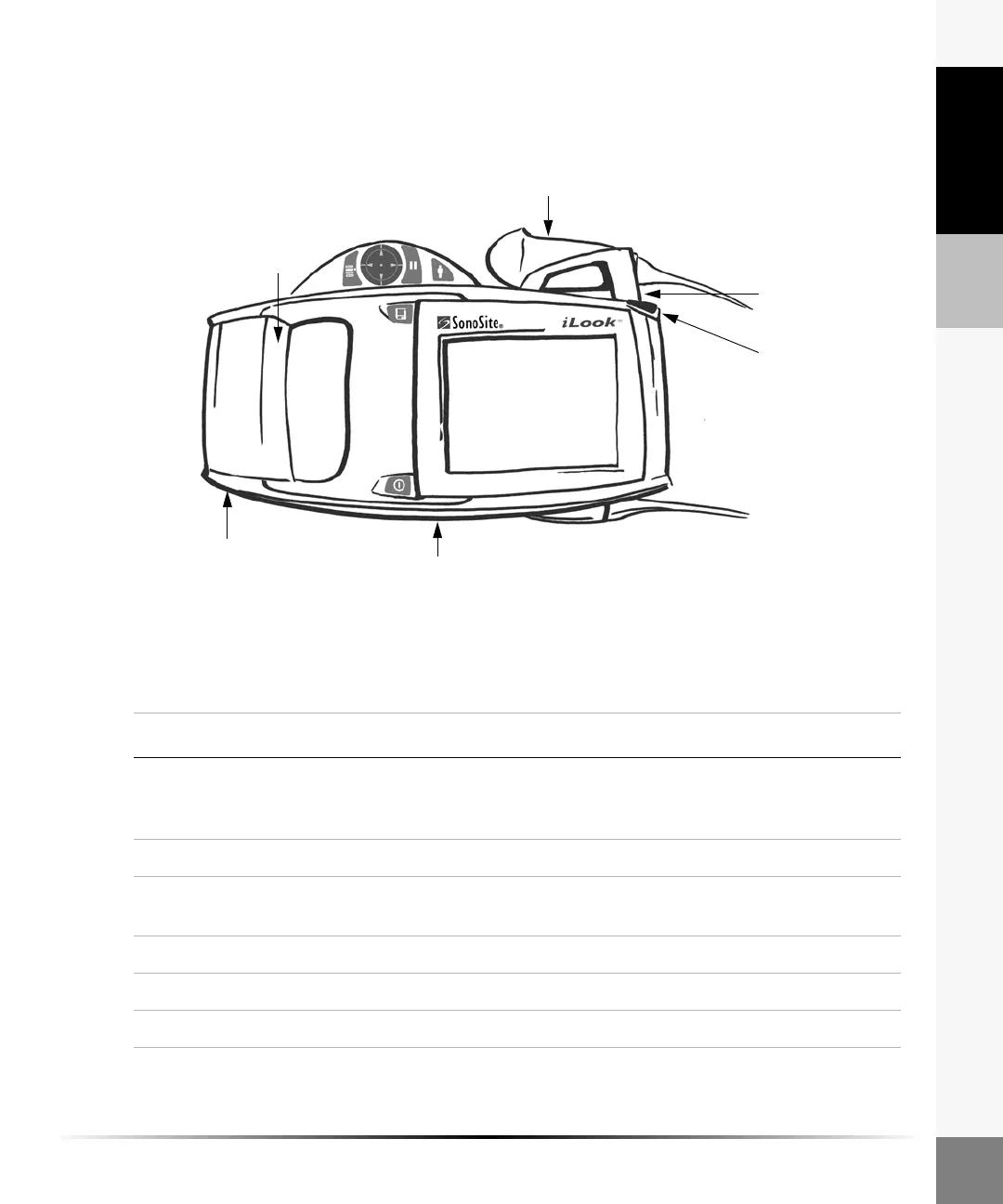
The following figure illustrates the iLook system.
Figure 1 The iLook System
Transducer clip
Transducer
Handle pad
Battery
I/O connector
Stylus
Table 1: The iLook System
Item Description
Battery Two batteries are provided. Fully depleted batteries require approximately
two hours to charge to 90% capacity and three hours to charge to 100%
capacity.
Handle Pad Small and large handle pads are provided.
Transducer Clip
(C15 only)
Provides a storage area for the C15 transducer during exams or when
transporting the system.
Transducer The transducer is permanently attached to the system.
Stylus Used to tap on-screen menus, caliper placement, and data entry.
I/O Connector Used to connect system to docking station and auxiliary power.



 To Next Page