28 Chapter 3: The Exam
Exam
To perform a measurement using the directional controller:
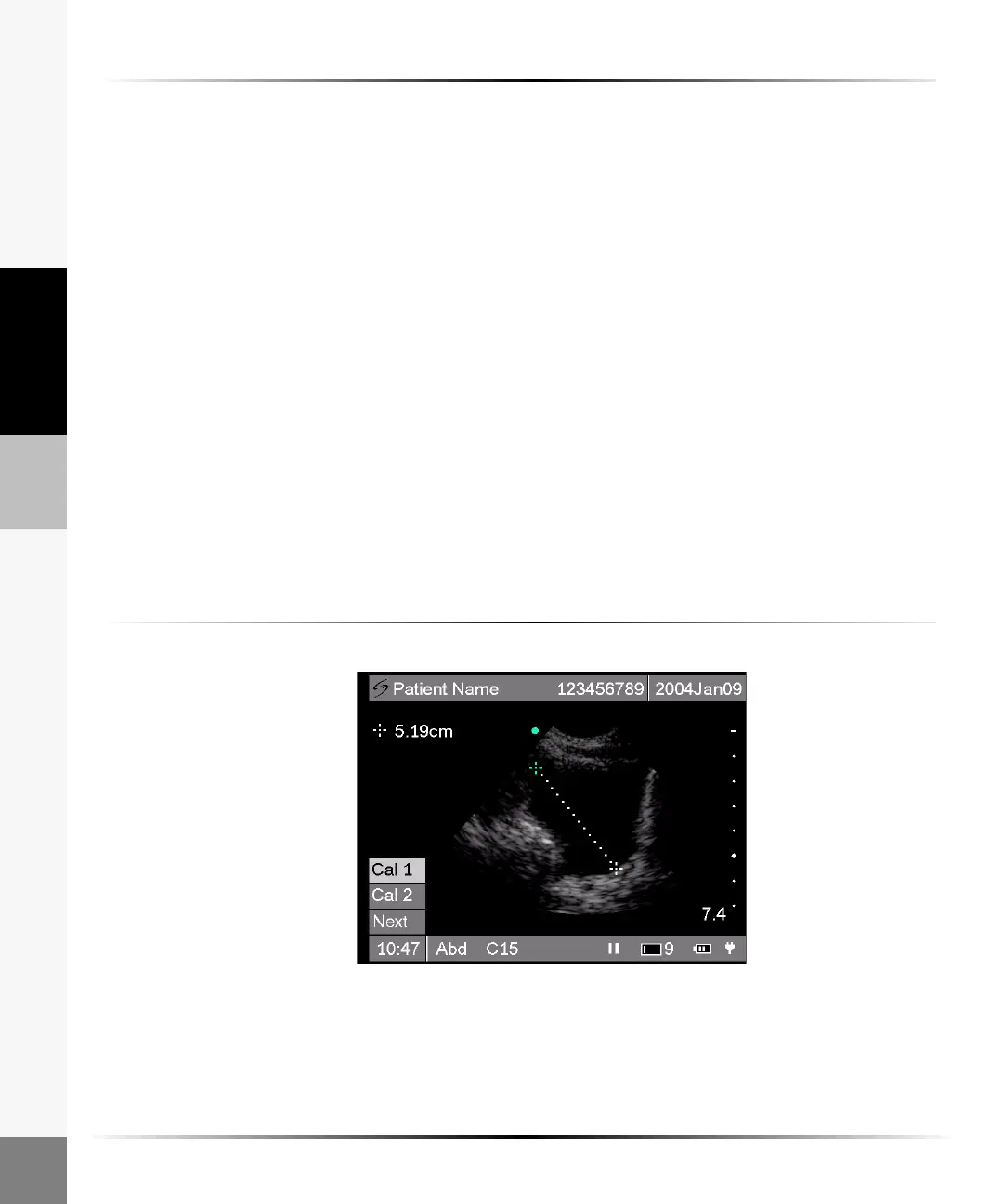
1 On a frozen image, select Meas from the on-screen menu.
Two measurement calipers are displayed on the screen. Cal 1 is the active caliper and is
highlighted green.
2 Position the first caliper using the right, left, up, or down arrows.
The measurement is displayed in the upper left section of the screen and is updated as the
caliper moves.
3 Select Cal 1 to set the position of the first caliper and to activate Cal 2.
4 Position the second caliper using the right, left, up, or down arrows.
5 Select Cal 2 to set the position of the second caliper.
6 To reposition a caliper, highlight Cal 1 or Cal 2.
7 Select desired caliper to activate and use the right, left, up, or down arrows to reposition.
8 Select Done from the on-screen menu to remove the measurement menu.
The measurement and calipers are removed from the screen.
9 Press the Freeze key to return to live imaging.
Volume Calculation
The volume calculation is available on the C15 transducer in an abdominal exam type. A volume
calculation has three separate distance measurements.
This calculation is an approximation of the
actual volume of the anatomical feature.
See Chapter 8, “References” for additional information. All
three measurements must be completed to obtain a volume calculation and exit the volume
calculation menu.
To perform a volume calculation:
Note: The calculation result is not saved to a report.
1 On a frozen image, tap or select Vol from the on-screen menu.
The first set of calipers is displayed on the screen. Cal 1 is active and is highlighted green. To
activate the second caliper, tap or select Cal 2.



 To Next Page