36 Chapter 4: Accessories
Accessories
Connectivity
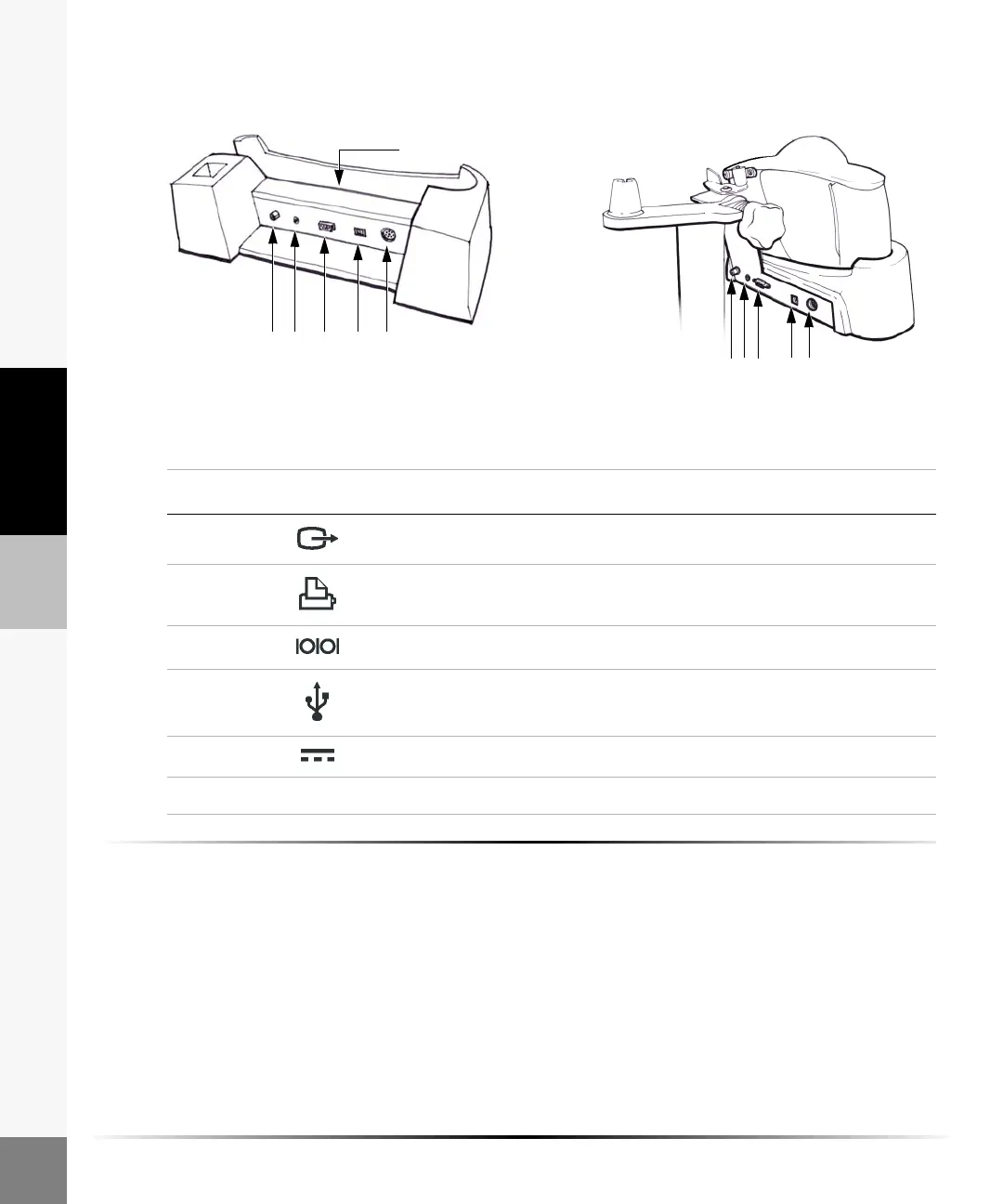
Figure 4 Connectors
To set up the docking station or stand:
1 Insert the DC input connector from the power supply to the docking station or stand.
2 Connect the AC power cord to the iLook power supply and connect the power cord to a hospital
grade outlet.
53421
6
53421
Docking station Stand
Table 1: Docking Station and Stand Connectors
Number Icon Feature
1 Video out connector
2 Print control connector (not active)
3 RS-232 connector
4USB connector (not active)
5 DC input connector
6 I/O connector



 To Next Page