10 Chapter 2: Getting Started
Getting Started
To vary your daily activities, consider the following:
• Plan your work so there are breaks in between ultrasound exams.
• When scanning, use both system input devices, the touch screen and the directional controller.
• Work efficiently when performing an ultrasound exam by using the software and hardware
features correctly. Learn more about these features in Chapter 3 of this guide.
• Keep moving. Avoid sustaining the same posture by varying your head, neck, body, arm, and
leg positions.
Exercise
Targeted exercises can strengthen muscle groups, which may help you avoid MSDs. Contact a
qualified health professional to determine stretches and exercises that are right for you.
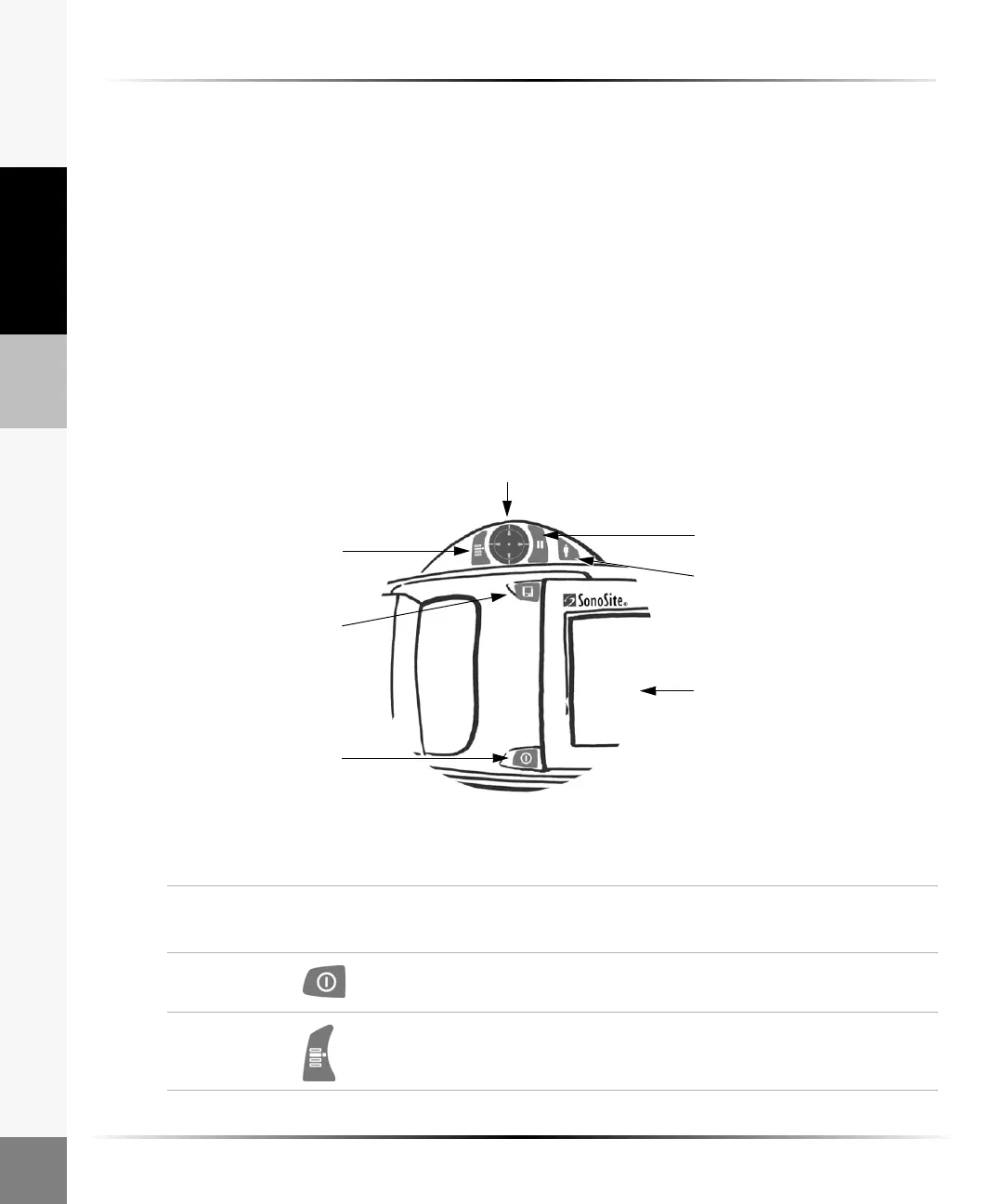
System Controls
Figure 2 System Controls
Patient
Touch screen
Menu
Directional
controller
Freeze
Save
Power
Table 1: System Controls
System
Control
Icon Description
Power Press and hold for 1 beep to turn power on. Press and hold for
2beeps to turn power off.
Menu Press to turn the on-screen menu on. Press again to turn the
on-screen menu off.



 To Next Page