Chapter 3: The Exam 25
Exam
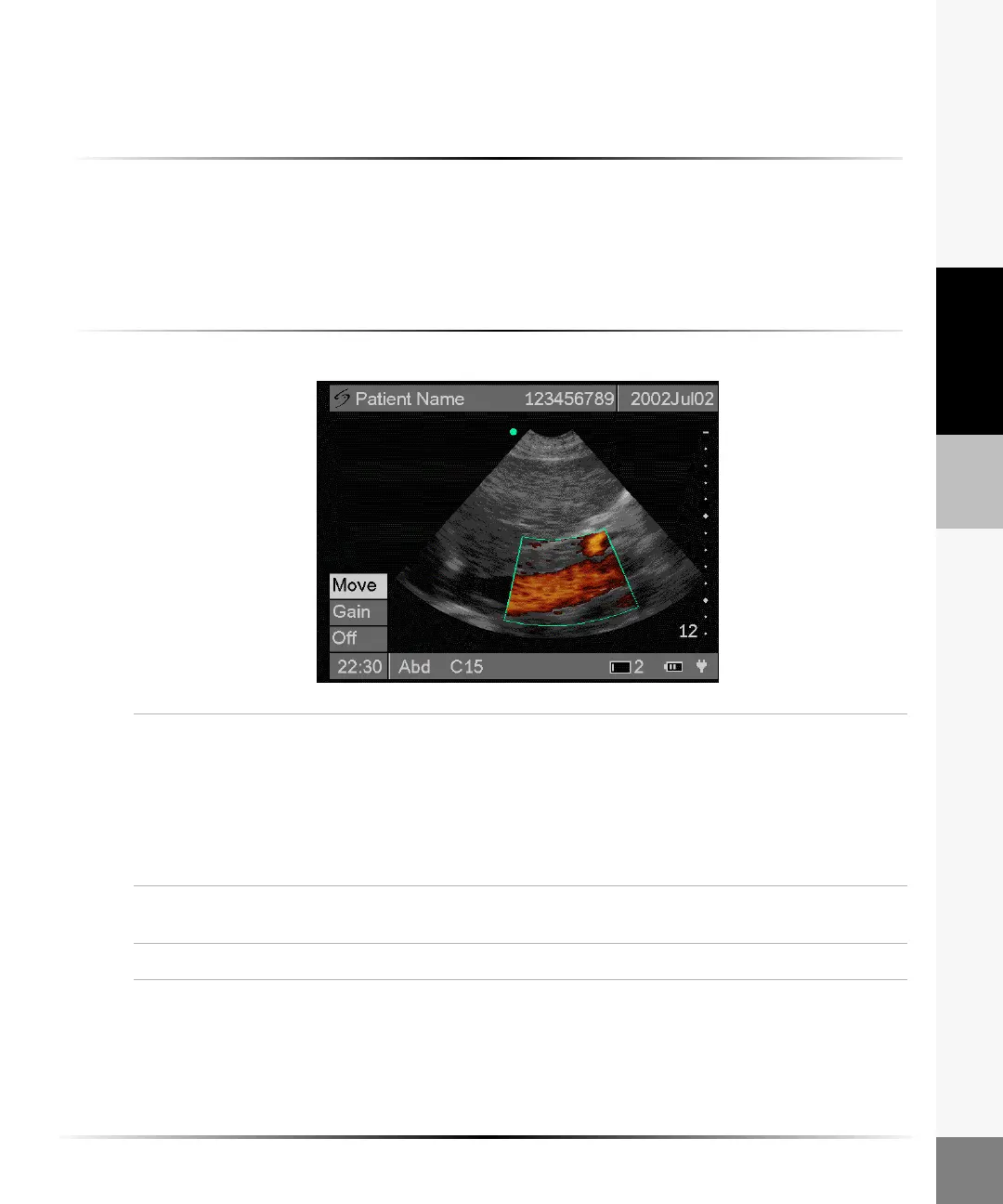
Color Power Doppler (CPD) or Directional Color Power
Doppler (DCPD) Image
To turn CPD or DCPD on:
Select CPD or DCPD from the 2D on-screen menu to turn on CPD or DCPD.
Note: DCPD is only available for Cardiac (Card) exam type on a C15 transducer.
Note: When imaging with the iLook L25 using CPD at depths of 2.2, 2.5, and 2.8 cm, the color fill-in around
the first one (1) cm may be inversely affected by increasing the CPD gain at high gain settings. If the vessel
fails to fill with color after continually increasing the CPD gain, try slowly decreasing the gain.
To optimize CPD or DCPD:
Move 1 The region of interest (ROI) box is highlighted green and active when the
CPD/DCPD menu is displayed.
Note: If the ROI box is not highlighted green, select Move from the on-screen
menu.
2 Use the right, left, up, or down arrows to move the ROI box.
3 Select Move to set the position of the ROI box and activate Gain. Gain is now
highlighted.
Gain 1 Highlight Gain from the on-screen menu.
2 Arrow right to increase gain and left to decrease gain.
Off Select Off from the on-screen menu to turn CPD/DCPD off.



 To Next Page