To
remove
the
memory
card
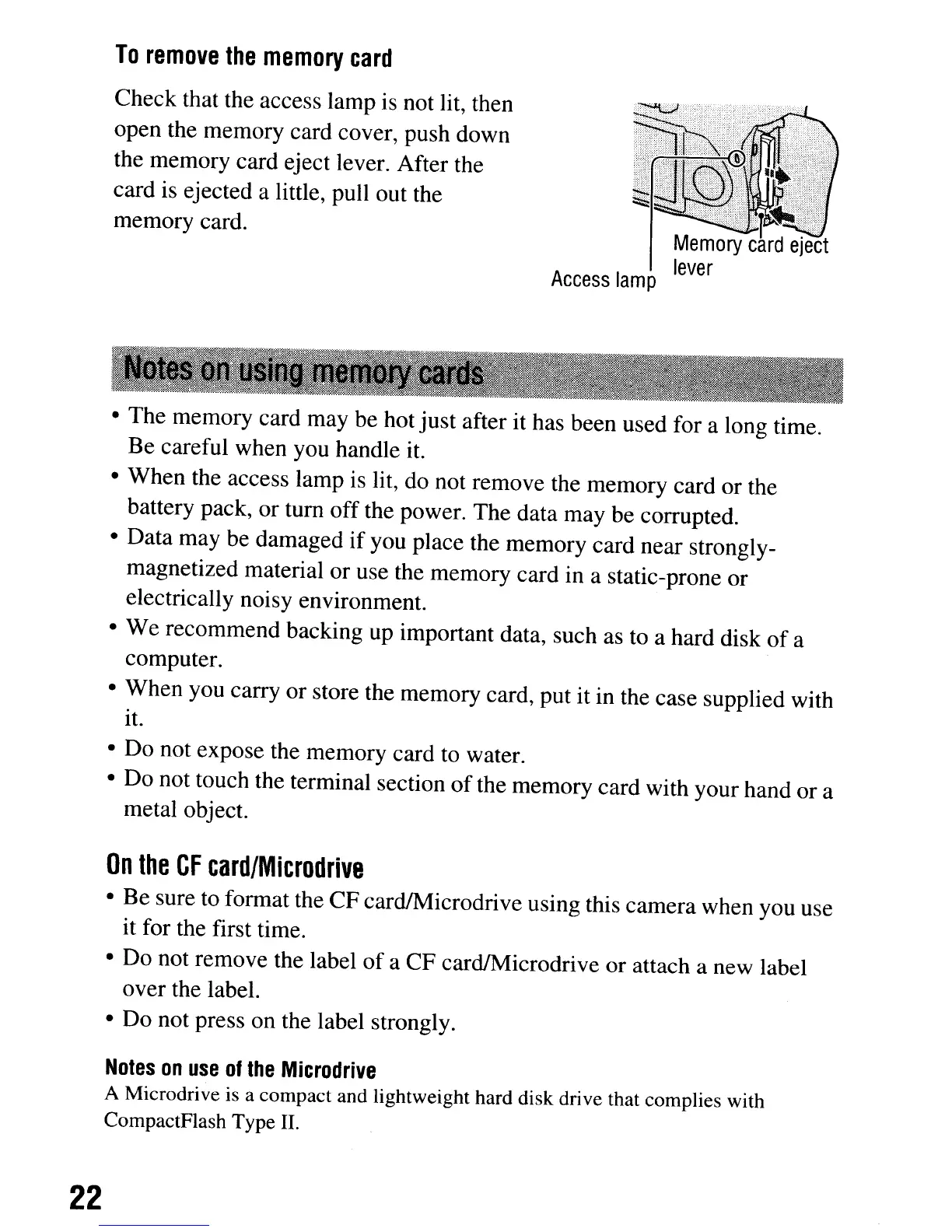
Check that the access lamp is not lit, then
open the memory card cover, push down
the memory card eject lever. After the
card is ejected a little, pull out the
memory card.
Access
lamp
• The memory card may be hot just after it has been used for a long time.
Be careful when you handle it.
• When the access lamp is lit, do not remove the memory card or the
battery pack, or tum off the power. The data may be corrupted.
• Data may be damaged
if
you place the memory card near strongly-
magnetized material or use the memory card in a static-prone or
electrically noisy environment.
• We recommend backing up important data, such
as
to a hard disk
of
a
computer.
• When you carry or store the memory card, put it in the case supplied with
it.
• Do not expose the memory card to water.
• Do not touch the terminal section
of
the memory card with your hand or a
metal object.
On
the
CF
card/Microdrive
• Be sure to format the CF cardlMicrodrive using this camera when you use
it for the first time.
• Do not remove the label of a CF cardIMicrodrive or attach a new label
over the label.
• Do not press on the label strongly.
Notes
on
use
of
the
Microdrive
A Microdrive is a compact and lightweight hard disk drive that complies with
CompactFlash Type II.
22
To
remove
the
memory
card
Check that the access lamp is not lit, then
open the memory card cover, push down
the memory card eject lever. After the
card is ejected a little, pull out the
memory card.
Access
lamp
• The memory card may be hot just after it has been used for a long time.
Be careful when you handle it.
• When the access lamp is lit, do not remove the memory card or the
battery pack, or tum off the power. The data may be corrupted.
• Data may be damaged
if
you place the memory card near strongly-
magnetized material or use the memory card in a static-prone or
electrically noisy environment.
• We recommend backing up important data, such
as
to a hard disk
of
a
computer.
• When you carry or store the memory card, put it in the case supplied with
it.
• Do not expose the memory card to water.
• Do not touch the terminal section
of
the memory card with your hand or a
metal object.
On
the
CF
card/Microdrive
• Be sure to format the CF cardlMicrodrive using this camera when you use
it for the first time.
• Do not remove the label of a CF cardIMicrodrive or attach a new label
over the label.
• Do not press on the label strongly.
Notes
on
use
of
the
Microdrive
A Microdrive is a compact and lightweight hard disk drive that complies with
CompactFlash Type II.
22













 To Next Page