You
can use a CompactFlash card
(CF
card), Microdrive,
or
"Memory
Stick
Duo"
as a memory card.
Inserting
a
memory
card
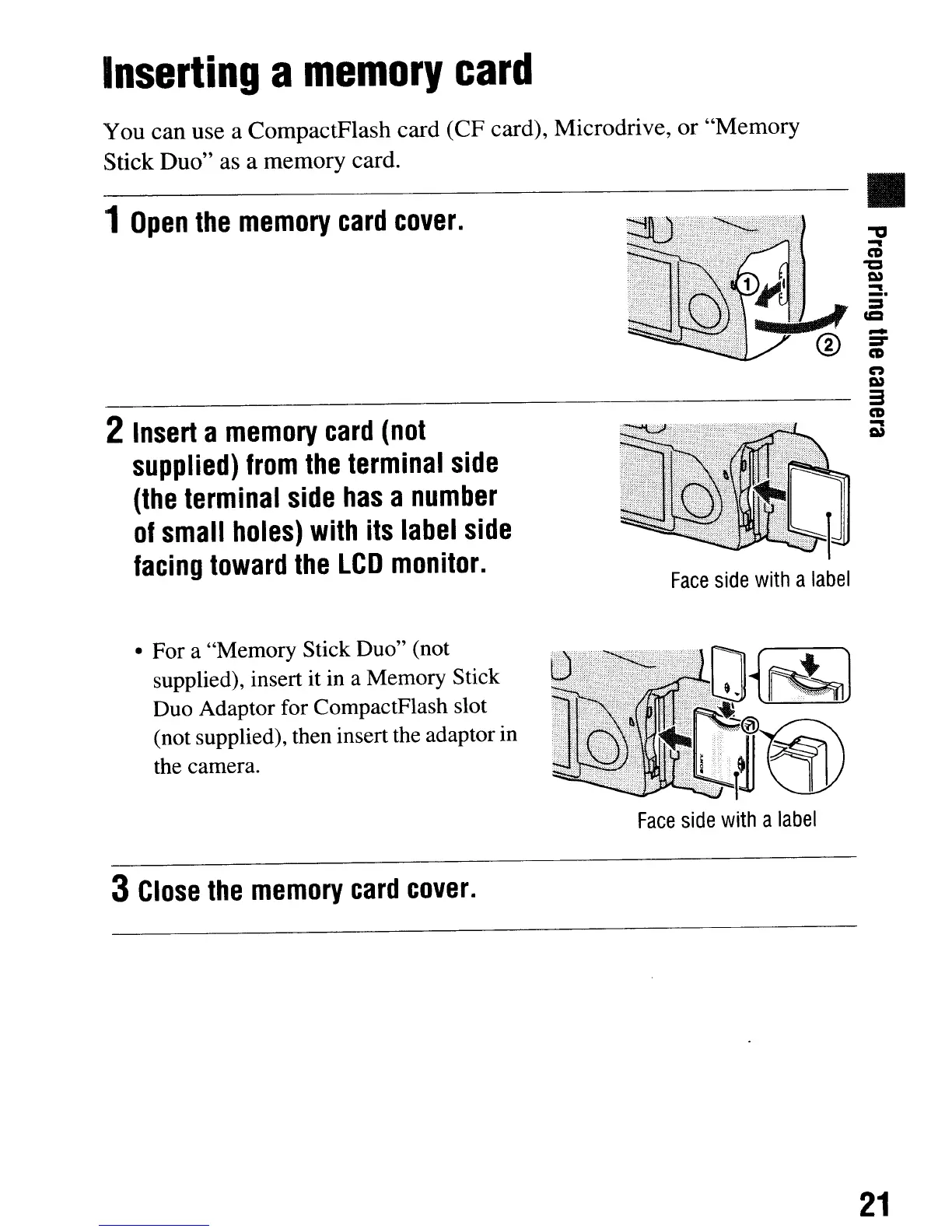
1
Open
the
memory
card
cover.
2
Insert
a
memory
card
(not
supplied)
from
the
terminal
side
(the
terminal
side
has
a
number
of
small
holes)
with
its
label
side
facing
toward
the
LCD
monitor.
• For a "Memory Stick Duo" (not
supplied), insert it in a Memory Stick
Duo Adaptor for CompactFlash slot
(not supplied), then insert the adaptor
in
the camera.
3
Close
the
memory
card
cover.
Face
side
with
a
label
Face
side
with
a
label
•
:::I
CCI
-
:::I'"
CD
n
C»
3
CD
-
C»
21
You
can use a CompactFlash card
(CF
card), Microdrive,
or
"Memory
Stick
Duo"
as a memory card.
Inserting
a
memory
card
1
Open
the
memory
card
cover.
2
Insert
a
memory
card
(not
supplied)
from
the
terminal
side
(the
terminal
side
has
a
number
of
small
holes)
with
its
label
side
facing
toward
the
LCD
monitor.
• For a "Memory Stick Duo" (not
supplied), insert it in a Memory Stick
Duo Adaptor for CompactFlash slot
(not supplied), then insert the adaptor
in
the camera.
3
Close
the
memory
card
cover.
Face
side
with
a
label
Face
side
with
a
label
•
:::I
CCI
-
:::I'"
CD
n
C»
3
CD
-
C»
21













 To Next Page