:Selecting
the
focus
method
There
are
two
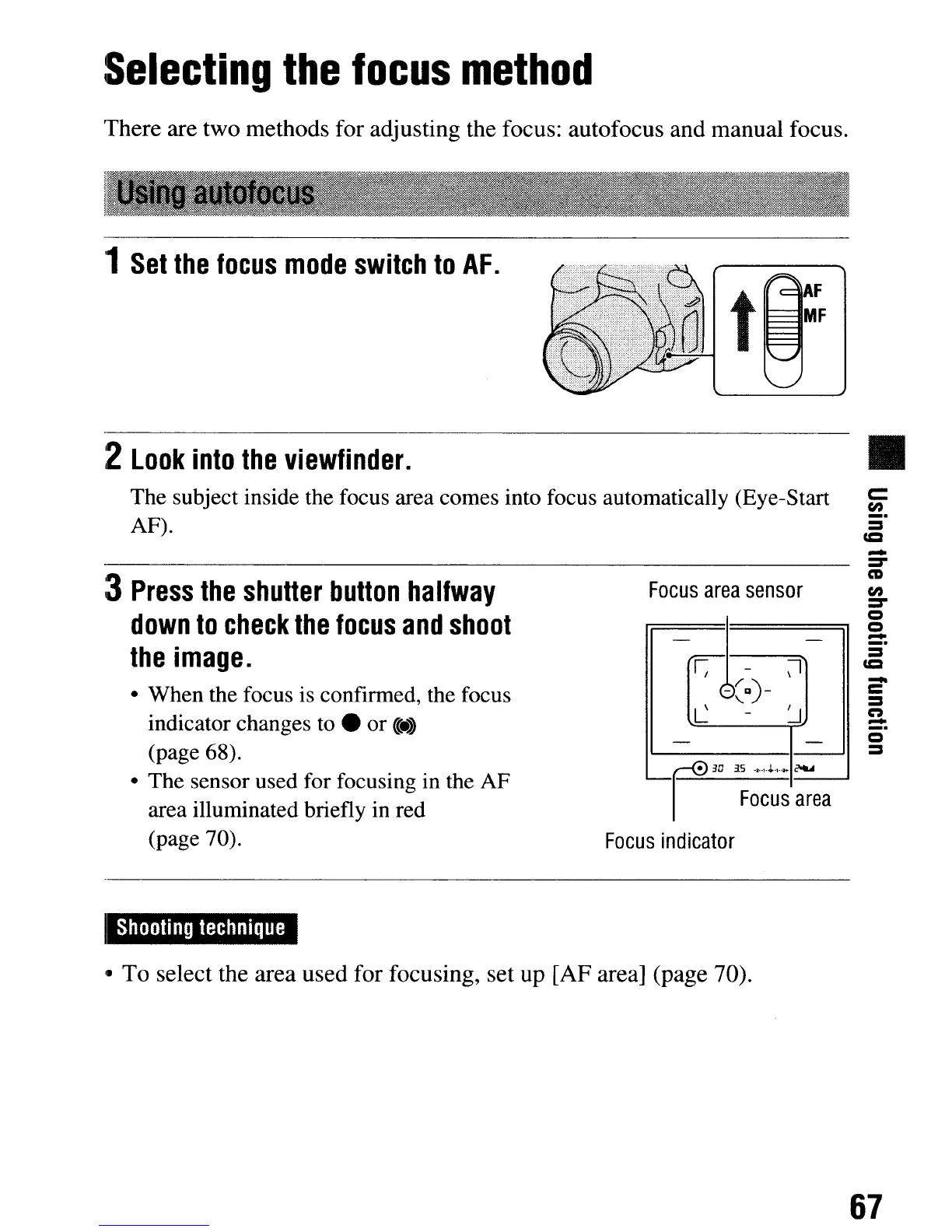
methods for adjusting the focus: autofocus
and
manual focus.
'1
Set
the
focus
mode
switch
to
AF.
:2
Look
into
the
viewfinder.
•
The subject inside the focus area comes into focus automatically (Eye-Start
AF).
c::
en
_.
:::=I
CCI
Focus
area
sensor
o
:::=I
-
C
:::=I
n
-
-
=-
CD
en
=-
o
o
-
:::=I
CCI
- -
F
-
0I
-~g)-
L
-
~
- -
•
3D
35
,
"....
-20·1-."'·2+
-I
I
Focus
area
Focus
indicator
:3
Press
the
shutter
button
halfway
down
to
check
the
focus
and
shoot
the
image.
• When the focus is confirmed, the focus
indicator changes to •
or
«:4
(page 68).
• The sensor used for focusing in the AF
area illuminated briefly in red
(page 70).
Shooting
technique
'.
To
select the area
used
for focusing, set
up
[AF
area] (page 70).
67
:Selecting
the
focus
method
There
are
two
methods for adjusting the focus: autofocus
and
manual focus.
'1
Set
the
focus
mode
switch
to
AF.
:2
Look
into
the
viewfinder.
•
The subject inside the focus area comes into focus automatically (Eye-Start
AF).
c::
en
_.
:::=I
CCI
Focus
area
sensor
o
:::=I
-
C
:::=I
n
-
-
=-
CD
en
=-
o
o
-
:::=I
CCI
- -
F
-
0I
-~g)-
L
-
~
- -
•
3D
35
,
"....
-20·1-."'·2+
-I
I
Focus
area
Focus
indicator
:3
Press
the
shutter
button
halfway
down
to
check
the
focus
and
shoot
the
image.
• When the focus is confirmed, the focus
indicator changes to •
or
«:4
(page 68).
• The sensor used for focusing in the AF
area illuminated briefly in red
(page 70).
Shooting
technique
'.
To
select the area
used
for focusing, set
up
[AF
area] (page 70).
67













 To Next Page