mm1
(Automatic
AF)
When you press and hold the shutter button,
if
the subject is
motionless, the focus is locked and if the subject
is
in motion,
the camera continues to focus.
BD
(Continuous
The camera continues to focus while the shutter button is
AF)
pressed and held halfway down.
• The audio signals will not sound when the subject
is
in
focus.
Shooting
techniques
• Use
am
(Single-shot AF) when the subject is motionless.
• Use
aD
(Continuous AF) when the subject is in motion.
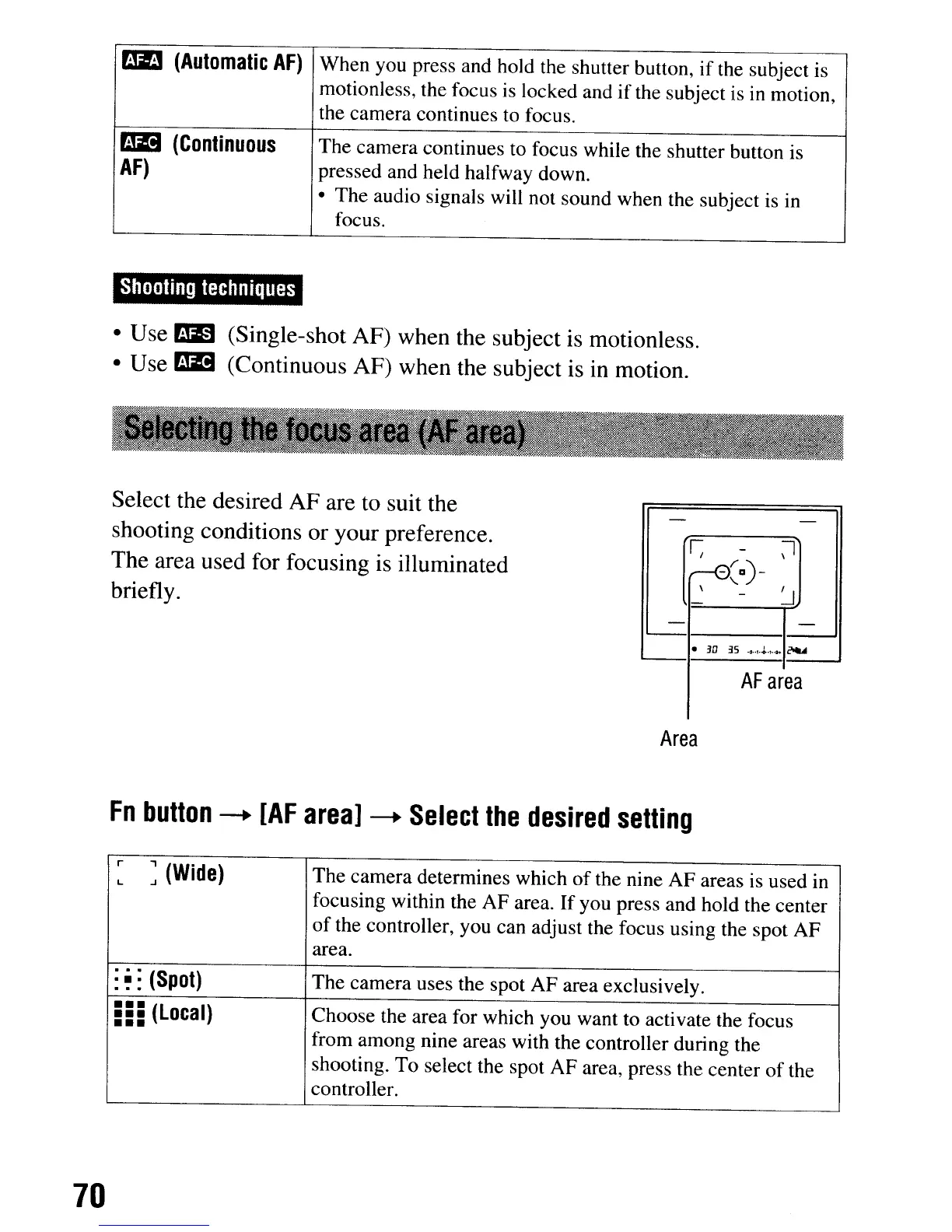
Select the desired AF are to suit the
shooting conditions or your preference.
The area used for focusing is illuminated
briefly.
-
-
~
-
~
r0~a)-
\
-
j
-
-
-
•
3D
3.5
.2.+~.t
....
~
AF
area
Area
Fn
button
--+
[AF
area]
--+
Select
the
desired
setting
r
:
(Wide)
The camera determines which
of
the nine AF areas is used in
L
focusing within the AF area.
If
you press and hold the center
of
the controller, you can adjust the focus using the spot AF
area.
:
~
:
(Spot)
The camera uses the spot AF area exclusively.
===
(Local)
Choose the area for which you want to activate the focus
•••
from among nine areas with the controller during the
shooting. To select the spot AF area, press the center
of
the
controller.
70
mm1
(Automatic
AF)
When you press and hold the shutter button,
if
the subject is
motionless, the focus is locked and if the subject
is
in motion,
the camera continues to focus.
BD
(Continuous
The camera continues to focus while the shutter button is
AF)
pressed and held halfway down.
• The audio signals will not sound when the subject
is
in
focus.
Shooting
techniques
• Use
am
(Single-shot AF) when the subject is motionless.
• Use
aD
(Continuous AF) when the subject is in motion.
Select the desired AF are to suit the
shooting conditions or your preference.
The area used for focusing is illuminated
briefly.
-
-
~
-
~
r0~a)-
\
-
j
-
-
-
•
3D
3.5
.2.+~.t
....
~
AF
area
Area
Fn
button
--+
[AF
area]
--+
Select
the
desired
setting
r
:
(Wide)
The camera determines which
of
the nine AF areas is used in
L
focusing within the AF area.
If
you press and hold the center
of
the controller, you can adjust the focus using the spot AF
area.
:
~
:
(Spot)
The camera uses the spot AF area exclusively.
===
(Local)
Choose the area for which you want to activate the focus
•••
from among nine areas with the controller during the
shooting. To select the spot AF area, press the center
of
the
controller.
70













 To Next Page