Camera
shake
warning
indicator
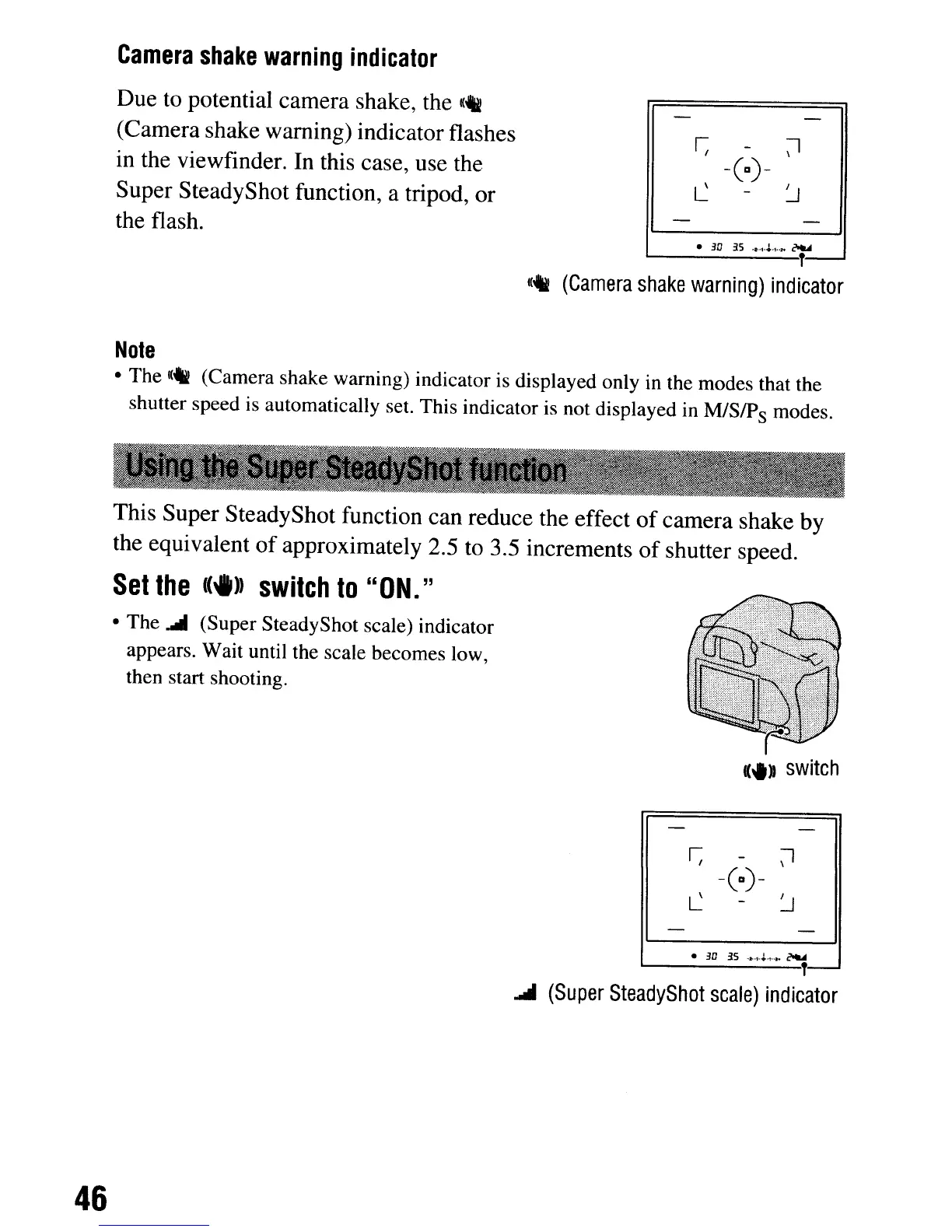
Due to potential camera shake, the
K_
(Camera shake warning) indicator flashes
in the viewfinder. In this case, use the
Super SteadyShot function, a tripod, or
the flash.
-(0)-
•
3D
3.5
.•.
1,.1..,
..
,.
~
L...--------'T-
1(_
(Camera
shake
warning)
indicator
Note
• The
«4i
(Camera shake warning) indicator is displayed only in the modes that the
shutter speed is automatically set. This indicator is not displayed in
M/SlP
s
modes.
This Super SteadyShot function can reduce the effect
of
camera shake by
the equivalent
of
approximately 2.5 to 3.5 increments
of
shutter speed.
Set
the
(.»
switch
to
"ON."
• The
.....
(Super SteadyShot scale) indicator
appears. Wait until the scale becomes low,
then start shooting.
-(0)-
•
3D
3S
·.·1·~·'·.a.
~
L....-.-----T-
.....
(Super
SteadyShot
scale)
indicator
46
Camera
shake
warning
indicator
Due to potential camera shake, the
K_
(Camera shake warning) indicator flashes
in the viewfinder. In this case, use the
Super SteadyShot function, a tripod, or
the flash.
-(0)-
•
3D
3.5
.•.
1,.1..,
..
,.
~
L...--------'T-
1(_
(Camera
shake
warning)
indicator
Note
• The
«4i
(Camera shake warning) indicator is displayed only in the modes that the
shutter speed is automatically set. This indicator is not displayed in
M/SlP
s
modes.
This Super SteadyShot function can reduce the effect
of
camera shake by
the equivalent
of
approximately 2.5 to 3.5 increments
of
shutter speed.
Set
the
(.»
switch
to
"ON."
• The
.....
(Super SteadyShot scale) indicator
appears. Wait until the scale becomes low,
then start shooting.
-(0)-
•
3D
3S
·.·1·~·'·.a.
~
L....-.-----T-
.....
(Super
SteadyShot
scale)
indicator
46













 To Next Page