EasyManua.ls Logo

Sony a200 - Preparing the Camera

Sony a200
203 pages
Print Icon
To Next Page IconTo Next Page
To Previous Page IconTo Previous Page
Loading...
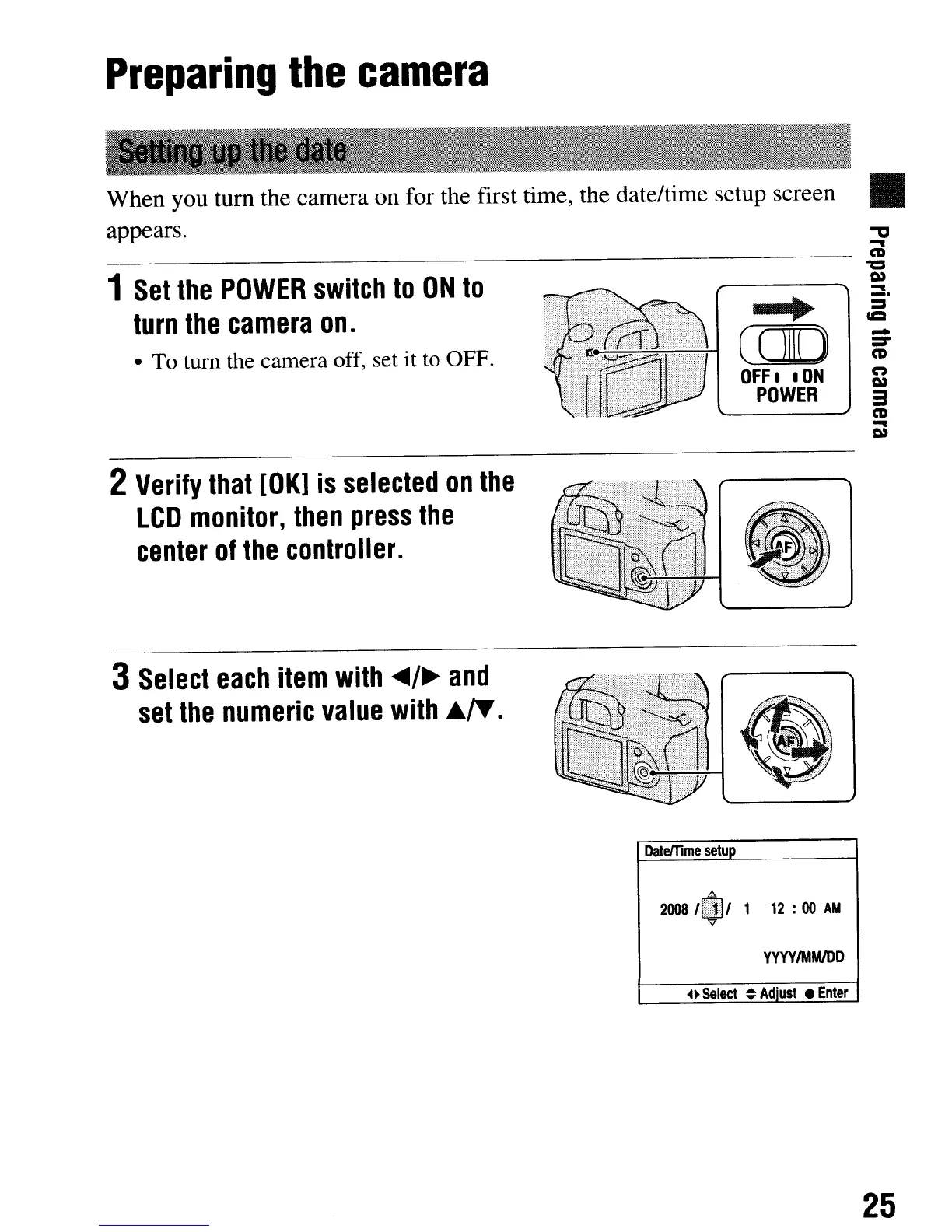
When you
tum
the camera on for the first time, the date/time setup screen
appears.
Preparing
the
camera
1
Set
the
POWER
switch
to
ON
to
turn
the
camera
on.
To turn
the
camera off, set it
to
OFF.
2
Verify
that
[OK]
is
selected
on
the
LCD
monitor,
then
press
the
center
of
the
controller.
~
COO
OFF
I
ION
POWER
"'tIl
-
CD
"CI
-
_.
-
=-
CD
n
3
CD
-
3
Select
each
item
with
<tfI4/~
and
set
the
numeric
value
with
.~.
DateITlme
setup
.0.
2008/.,
1
12
:00
AM
v
YYYYIMMIDD
~~Select
~
Adiust
Enter
25
When you
tum
the camera on for the first time, the date/time setup screen
appears.
Preparing
the
camera
1
Set
the
POWER
switch
to
ON
to
turn
the
camera
on.
To turn
the
camera off, set it
to
OFF.
2
Verify
that
[OK]
is
selected
on
the
LCD
monitor,
then
press
the
center
of
the
controller.
~
COO
OFF
I
ION
POWER
"'tIl
-
CD
"CI
-
_.
-
=-
CD
n
3
CD
-
3
Select
each
item
with
<tfI4/~
and
set
the
numeric
value
with
.~.
DateITlme
setup
.0.
2008/.,
1
12
:00
AM
v
YYYYIMMIDD
~~Select
~
Adiust
Enter
25

Table of Contents

Related product manuals