Shooting
an
image
without
camera
shake
"Camera shake" refers to an unwanted movement
of
the camera that occurs
after the shutter button has been pressed, resulting in a blurred image.
To
reduce camera shake, follow the instructions below.
Stabilize
your
upper
body
and
take
a
I~osition
that
keeps
the
camera
from
moving.
Point
CD
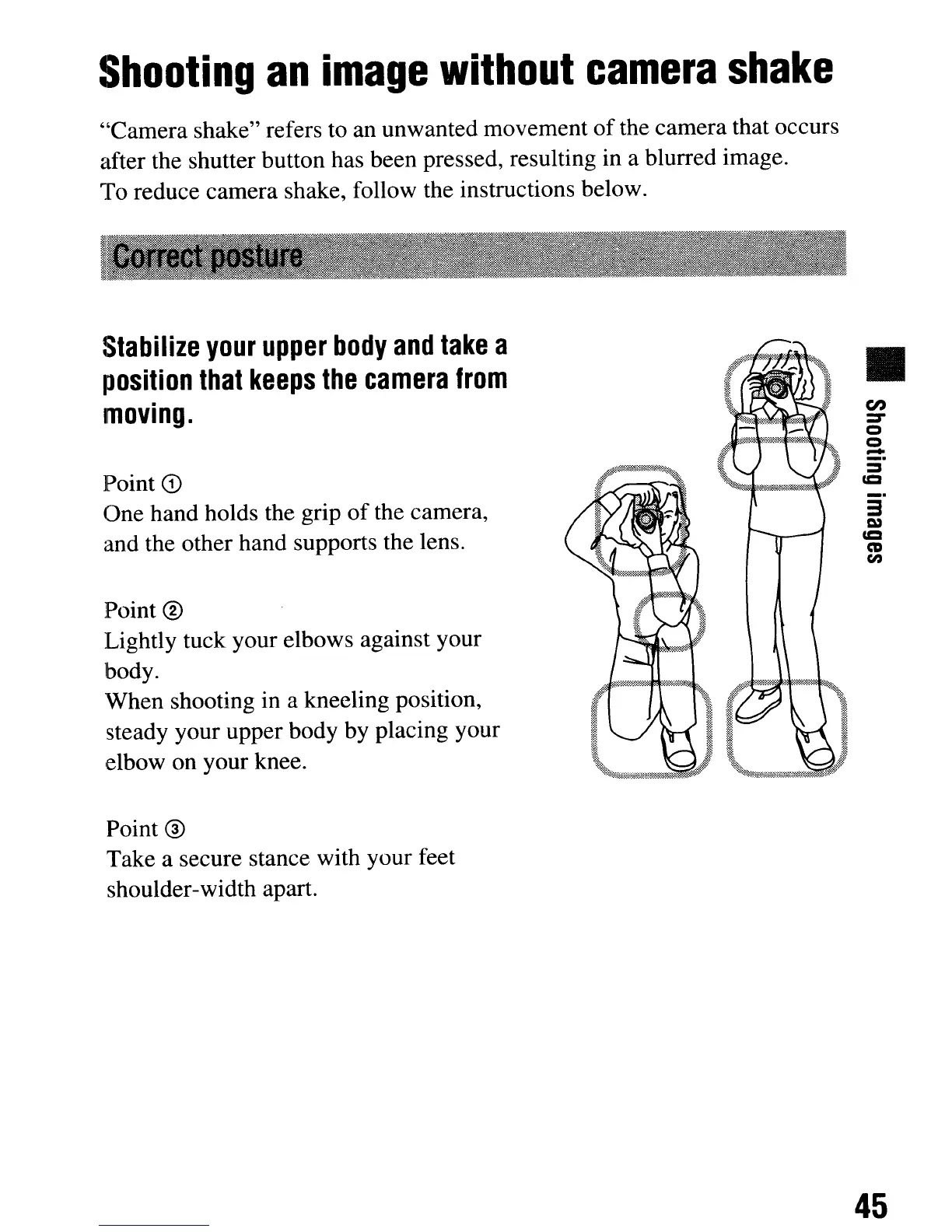
One hand holds the grip
of
the camera,
and the other hand supports the lens.
Point
®
Lightly tuck your elbows against your
body.
When shooting in a kneeling position,
steady your upper body by placing your
elbow on your knee.
Point
®
Take a secure stance with your feet
shoulder-width apart.
•
en
::r
o
o
-
_.
3
C»
=
CD
en
45
Shooting
an
image
without
camera
shake
"Camera shake" refers to an unwanted movement
of
the camera that occurs
after the shutter button has been pressed, resulting in a blurred image.
To
reduce camera shake, follow the instructions below.
Stabilize
your
upper
body
and
take
a
I~osition
that
keeps
the
camera
from
moving.
Point
CD
One hand holds the grip
of
the camera,
and the other hand supports the lens.
Point
®
Lightly tuck your elbows against your
body.
When shooting in a kneeling position,
steady your upper body by placing your
elbow on your knee.
Point
®
Take a secure stance with your feet
shoulder-width apart.
•
en
::r
o
o
-
_.
3
C»
=
CD
en
45













 To Next Page