Switching
the
recording
information
display
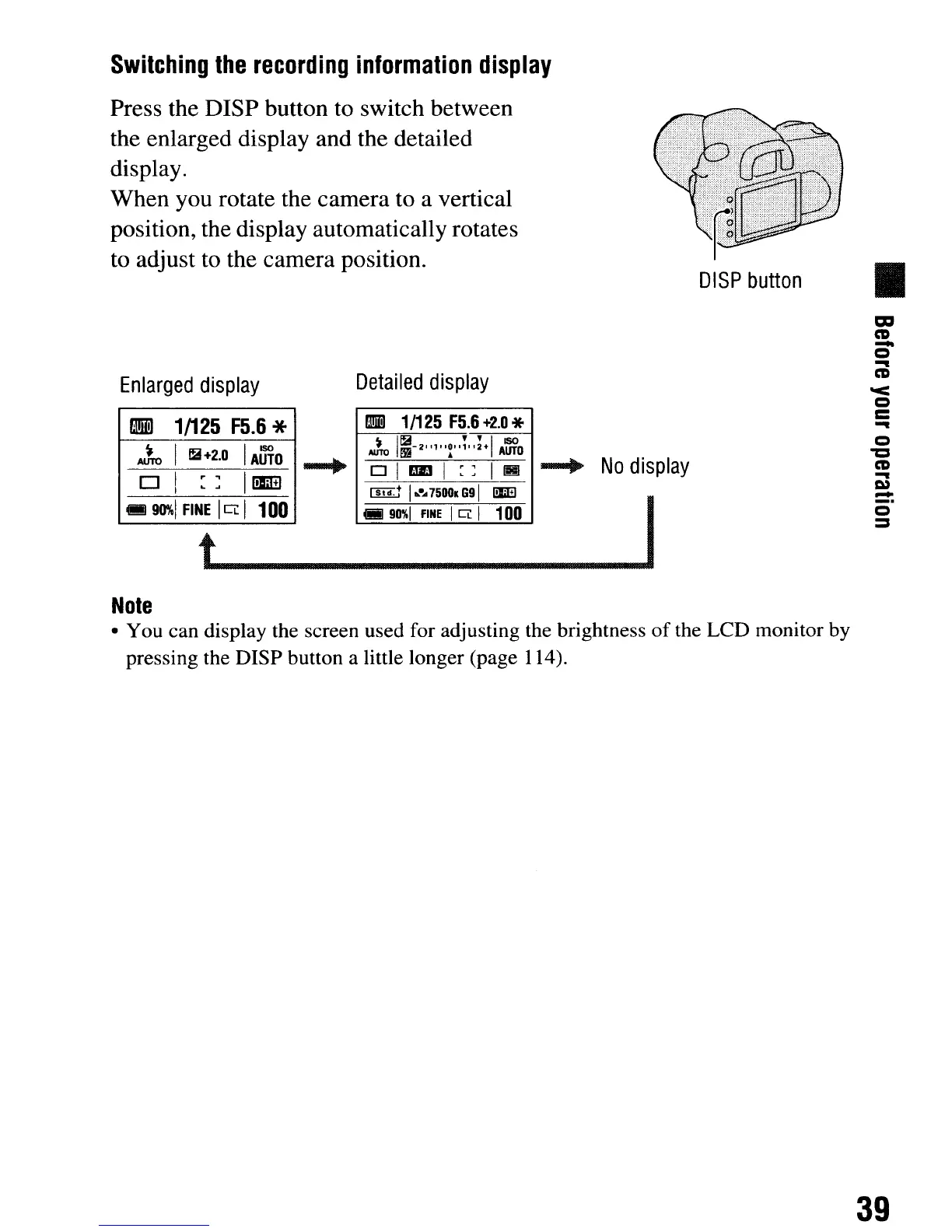
Press the
nISP
button to switch between
the enlarged display and the detailed
display.
When you rotate the camera to a vertical
position, the display automatically rotates
to adjust to the camera position.
DISP
button
•
-+
No
display
Enlarged
display
Detailed
display
•
1/125
F5.6
* ml
1/125
F5.6
+2.0
*
~
I
lE+2.0
1
AUTO
~
1~-2,.,,,~,,i";+1
Am'O
-.
olrJDl::
II!!!
0
1
1
::10
+1
I
~
~
.......
75001
69
I!JiEl
-
90%1
FINE
ICi: I
100
(iii
90%1
FINE
I
CL
I 100 I
t
~
Note
• You can display the screen used for adjusting the brightness
of
the LCD monitor by
pressing the DISP button a little longer (page 114).
m
CD
-
Q
-
CD
'<
Q
C
-
Q
'"0
CD
-
I»
-
_.
Q
:::I
39
Switching
the
recording
information
display
Press the
nISP
button to switch between
the enlarged display and the detailed
display.
When you rotate the camera to a vertical
position, the display automatically rotates
to adjust to the camera position.
DISP
button
•
-+
No
display
Enlarged
display
Detailed
display
•
1/125
F5.6
* ml
1/125
F5.6
+2.0
*
~
I
lE+2.0
1
AUTO
~
1~-2,.,,,~,,i";+1
Am'O
-.
olrJDl::
II!!!
0
1
1
::10
+1
I
~
~
.......
75001
69
I!JiEl
-
90%1
FINE
ICi: I
100
(iii
90%1
FINE
I
CL
I 100 I
t
~
Note
• You can display the screen used for adjusting the brightness
of
the LCD monitor by
pressing the DISP button a little longer (page 114).
m
CD
-
Q
-
CD
'<
Q
C
-
Q
'"0
CD
-
I»
-
_.
Q
:::I
39













 To Next Page