EasyManua.ls Logo

Sony a200 - Page 42

Sony a200
203 pages
Print Icon
To Next Page IconTo Next Page
To Previous Page IconTo Previous Page
Loading...
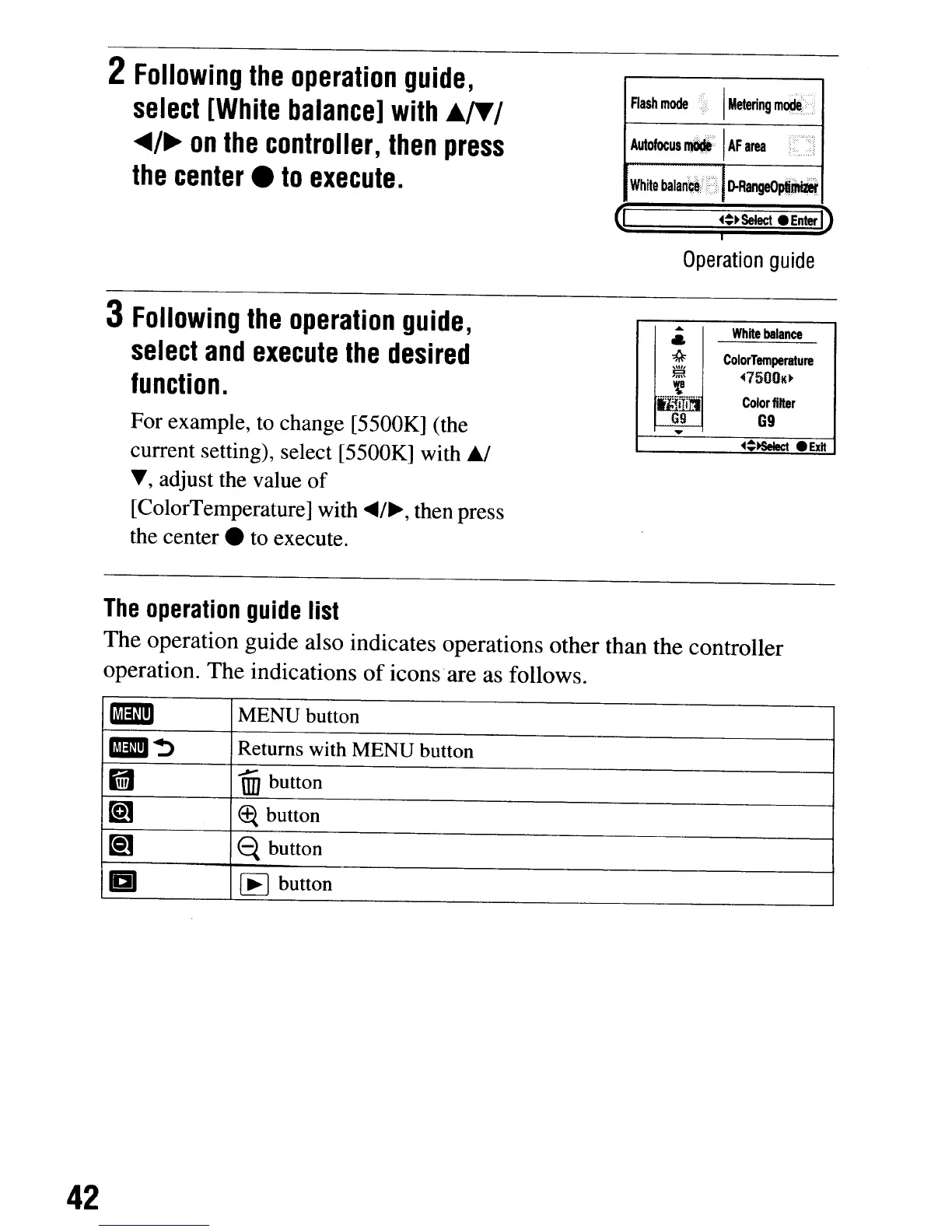
2
Following
the
operation
guide,
select
[White
balance]
with
A./T
/
...
/~
on
the
controller,
then
press
the
center.
to
execute.
3
Following
the
operation
guide,
select
and
execute
the
desired
function.
For example,
to
change [5500K] (the
current setting), select [5500K] with
6J
.,
adjust the value
of
[ColorTemperature] with
~/~,
then press
the
center.
to execute.
Rash
mode
I
Metering
mocte>
Autofocus
I1lW
1
AF
area
White
balari~~tf}
[)'R~
~~~select
Enter
D
Operation
guide
.....
White
balance
&
*
ColorTemperature
\\11'
~
~7500K.
~
tiilITJ\1
CoIorfllter
G9
G9
....
~~~
.Exlt
The
operation
guide
list
The
operation guide also indicates operations other than the controller
operation.
The
indications
of
icons·are as follows.
mmD
MENU button
1ImJ~
Returns with
MENU
button
IfiI
~
un
button
~
Ef{
button
~
e.
button
a
I~I
button
42
2
Following
the
operation
guide,
select
[White
balance]
with
A./T
/
...
/~
on
the
controller,
then
press
the
center.
to
execute.
3
Following
the
operation
guide,
select
and
execute
the
desired
function.
For example,
to
change [5500K] (the
current setting), select [5500K] with
6J
.,
adjust the value
of
[ColorTemperature] with
~/~,
then press
the
center.
to execute.
Rash
mode
I
Metering
mocte>
Autofocus
I1lW
1
AF
area
White
balari~~tf}
[)'R~
~~~select
Enter
D
Operation
guide
.....
White
balance
&
*
ColorTemperature
\\11'
~
~7500K.
~
tiilITJ\1
CoIorfllter
G9
G9
....
~~~
.Exlt
The
operation
guide
list
The
operation guide also indicates operations other than the controller
operation.
The
indications
of
icons·are as follows.
mmD
MENU button
1ImJ~
Returns with
MENU
button
IfiI
~
un
button
~
Ef{
button
~
e.
button
a
I~I
button
42

Table of Contents

Related product manuals