5
Press
the
shutter
button
halfway
down
to
focus.
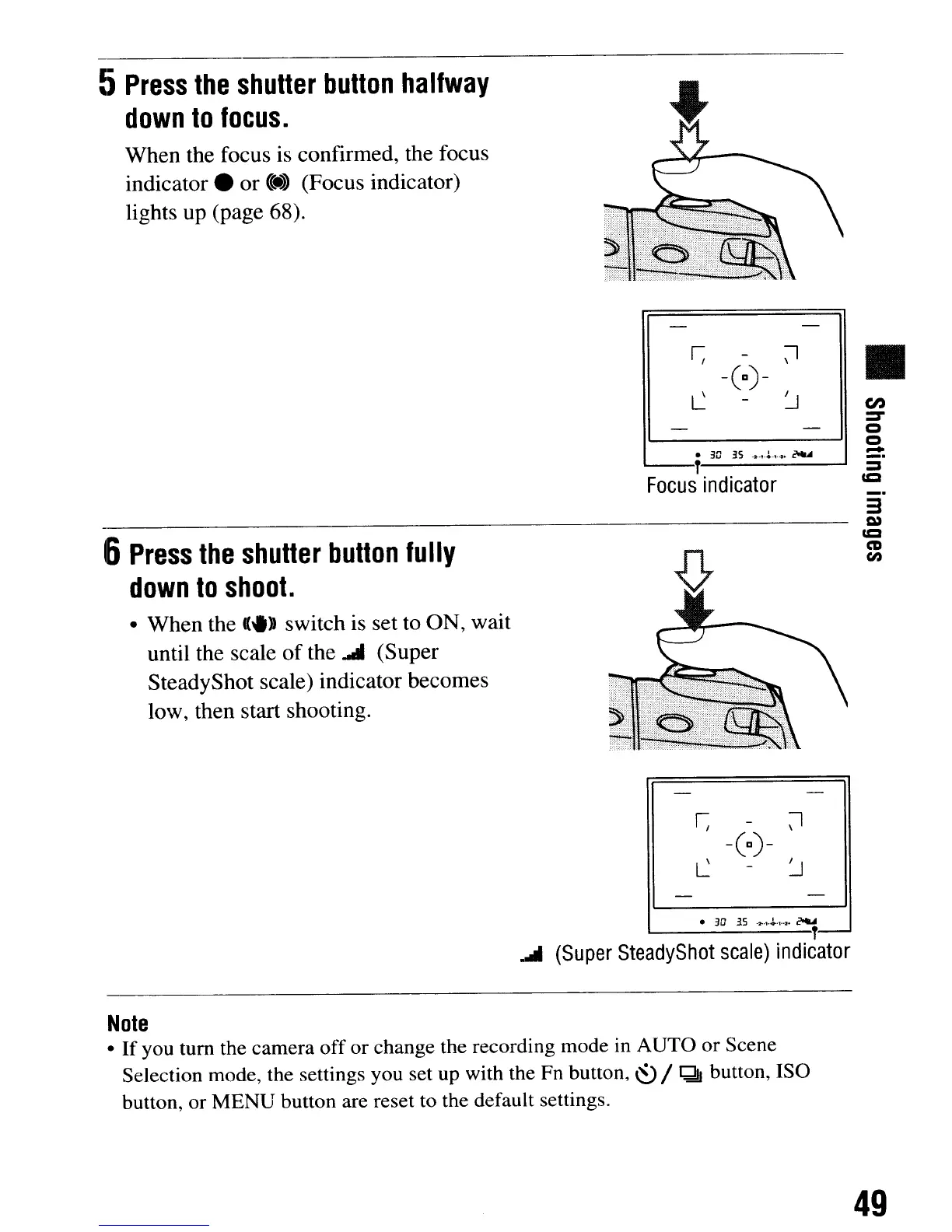
When the focus is confirmed, the focus
indicator.
or
«:e.»
(Focus indicator)
lights up (page 68).
-(a)-
•
3D
.3.S
-2-.,.J.'1'~
~
I..---T
Focus
indicator
6
Press
the
shutter
button
fully
down
to
shoot.
• When the
«.»
switch is set to ON, wait
until the scale
of
the .... (Super
SteadyShot scale) indicator becomes
low, then start shooting.
•
3D
35
-
...
t'~·I""
~
1-------T-
.....
(Super
SteadyShot
scale)
indicator
Note
•
If
you
tum
the
camera
off
or
change the recording mode in
AUTO
or
Scene
Selection mode, the settings you set up with the Fn button,
~
/
Qj
button, ISO
button,
or
MENU
button are reset to the default settings.
•
en
:::::T
Q
Q
-
_.
_.
3
C»
=
CD
en
49
5
Press
the
shutter
button
halfway
down
to
focus.
When the focus is confirmed, the focus
indicator.
or
«:e.»
(Focus indicator)
lights up (page 68).
-(a)-
•
3D
.3.S
-2-.,.J.'1'~
~
I..---T
Focus
indicator
6
Press
the
shutter
button
fully
down
to
shoot.
• When the
«.»
switch is set to ON, wait
until the scale
of
the .... (Super
SteadyShot scale) indicator becomes
low, then start shooting.
•
3D
35
-
...
t'~·I""
~
1-------T-
.....
(Super
SteadyShot
scale)
indicator
Note
•
If
you
tum
the
camera
off
or
change the recording mode in
AUTO
or
Scene
Selection mode, the settings you set up with the Fn button,
~
/
Qj
button, ISO
button,
or
MENU
button are reset to the default settings.
•
en
:::::T
Q
Q
-
_.
_.
3
C»
=
CD
en
49













 To Next Page