2
Select
the
aperture
value
(F-
number)
with
the
control
dial.
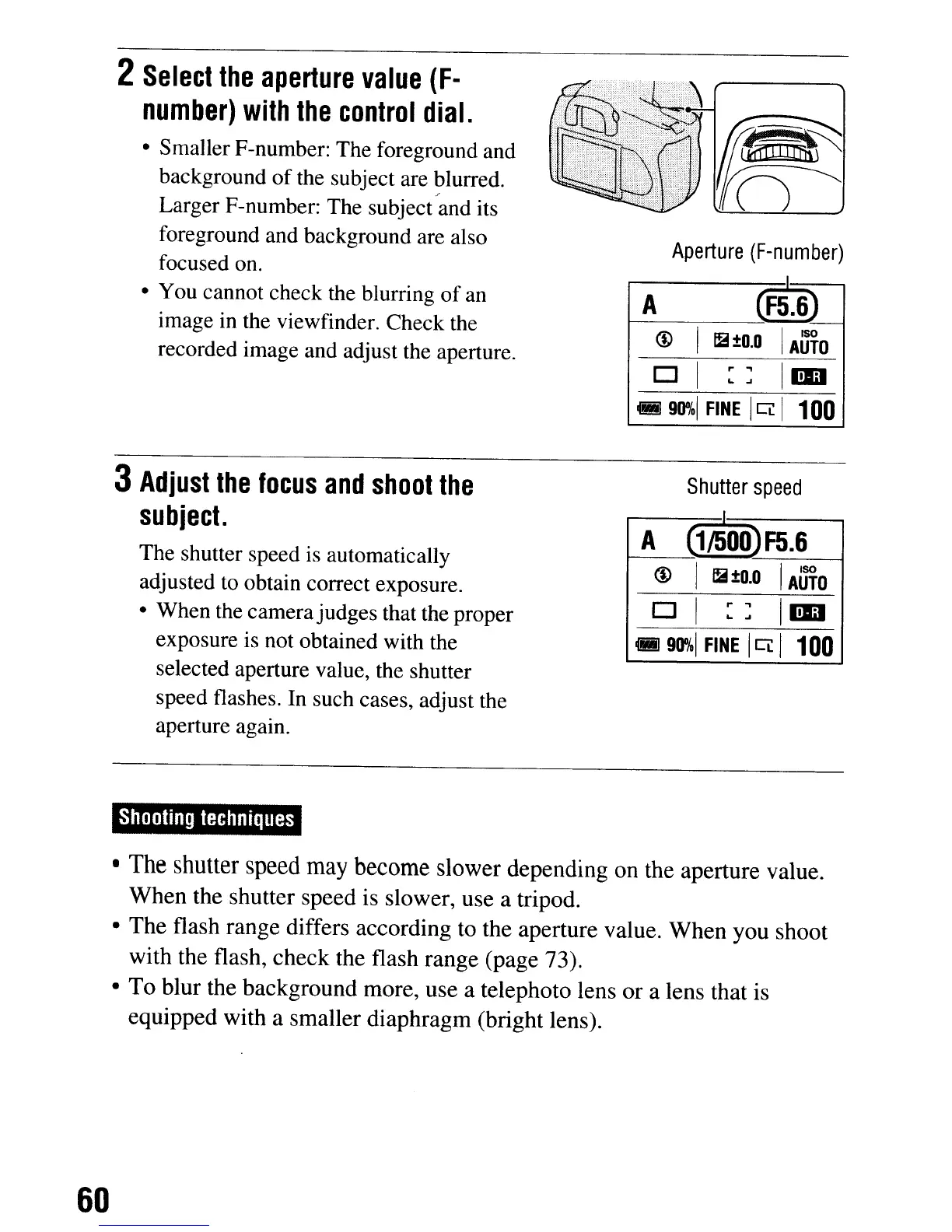
• Smaller F-number: The foreground and
background
of
the subject are blurred.
/
Larger F-number: The subject and its
foreground and background are also
focused on.
• You cannot check the blurring
of
an
image in the viewfinder. Check the
recorded image and adjust the aperture.
3
Adjust
the
focus
and
shoot
the
sUbject.
The shutter speed
is
automatically
adjusted
to
obtain correct exposure.
• When the camerajudges that the proper
exposure is not obtained with the
selected aperture value, the shutter
speed flashes. In such cases, adjust the
aperture again.
Shooting
techniques
Aperture
(F-number)
A
(F5.6)
@
12
±o.o
I
AUTO
D I
::
1m
.90"01
FINE
I
CL
I
100
Shutter
speed
A
(1~00)F5.6
@ I
12
±o.o
I
AUTO
o I
::
1m
•
90%1
FINE
I
CL
I
100
•
The
shutter
speed
may
become
slower depending on the aperture value.
When
the shutter speed is slower, use a tripod.
•
The
flash range differs according to the aperture value.
When
you shoot
with the flash,
check
the flash range (page 73).
•
To
blur the background more, use a telephoto lens
or
a lens that is
equipped with a smaller diaphragm (bright lens).
60
2
Select
the
aperture
value
(F-
number)
with
the
control
dial.
• Smaller F-number: The foreground and
background
of
the subject are blurred.
/
Larger F-number: The subject and its
foreground and background are also
focused on.
• You cannot check the blurring
of
an
image in the viewfinder. Check the
recorded image and adjust the aperture.
3
Adjust
the
focus
and
shoot
the
sUbject.
The shutter speed
is
automatically
adjusted
to
obtain correct exposure.
• When the camerajudges that the proper
exposure is not obtained with the
selected aperture value, the shutter
speed flashes. In such cases, adjust the
aperture again.
Shooting
techniques
Aperture
(F-number)
A
(F5.6)
@
12
±o.o
I
AUTO
D I
::
1m
.90"01
FINE
I
CL
I
100
Shutter
speed
A
(1~00)F5.6
@ I
12
±o.o
I
AUTO
o I
::
1m
•
90%1
FINE
I
CL
I
100
•
The
shutter
speed
may
become
slower depending on the aperture value.
When
the shutter speed is slower, use a tripod.
•
The
flash range differs according to the aperture value.
When
you shoot
with the flash,
check
the flash range (page 73).
•
To
blur the background more, use a telephoto lens
or
a lens that is
equipped with a smaller diaphragm (bright lens).
60













 To Next Page