EasyManua.ls Logo

Sony a200 - Page 63

Sony a200
203 pages
Print Icon
To Next Page IconTo Next Page
To Previous Page IconTo Previous Page
Loading...
This
mode
is
suitable
to
Shoot
with
the
desired
exposure
setting
by
adjusting
both
the
shutter
speed
and
aperture.
Use
an
exposure
meter.
en
:::::T
o
o
-
_.
1
Set
the
mode
dial
to
M.
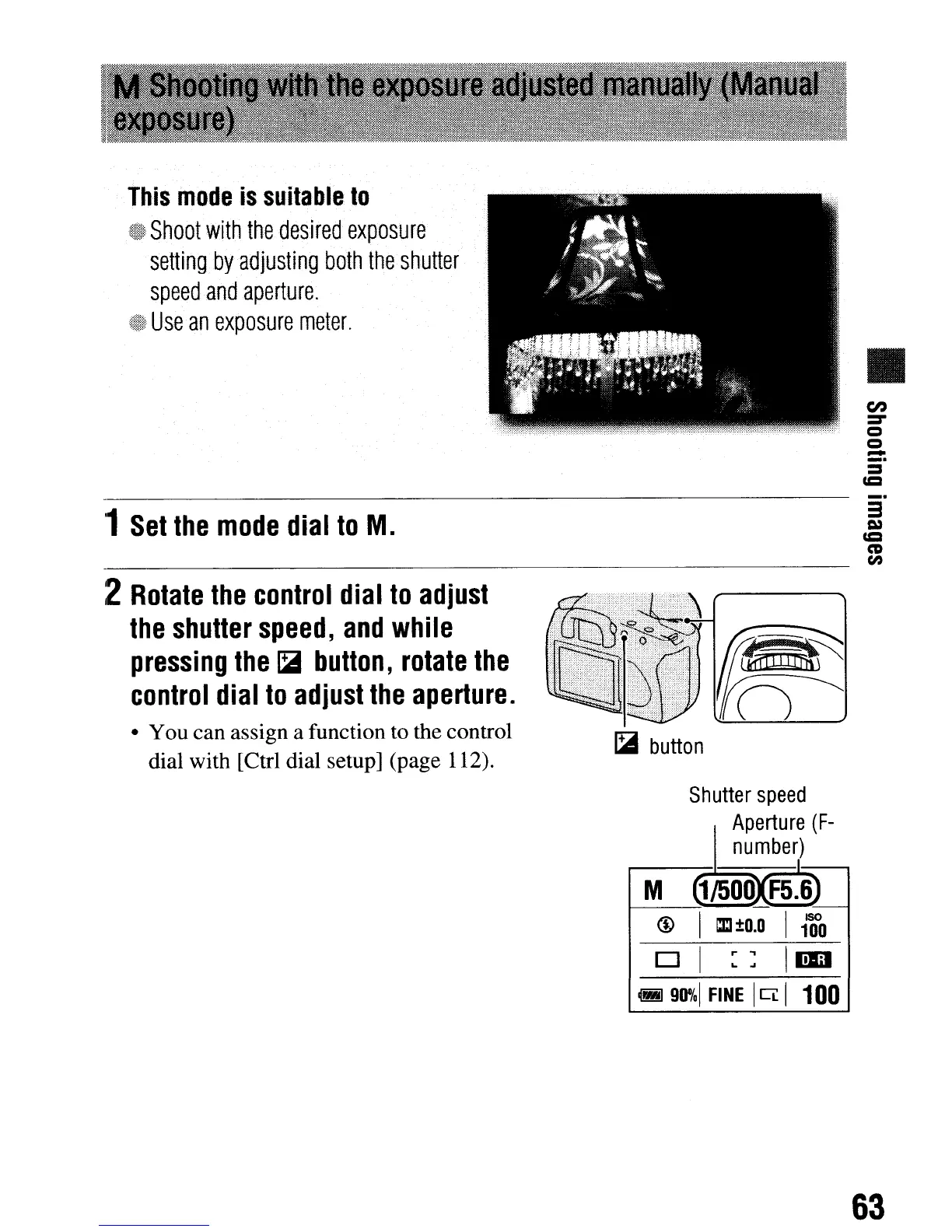
2
Rotate
the
control
dial
to
adjust
the
shutter
speed,
and
while
pressing
the
~
button,
rotate
the
control
dial
to
adjust
the
aperture.
You can assign a function to the control
dial with [Ctrl dial setup] (page 112).
~
button
Shutter
speed
Aperture
(F-
number)
3
u::t
CD
en
63
This
mode
is
suitable
to
Shoot
with
the
desired
exposure
setting
by
adjusting
both
the
shutter
speed
and
aperture.
Use
an
exposure
meter.
en
:::::T
o
o
-
_.
1
Set
the
mode
dial
to
M.
2
Rotate
the
control
dial
to
adjust
the
shutter
speed,
and
while
pressing
the
~
button,
rotate
the
control
dial
to
adjust
the
aperture.
You can assign a function to the control
dial with [Ctrl dial setup] (page 112).
~
button
Shutter
speed
Aperture
(F-
number)
3
u::t
CD
en
63

Table of Contents

Related product manuals