Basic Operations
11
Basic Operations
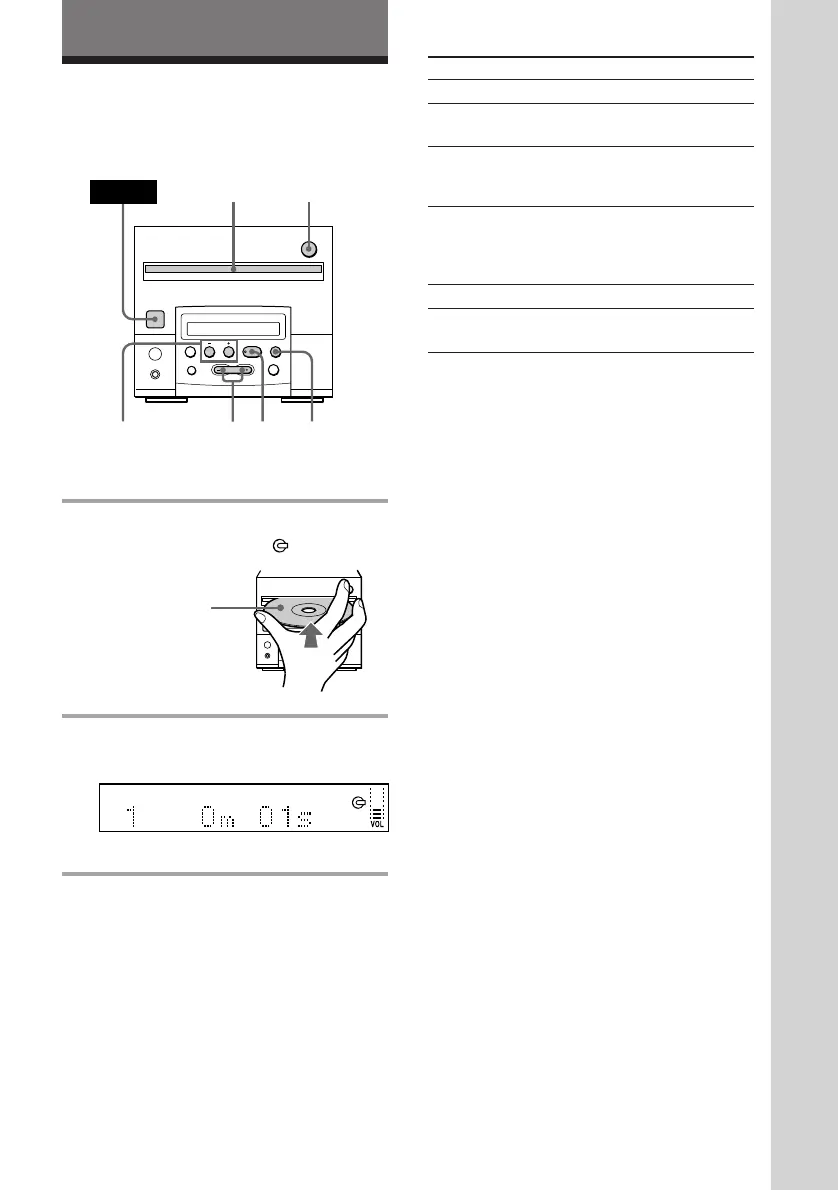
Playing a CD
To
Stop play
Pause
Select a track
(AMS*)
Find a point in
a track
Remove the CD
Adjust the
volume
Do this
Press p.
Press ^ (P on the remote).
Press again to resume play.
Press )+ (to go forward)
or =0 (to go back) (+
or
= on the remote).
Press )+ or =0 and
hold on ()
or 0 on the
remote) and release it at the
desired point.
Press 6.
Press VOL + or –.
* AMS: Automatic Music Sensor.
Tips
• If you do not remove a CD after pressing 6, a CD
is pulled in automatically after about 15 seconds to
protect a CD.
• Inserting a CD turns the power on automatically.
• Pressing ^ (CD ( on the remote) when the
power is off automatically turns the power on and
starts CD playback if there is a CD inside (One
Touch Play).
• You can switch from another source to the tuner
CD player and start playing a CD just by pressing
^ (CD ( on the remote) (Automatic Source
Selection).
With the label
side up.
§
0
)
=
+
·P p
§
0
)
=
+
·P p
2
POWER
1
=0/
)+
p
VOL +/–
6
1 Insert a CD.
The CD is pulled in and
appears.
2 Press ^ (CD ( on the remote).
The first track starts playing.
Tuner CD player



 To Next Page