20
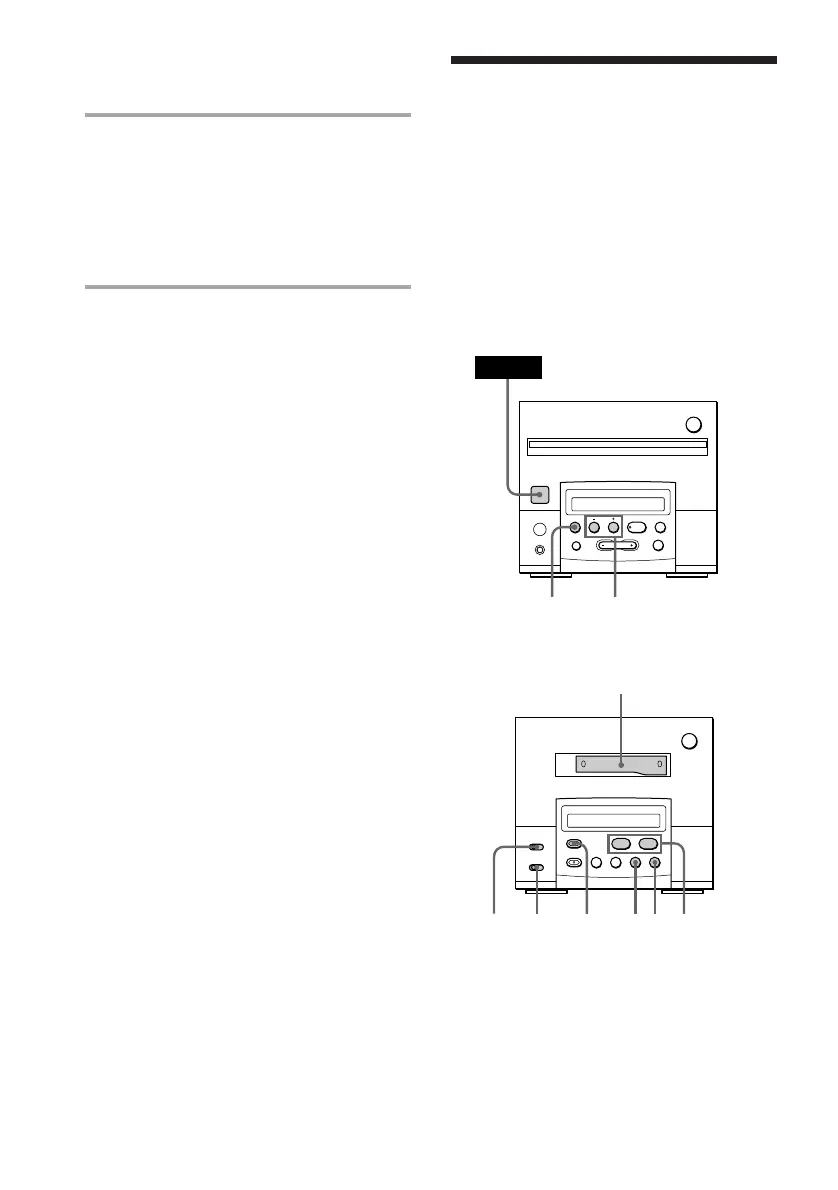
Recording from the
radio on a tape
(for the customers who purchased
TC-TX101 only)
Tuner CD player
Cassette deck (option)
You can record a radio programme on a tape
by calling up the preset station.
You can use TYPE I (normal) or TYPE II
(CrO
2) cassette, since the tape deck
automatically detects the tape type.
§
0
)
=
+
·P p
24
POWER
§
0
)
·ª
p
P
1
7865
p
DOLBY
NR
7 When recording is finished, press p
on the MD deck to stop recording
and remove the MD.
Be sure to remove an MD after recording
because programme you made is put on
record on an MD when an MD is
removed.
To stop recording
Press p on the MD deck.
Tips
• To record non-preset stations, press
TUNING MODE repeatedly until “AUTO” and
“PRESET” disappears in step 3, then press
TUNING + or – to tune in the desired station.
• To improve broadcast reception, reorient the
supplied aerials.
Recording from the radio on an
MD (continued)


 To Next Page