Basic Operations
19
0
)
=
+
·P p
§
1
675
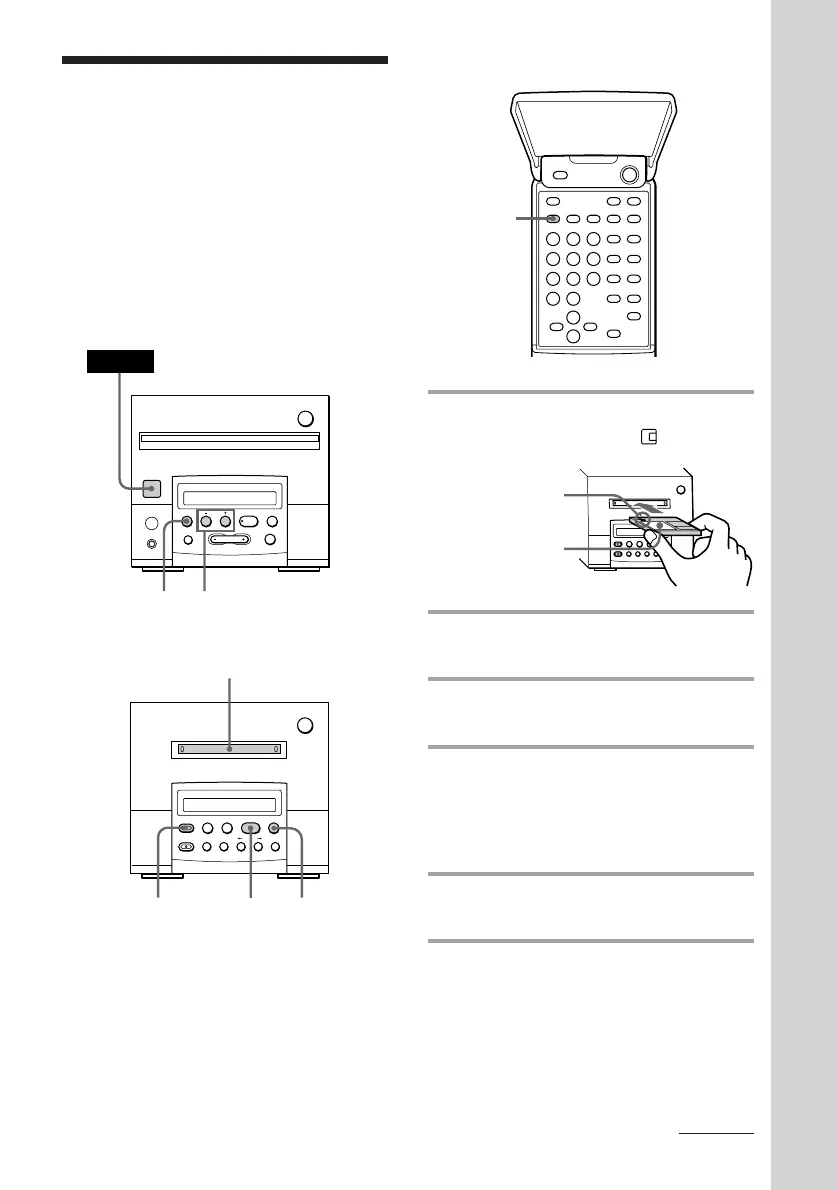
1Insert a recordable MD.
The MD is pulled in and appears.
2 Press BAND repeatedly until the
band you want appears.
3 Press TUNING MODE repeatedly
until “PRESET” appears.
4 Press TUNING + or – to tune in the
desired preset station.
Press TUNING + for higher preset
numbers and TUNING – for lower
preset numbers.
5 Press •REC on the MD deck.
The MD deck stands by for recording.
6 Press ^ on the MD deck.
Recording starts.
With the label
side up.
With the arrow
pointing toward
the deck.
Recording from the
radio on an MD
(for the customers who purchased
MDS-MX101 only)
Remote (inside)
Tuner CD player
MD deck (option)
You can record a radio programme on an MD
by calling up the preset station. If you use a
recorded MD, the MD deck automatically
locates the end of the recording and starts
recording from there.
§
0
)
=
+
·P p
24
POWER
continued



 To Next Page