53
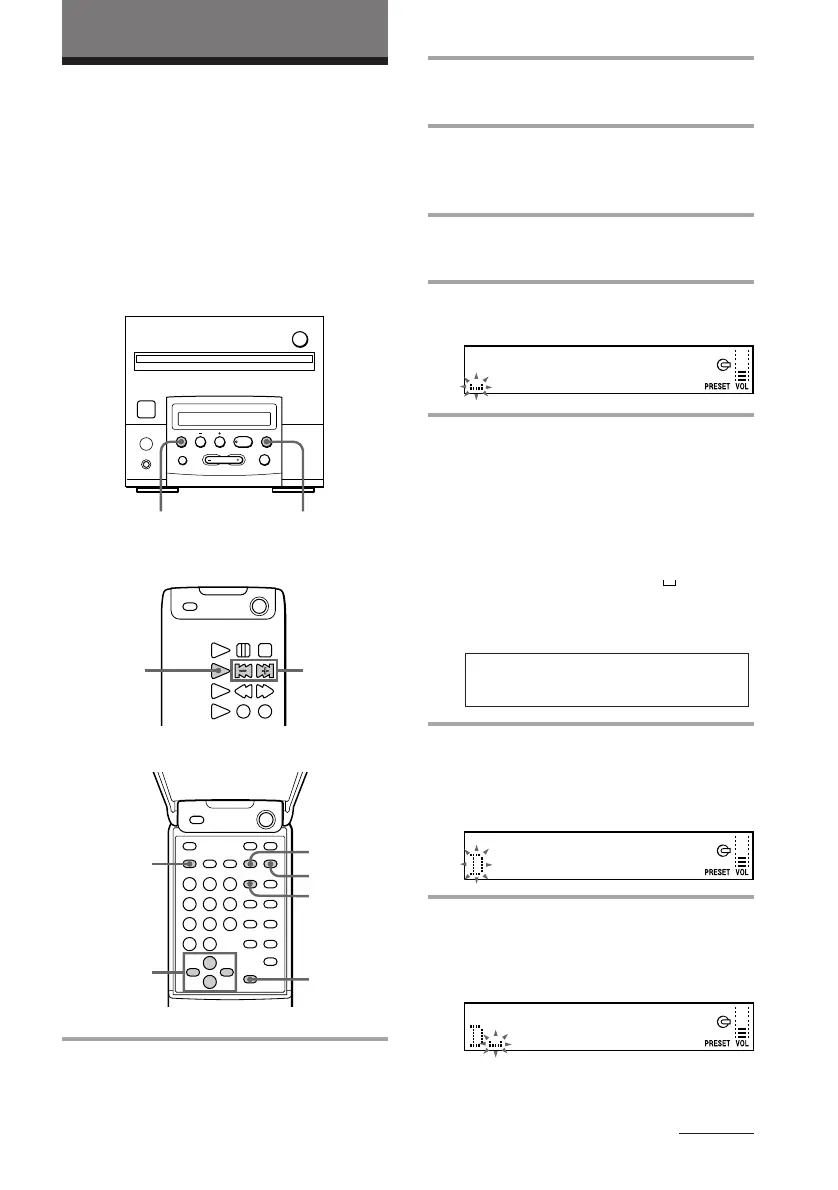
2 Press TUNING MODE repeatedly
until “PRESET” appears.
3 Press TUNING + or – until the
preset number of the station you
want to label appears.
4 Press EDIT/NO until “Name in ?”
appears.
5 Press YES.
The cursor starts flashing.
6 Press CHARACTER repeatedly
until the desired type of character
appears.
Each time you press the button, the
display changes as follows:
A (Upper cases) n a (Lower cases) n 0
(Numbers)/! (Symbols)* n
(Space)
n A…
*You can use the following symbols.
7 Press + or – on the remote until the
desired character appears.
To enter a blank space, press / on the
remote while the cursor is flashing.
8 Press / on the remote to enter the
selected character.
The cursor shifts rightward and starts
flashing.
You can put a name of up to 10 characters
(Station Name) to a preset station. The
Station Name appears when you tune in the
station.
Other Features
Labelling the preset
stations
— Station Name
Remote (inside)
Remote (outside)
! " # $ % & ' ( ) ∗ + , – . / : ; < = > ? @
_ `
Tuner CD player
continued
§
0
)
=
+
·P p
1
p
13
2
7,8,9
5,10
6
4
DISPLAY
1 Press BAND (TUNER/BAND on
the remote) repeatedly until the
band you want appears.



 To Next Page