41
0
)
=
+
·P p
§
p
1 2,3
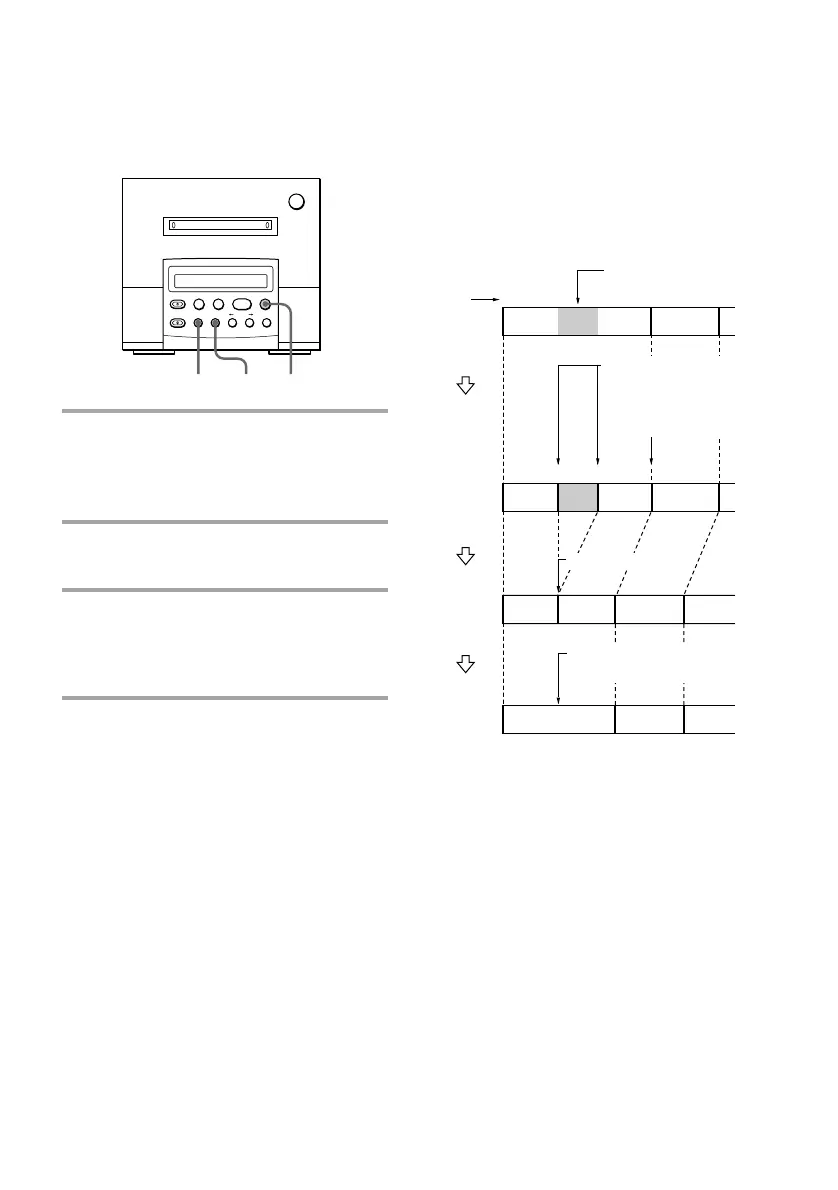
Erasing all tracks
You can erase the disc name, all recorded
tracks and their titles all at one time.
MD deck (option)
1
1
2
2
3
12 4
123
43
3
A
B
Original
tracks
Track
number
Portion to be
erased.
* The tracks are renumbered.
A(a+c)B
Combine
(page 44)
A-a BA-c
Erase
(page 40)
A-a
BA-b A-c
Divide
(page 43)
The renumbered
track
Divide track A into
three parts.*
Erase track A-b.
Combine tracks A-a
and A-c.
Erasing a portion of a
track
By using the Divide (see page 43), Erase (see
page 40), and Combine (see page 44)
Functions, you can erase specific portions of a
track.
Example: Erasing a portion of track A.
1 While the MD deck is in stop mode,
press EDIT/NO repeatedly until
“All Erase ?” appears in the display
of the MD deck.
2 Press YES.
“All Erase??” appears.
3 Press YES again.
“Complete” appears for a few seconds
and all recorded tracks and their titles
are erased.
To cancel erasing all tracks
Press EDIT/NO or p repeatedly until “All
Erase?” disappears.



 To Next Page