43
0
)
=
+
·P p
§
1
p
=0/
)+
3,42
1
1
2
2
3
43
Dividing recorded
tracks
— Divide Function
(for the customers who purchased
MDS-MX101 only)
You can use this function to add track
numbers to multiple tracks that are recorded
as one track. This function also lets you mark
track numbers after the recording ends. The
total number of tracks increases by one and
all the tracks following the divided ones are
renumbered.
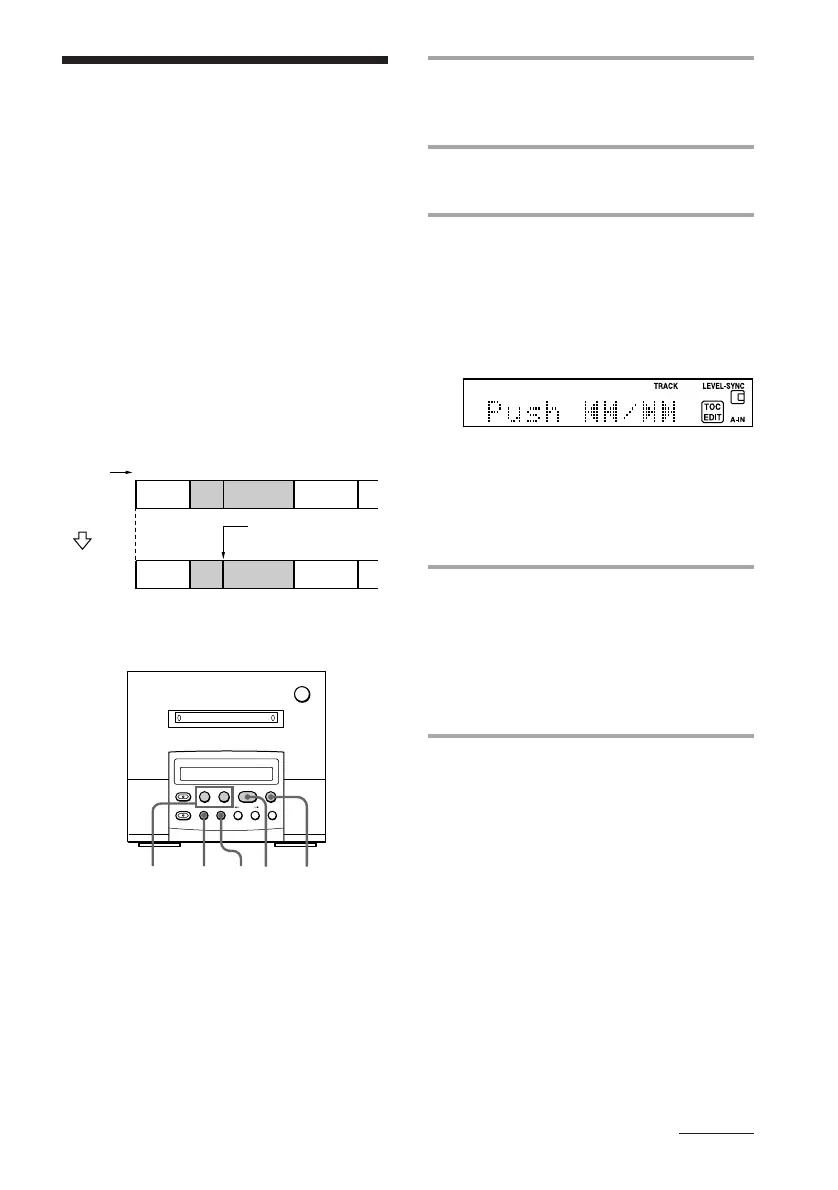
Example: Dividing track 2 into tracks B and
C.
Original
tracks
Track
number
ADBC
DAB C
Divide track 2 into
tracks B and C.
Divide
1 While playing the MD, press ^ at
the point where you want to divide.
The MD deck pauses.
2 Press EDIT/NO repeatedly until
“Divide ?” appears.
3 Press YES.
“Rehearsal” and “Position ok?” appear
alternately and the portion to be divided
is played repeatedly.
• To shift the position to be divided if
the position is not proper:
1 Press EDIT/NO.
2 While monitoring the sound, press
=0 or )+ to select the
starting point to be divided.
You can check the display and shift
the point between –128 and +127 (±1 is
about 0.06 seconds).
4 Press YES again when you find the
point to be divided.
“Complete” appears for a few seconds
and the newly created track begins
playing. The new track will have no
track title even if the original track was
labelled.
To cancel dividing recorded tracks
Press p.
MD deck (option)
continued



 To Next Page