16
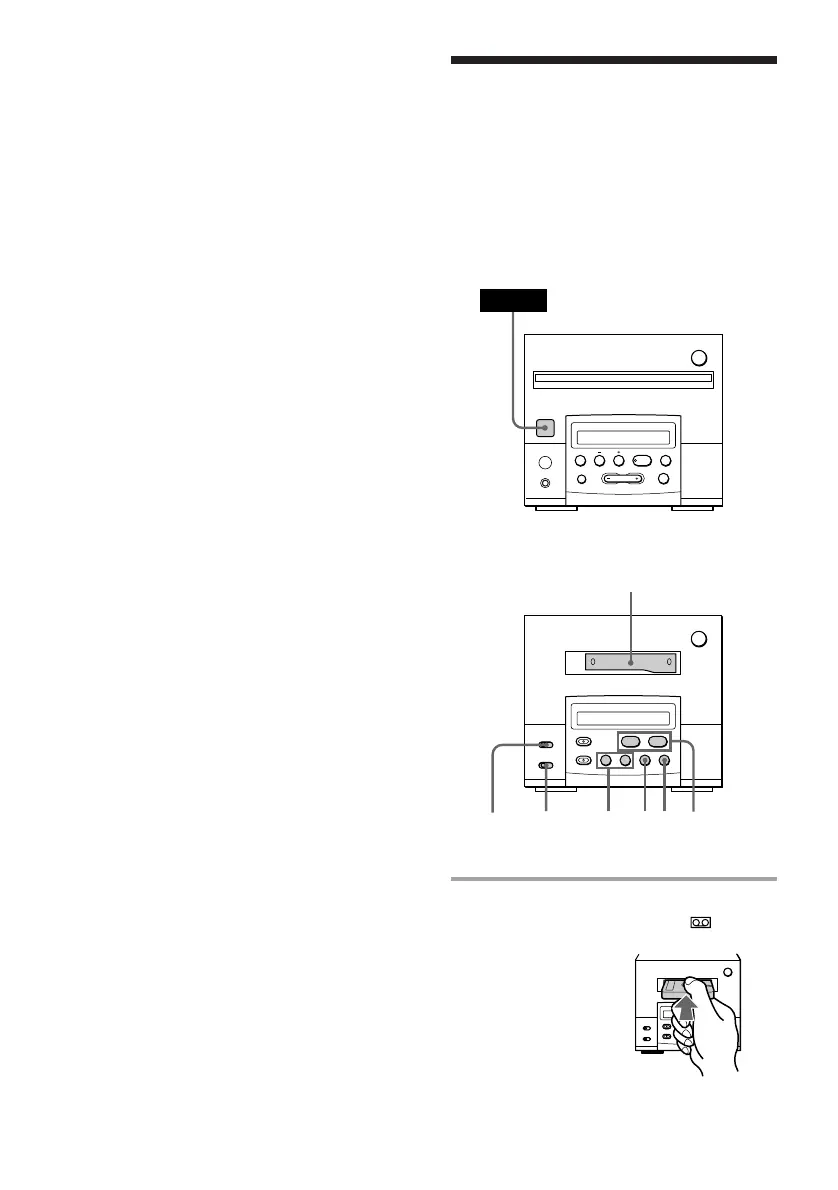
Playing a tape
(for the customers who purchased
TC-TX101 only)
Tuner CD player
Cassette deck
(option)
§
0
)
·ª
P
p
You can use TYPE I (normal), TYPE II (CrO2)
and TYPE IV (metal) cassettes. When you
insert a cassette, the cassette deck detects the
tape type and starts playing automatically.
1 Insert a recorded cassette.
The cassette is pulled in and
appears.
§
0
)
·ª
p
P
§
0
)
=
+
·P p
1
POWER
2
p0/)D/
d
P
DOLBY
NR
To stop recording
Press p on the cassette deck or the tuner CD
player.
Tips
• When you want to reduce the hiss noise in low-
level high-frequency signals, slide the DOLBY NR
switch to ON after step 3.
• If the tape reaches the end of one side during
dual-sided recording, the fadeout feature works so
that a track is not abruptly cut off at the end of the
tape (Fade Synchro). The track will record again
from the beginning of the lower side.
The fadeout feature also works when you record
on one side only.
Note
You cannot perform CD Synchro recording by
pressing CD SYNC on both cassette deck and MD
deck at the same time.
Recording a CD on a tape
— CD Synchro Recording
(continued)



 To Next Page