112
11 12
VIDEO ED I T
ED I T SET
CONTROL
ADJ TEST
”CUT
-
I
N”
”CUT
-OUT”
I
R SETUP
PAUSEMODE
I
R TEST
RET.
EXEC
PAUSE
END
VIDEO ED I T
ED I T SET
CONTROL
ADJ TEST
”CUT
-
I
N”
”CUT
-OUT”
I
R SETUP
PAUSEMODE
I
R TEST
RET.
EXEC
PAUSE
REC
PB
END
VCR/magnétoscope
Remote sensor/
Capteur de
télécommande
Infrared rays emitter/
Emetteur de rayons
infrarouges
Dubbing only desired scenes
– Digital program editing (on
tape)
Copie de scènes précises
– Montage numérique de
programmes (sur cassette)
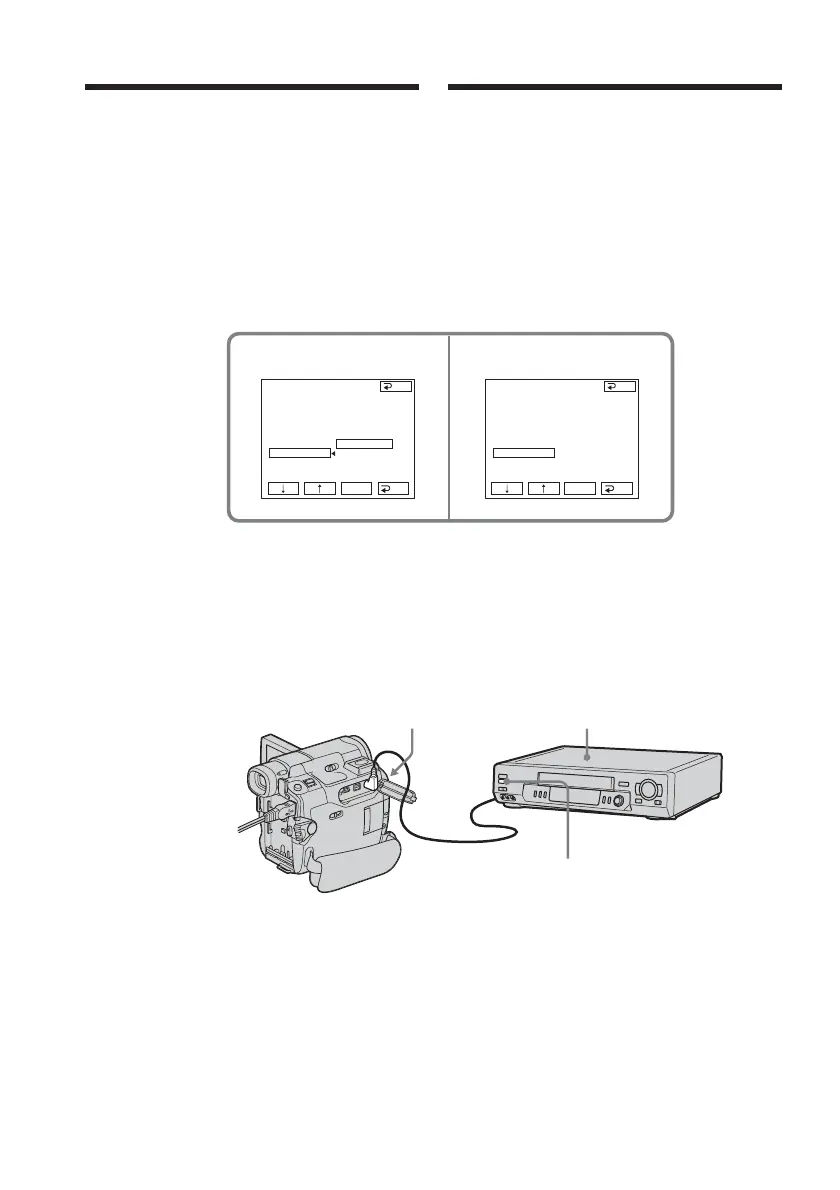
(11) Select PAUSEMODE, then press
EXEC.
(12) Select the mode to cancel recording
pause on the VCR, then press EXEC.
The correct button depends on your
VCR.
Refer to the operating instructions of
your VCR.
(13) Locate the infrared rays emitter of
your camcorder and face it towards
the remote sensor of the VCR about 30
cm (12 in.) apart.
(11) Sélectionnez PAUSEMODE, puis
appuyez sur EXEC.
(12) Pour désactiver la pause
d’enregistrement sur le magnétoscope,
sélectionnez ce mode, puis appuyez
sur EXEC.
Les touches correctes varient selon les
magnétoscopes.
Reportez-vous au mode d’emploi de
votre magnétoscope.
(13) Placez l’émetteur de rayons
infrarouges de votre caméscope face
au capteur de télécommande du
magnétoscope, à une distance
d’environ 30 cm l’un de l’autre.














 To Next Page