82
We recommend that you adjust the exposure
manually in the following cases:
– When the subject is backlit
– When the subject is too bright against the
background
– When recording dark pictures (e.g. night
scenes) faithfully
The POWER switch should be set to
or
1)
.
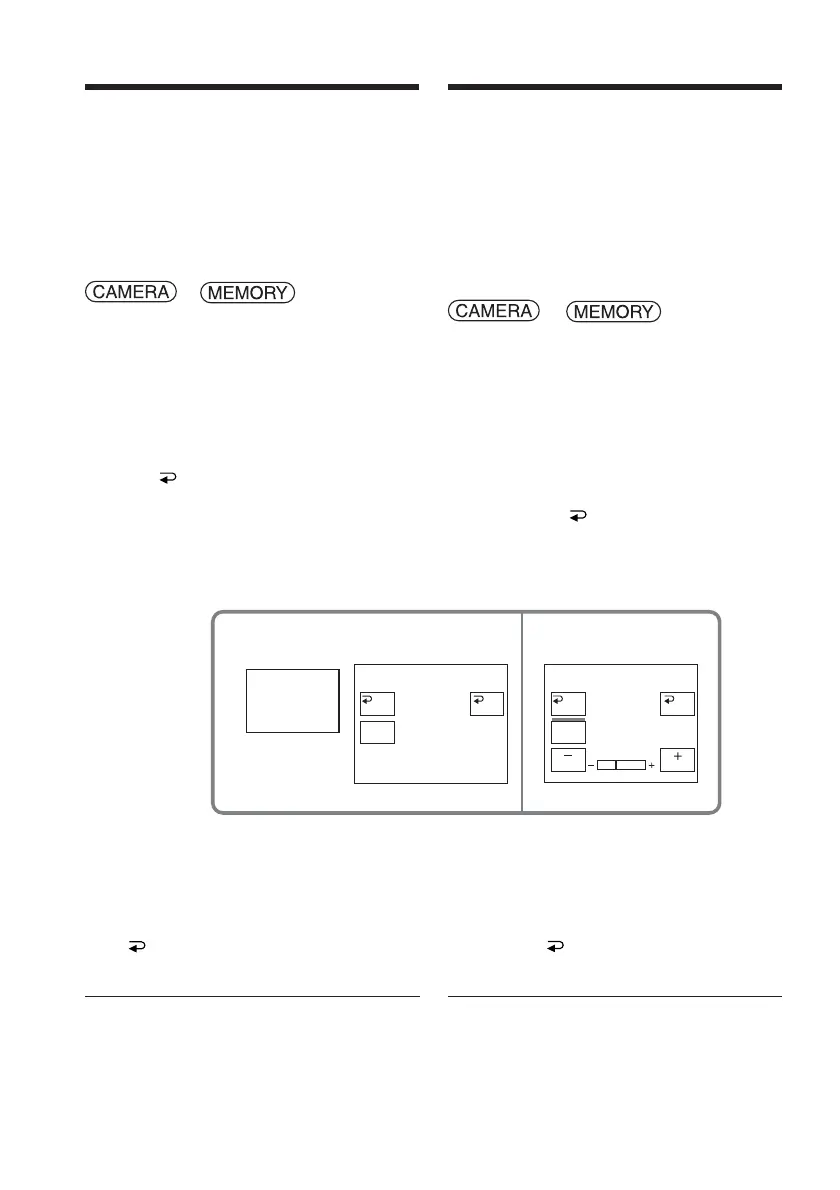
Operate by touching the panel.
(1) Press FN to display PAGE1.
(2) Press EXPOSURE. The screen to adjust
the exposure appears.
(3) Press MANUAL.
(4) Adjust the exposure using – (to dim) /+
(to brighten).
(5) Press
OK to return to PAGE1.
1)
DCR-TRV22E/TRV33E only
To return to FN
Press EXIT.
To return to the automatic
exposure
Press AUTO on the EXPOSURE screen to
return to PAGE1.
Note
When you adjust the exposure manually, the
following functions do not work:
– Back light
– Colour Slow Shutter (DCR-TRV22E/TRV33E
only)
Adjusting the
exposure manually
24
EXPO–
SURE
MANU–
AL
AUTO
EXPOSURE
OK
AUTO
MANU–
AL
EXPOSURE
OK
Réglage manuel de
l’exposition
Il est recommandé de régler manuellement
l’exposition dans les situations suivantes :
– lorsque le sujet est éclairé à contre-jour ;
– lorsque le sujet est trop lumineux par rapport
à l’arrière-plan ;
– lorsque vous souhaitez obtenir une image
fidèle de sujets sombres (p. ex. scènes
nocturnes).
Réglez le commutateur POWER sur
ou
1)
.
Effectuez cette opération à l’aide de l’écran
tactile.
(1) Appuyez sur FN pour afficher PAGE1.
(2) Appuyez sur EXPOSURE. L’écran de
réglage de l’exposition apparaît.
(3) Appuyez sur MANUAL.
(4) Réglez l’exposition avec les touches –
(pour assombrir) et + (pour éclaircir).
(5) Cliquez sur
OK pour revenir à
PAGE1.
1)
DCR-TRV22E/TRV33E uniquement
Pour revenir à FN
Appuyez sur EXIT.
Pour revenir au mode
d’exposition automatique
Appuyez sur AUTO sur l’écran
EXPOSURE pour revenir à PAGE1.
Remarque
Lorsque vous ajustez manuellement
l’exposition, les fonctions suivantes ne sont pas
disponibles :
– compensation de contre-jour
– Colour Slow Shutter (DCR-TRV22E/TRV33E
uniquement)














 To Next Page