170
Before operation
Insert the recorded cassette and “Memory
Stick” into your camcorder.
The POWER switch should be set to .
Operate by touching the panel.
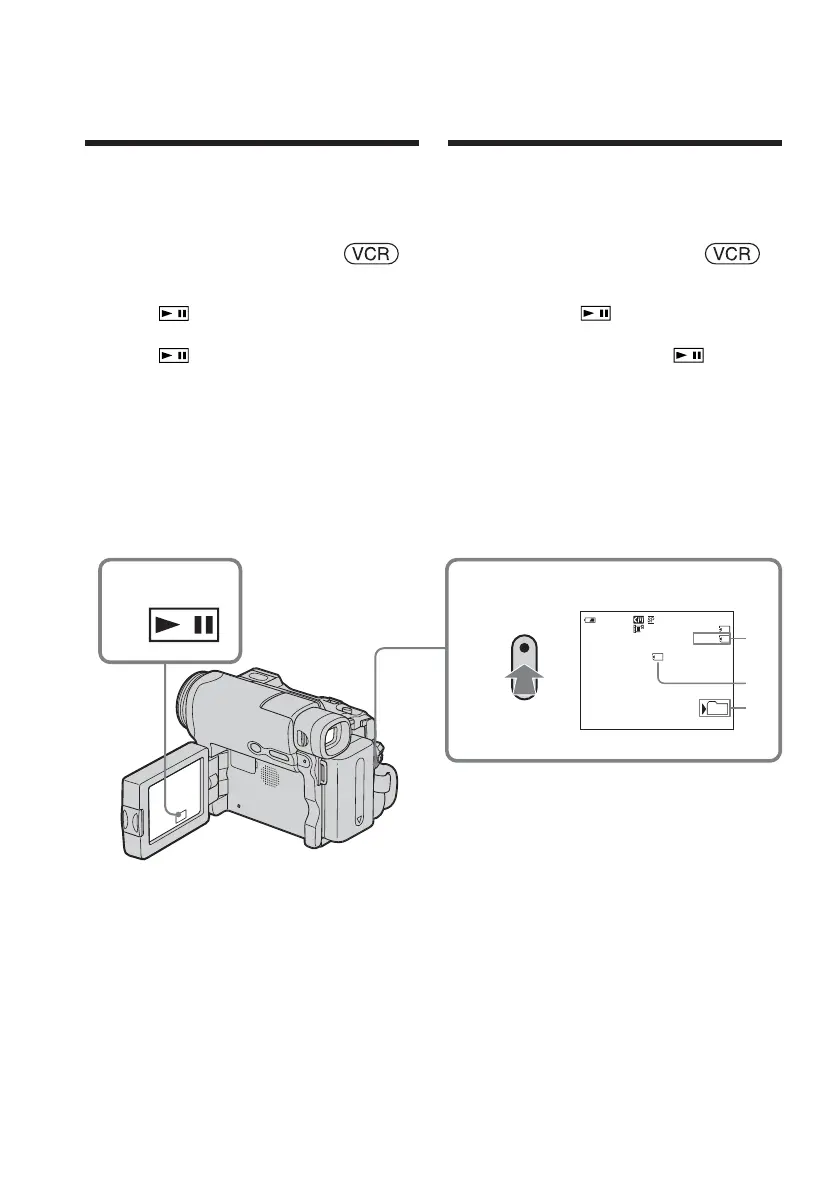
(1) Press . The picture recorded on the
tape is played back.
(2) Press
again to pause playback at
the scene where you want to start
recording from.
(3) Press START/STOP. Images and sound
are recorded up to the remaining
capacity of the “Memory Stick.” See
page 151 for details on recording time.
[a] Available recording time on the “Memory
Stick”
[b] This indicator appears for 5 seconds after
pressing START/STOP. This indicator is
not recorded.
[c] Folder name to be recorded in
1,2
320
50min
REC
BBB
N
15sec
0:00:03
0:15:42:43
[b]
3
[a]
[c]
101
Recording a picture
from tape as a
moving picture
Enregistrement
d’une image d’une
cassette sous forme
d’images animées
Avant de commencer
Insérez la cassette enregistrée et le « Memory
Stick » dans votre caméscope.
Réglez le commutateur POWER sur .
Effectuez cette opération à l’aide de l’écran tactile.
(1) Appuyez sur . L’image enregistrée
sur la cassette est lue.
(2) Appuyez de nouveau sur
pour
effectuer une pause de lecture au point à
partir duquel vous souhaitez démarrer
l’enregistrement.
(3) Appuyez sur START/STOP. Les images
et le son sont enregistrés jusqu’à la
saturation de la mémoire du « Memory
Stick ». Pour plus de détails sur la durée
d’enregistrement, voir page 151.
[a] Durée d’enregistrement disponible du
« Memory Stick »
[b] Cet indicateur s’affiche pendant 5 secondes
après la pression sur START/STOP. Cet
indicateur n’est pas enregistré.
[c] Nom de dossier d’enregistrement














 To Next Page