190
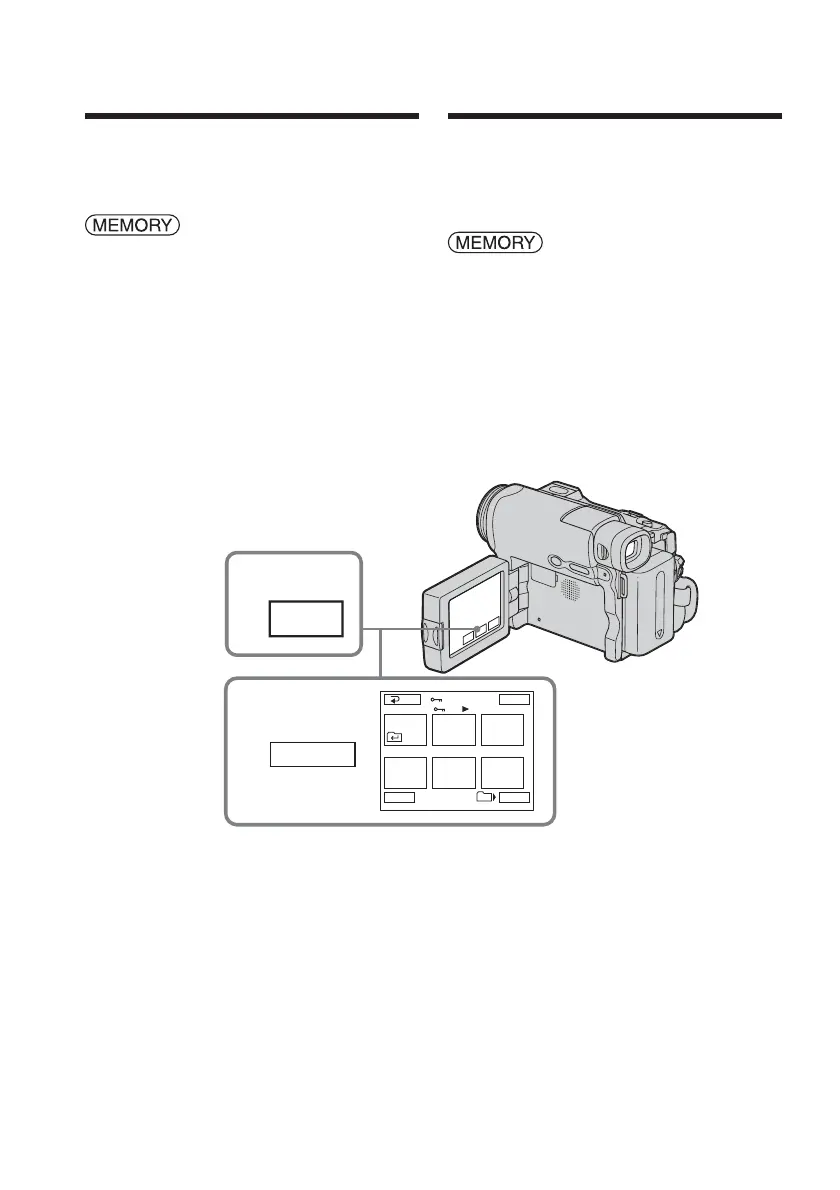
To prevent accidental erasure of important
images, you can protect selected images.
The POWER switch should be set to
.
Operate by touching the panel.
(1) Press INDEX to display the index
screen.
(2) Press - MARK. The screen to protect
the image appears.
(3) Press the image you want to protect.
The - indicator appears above the
protected image.
To return to FN
Press EXIT.
Preventing
accidental erasure
– Image protection
1
INDEX
2,3
-
MARK
123
45
6
EXIT
RET.
T t
MARK
101
2 / 8
Prévention d’un
effacement accidentel
– Protection de l’image
Pour empêcher l’effacement accidentel
d’images importantes, vous pouvez protéger
des images sélectionnées.
Réglez le commutateur POWER sur
.
Effectuez cette opération à l’aide de l’écran
tactile.
(1) Appuyez sur INDEX pour afficher
l’écran d’index.
(2) Appuyez sur - MARK. L’écran de
protection de l’image apparaît.
(3) Appuyez sur l’image à protéger.
L’indicateur - s’affiche au-dessus de
l’image protégée.
Pour revenir à FN
Appuyez sur EXIT.














 To Next Page