41
Recording – Basics Enregistrement – Opérations de base
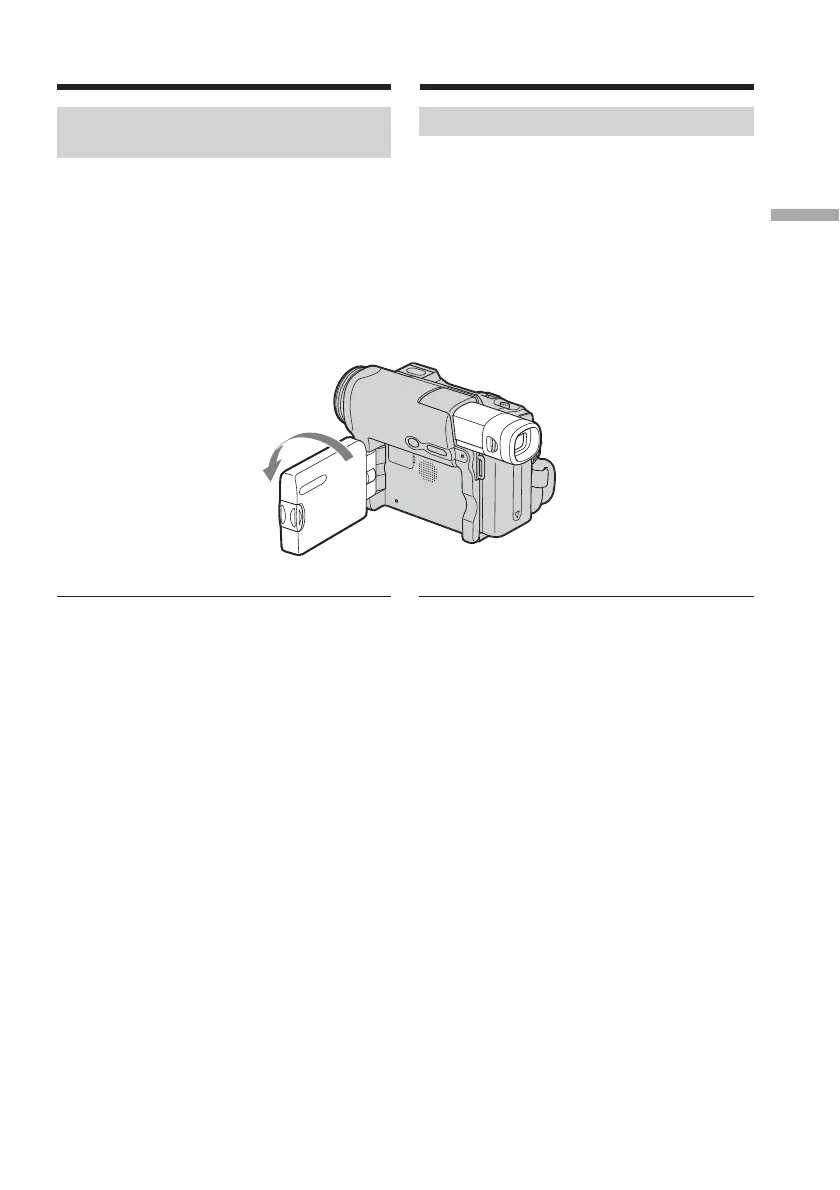
Shooting with the mirror
mode
This feature allows the camera subject to view
him- or herself on the LCD screen.
The subject uses this feature to check his or her
own image on the LCD screen while you look
at the subject in the viewfinder.
(1) Extend the viewfinder.
(2) Rotate the LCD panel 180 degrees.
Picture in the mirror mode
The picture on the LCD screen is a mirror-
image. However, the picture will be normal
when recorded.
2
1
Recording a picture Enregistrement d’une image
Prise de vue en mode Miroir
Cette fonction permet au sujet filmé de se voir
sur l’écran LCD.
Le sujet peut utiliser cette fonction pour se voir
sur l’écran LCD pendant que vous le regardez
dans le viseur.
(1) Déployez le viseur.
(2) Faites pivoter le panneau LCD à 180
degrés.
Image en mode Miroir
L’image affichée sur l’écran LCD est inversée.
Cependant, l’image enregistrée n’est pas
affectée.














 To Next Page