154
If you record still images when the POWER
switch is set to MEMORY (DCR-TRV33E only)
The angle of view is slightly larger compared
with the angle of view when the POWER
switch is set to CAMERA.
Recording images
continuously (DCR-TRV33E
only)
You can record still images continuously.
Before recording, select a desired mode
described below in the menu settings.
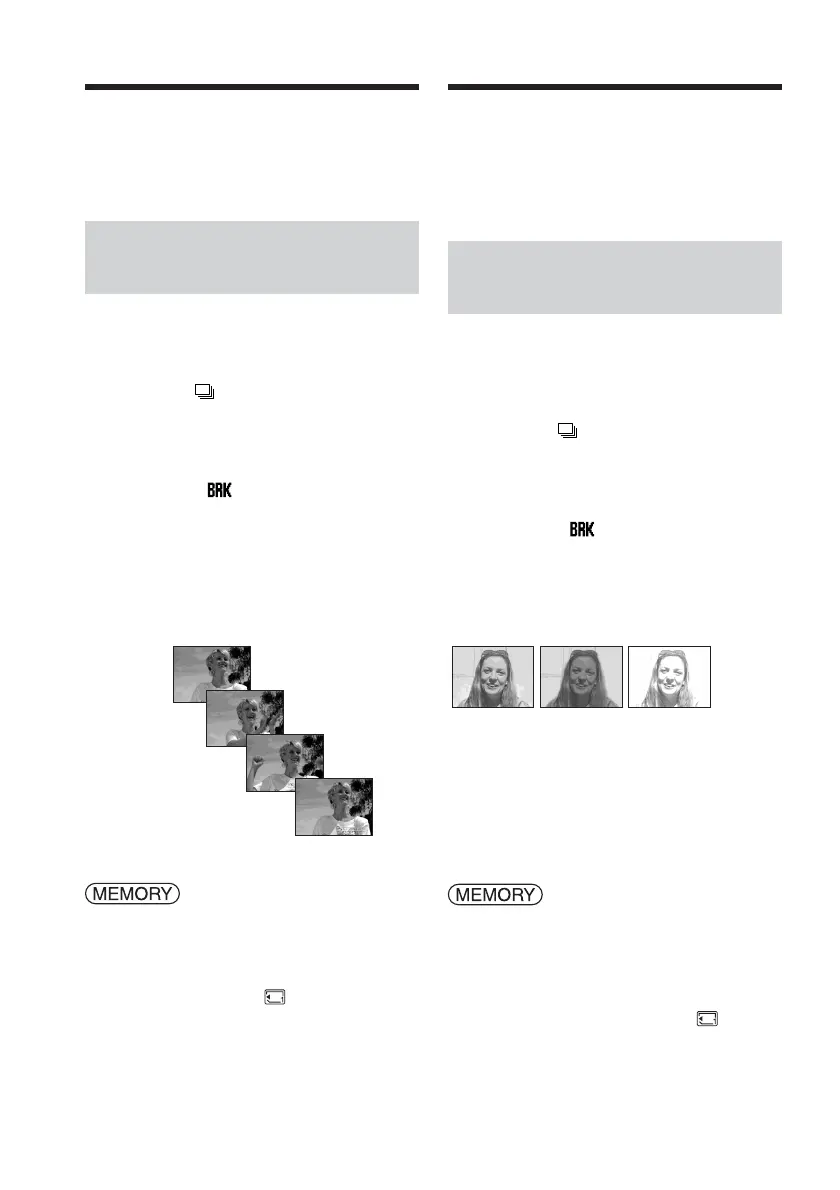
NORMAL [a] (
)
Your camcorder shoots up to 4 still images in
1152 × 864 size or 13 still images in
640 × 480 size at about 0.5 sec intervals.
EXP BRKTG [b] ( )
Your camcorder automatically shoots 3 images
at about 0.5 sec intervals at different
exposures.
The POWER switch should be set to
.
Operate by touching the panel.
(1) Press FN to display PAGE1.
(2) Press MENU to display the menu.
(3) Select STILL SET in
, then press
EXEC (p. 245).
[a] [b]
Recording still images on
“Memory Stick”
– Memory Photo recording
Enregistrement d’images fixes sur un
«Memory Stick » – Enregistrement
de photos en mémoire
Si vous enregistrez des images fixes lorsque
le commutateur POWER est réglé sur
MEMORY (DCR-TRV33E uniquement)
L’angle de vue est légèrement plus grand par
rapport à l’angle de vue affiché lorsque le
commutateur POWER est réglé sur CAMERA.
Enregistrement d’images en
continu (DCR-TRV33E
uniquement)
Vous pouvez enregistrer des images fixes en
continu. Avant l’enregistrement, sélectionnez
dans les réglages de menu l’un des modes
décrits ci-dessous.
NORMAL [a] (
)
Votre caméscope prend jusqu’à 4 photos en
taille 1152 × 864 ou 13 photos en taille 640 ×
480 à des intervalles d’environ 0,5 s.
EXP BRKTG [b] ( )
Votre caméscope prend automatiquement trois
photos à environ 0,5 secondes d’intervalle
selon des expositions différentes.
Réglez le commutateur POWER sur
.
Effectuez cette opération à l’aide de l’écran tactile.
(1) Appuyez sur FN pour afficher PAGE1.
(2) Appuyez sur MENU pour afficher le
menu.
(3) Sélectionnez STILL SET sous
, puis
appuyez sur EXEC (p. 255).














 To Next Page