181
“Memory Stick” Operations (DCR-TRV22E/TRV33E only)
Opérations « Memory Stick » (DCR-TRV22E/TRV33E uniquement)
When the “Memory Stick” contains multiple
folders
The following icons appear on the screen on
the first or last images in a folder.
: You can move to the previous folder.
: You can move to the next folder.
: You can move to both the previous
and the next folders.
Playing back 6 recorded
images at a time (index
screen)
This function is especially useful when
searching for a particular image.
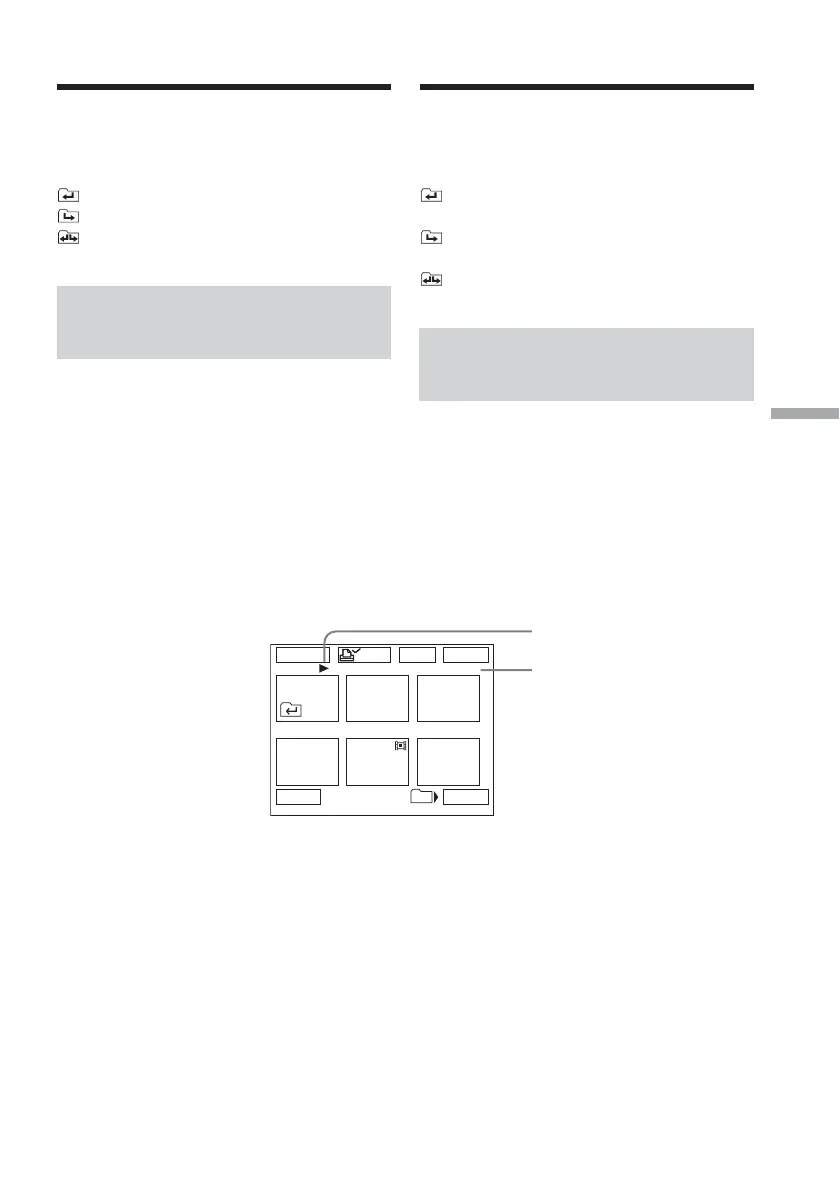
Press INDEX to display the index screen.
A red B mark appears above the image that
was being displayed before the change to the
index screen mode.
T : To display the previous 6 images
t : To display the next 6 images
1 B mark
2 This number indicates the recorded
order of the image in the folder.
To return to FN
Press EXIT.
To return to the normal playback
screen (single screen)
Press the image you want to display.
101
1 / 8
123
45
6
EXITDEL
MARK
-
MARK
T t
2
Viewing a still image – Memory
Photo playback
Visionnage d’une image fixe –
Lecture des photos en mémoire
Lorsqu’un « Memory Stick » contient
plusieurs dossiers
Les icônes suivantes s’affichent à l’écran sur la
première et la dernière image d’un dossier.
: Vous pouvez passer au dossier
précédent.
: Vous pouvez passer au dossier
suivant.
: Vous pouvez passer au dossier
précédent et au dossier suivant.
Lecture de 6 images
enregistrées à la fois (écran
d’index)
Cette fonction est très pratique pour rechercher
une image particulière.
Appuyez sur INDEX pour afficher l’écran
d’index.
Un symbole rouge B s’affiche au-dessus de
l’image qui était affichée avant le passage au
mode d’écran d’index.
T : Pour afficher les 6 images précédentes
t : Pour afficher les 6 images suivantes
1 Symbole B
2 Ce numéro indique l’ordre
d’enregistrement des images dans le
dossier.
Pour revenir à FN
Appuyez sur EXIT.
Pour revenir à l’affichage normal
(écran simple)
Appuyez sur l’image à afficher.














 To Next Page