193
“Memory Stick” Operations (DCR-TRV22E/TRV33E only)
Opérations « Memory Stick » (DCR-TRV22E/TRV33E uniquement)
Deleting selected images on
the index screen
The POWER switch should be set to
.
Operate by touching the panel.
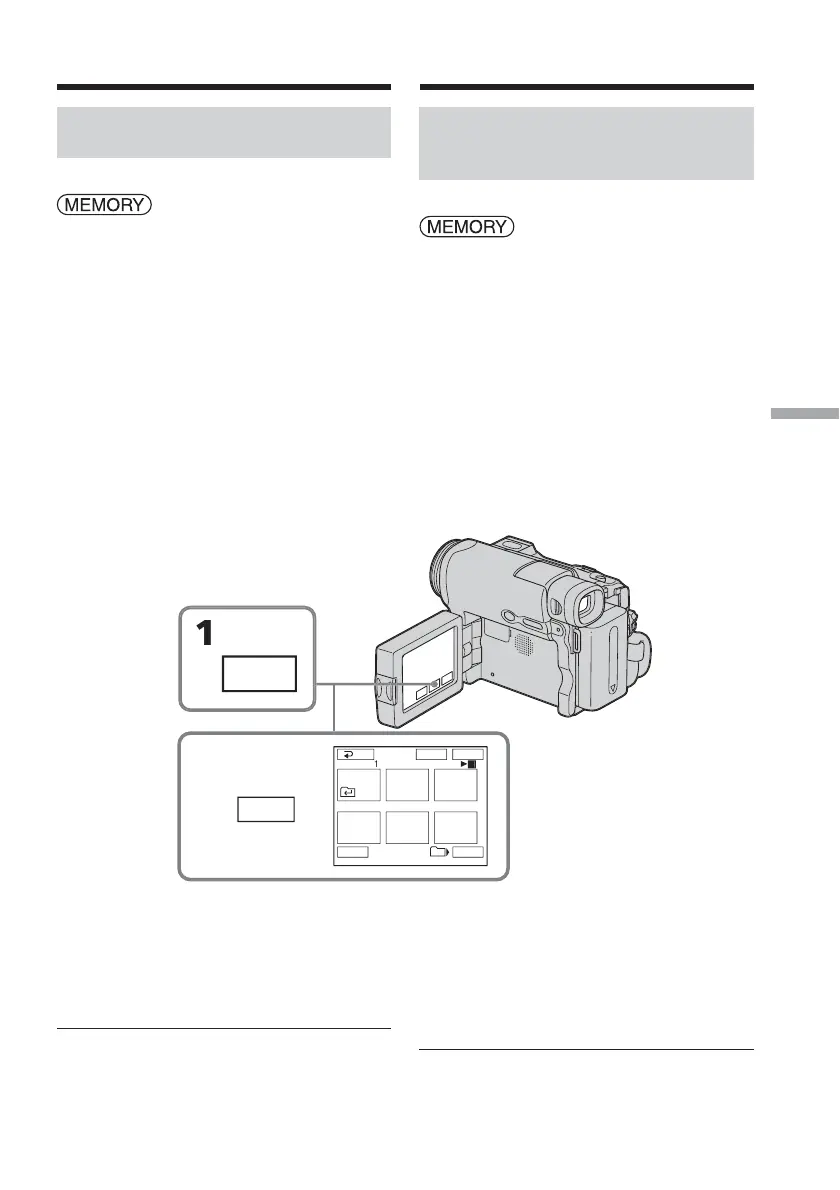
(1) Press INDEX to display the index
screen.
(2) Press DEL. Then press the image you
want to delete. The number of the
selected image is highlighted.
(3) Press EXEC. The DELETE? indicator
appears on the screen.
(4) Press OK. The selected images are
deleted.
To return to FN
Press EXIT.
To cancel deleting an image
Press CANCEL in step 4.
The maximum number of images you can
select in one session
You can select up to 100 images to be deleted.
Deleting images – DELETE
DEL
456
EXE
Tt
101
3 / 8
Suppression d’images – DELETE
Suppression d’images
sélectionnées sur l’écran
d’index
Réglez le commutateur POWER sur
.
Effectuez cette opération à l’aide de l’écran
tactile.
(1) Appuyez sur INDEX pour afficher
l’écran d’index.
(2) Appuyez sur DEL. Puis appuyez sur
l’image que vous souhaitez supprimer.
Le numéro de l’image sélectionnée est
mis en surbrillance.
(3) Appuyez sur EXEC. L’indicateur
DELETE? s’affiche à l’écran.
(4) Appuyez sur OK. Les images
sélectionnées sont supprimées.
Pour revenir à FN
Appuyez sur EXIT.
Pour annuler la suppression
d’une image
A l’étape 4, appuyez sur CANCEL.
Nombre maximum d’images pouvant être
sélectionnées en une session
Vous pouvez sélectionner jusqu’à 100 images
pour les supprimer.














 To Next Page