314
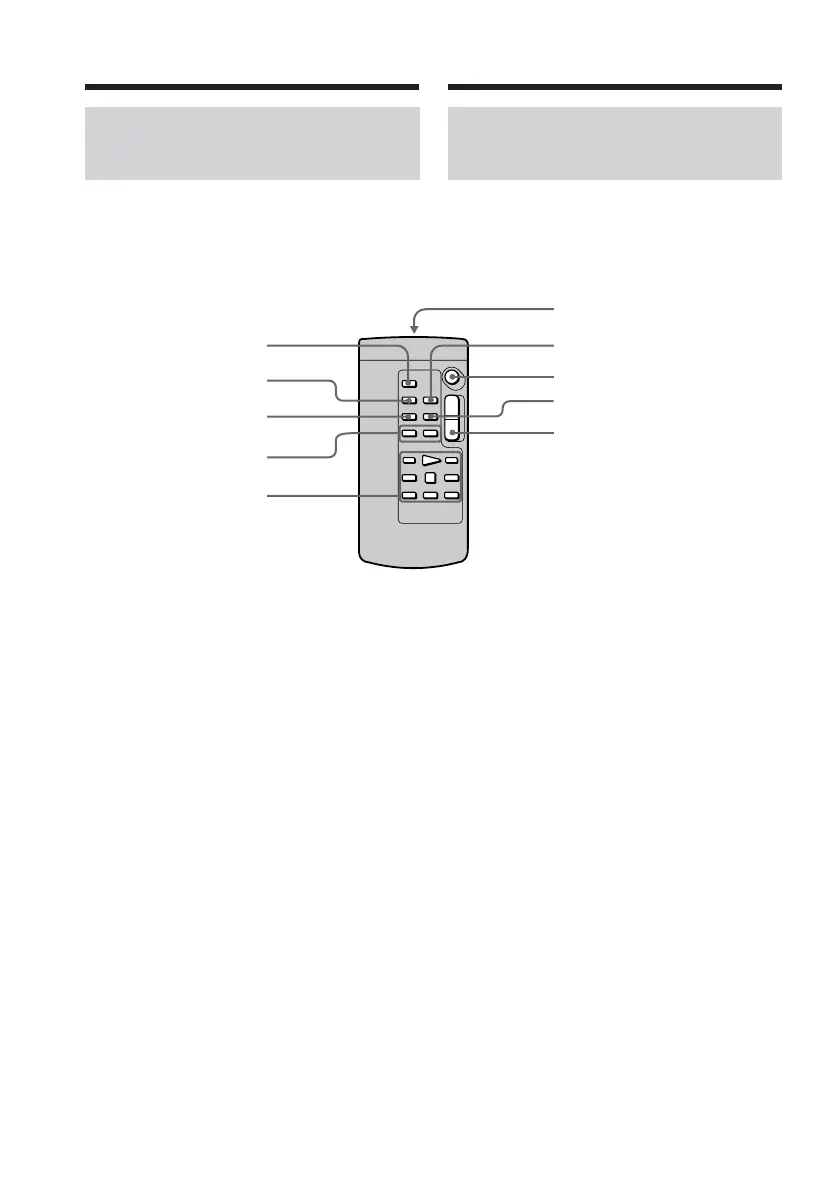
Remote Commander (DCR-
TRV14E/TRV19E/TRV22E/
TRV33E only)
The buttons that have the same name on the
Remote Commander as on your camcorder
function identically to the buttons on your
camcorder.
1 PHOTO button (p. 15, 62, 152)
2 DISPLAY button (p. 54)
3 SEARCH MODE button (p. 98, 100, 103,
104, 105)
4 ./> buttons (p. 98, 100, 103, 104,
105)
5 Video control buttons (p. 52, 57)
6 Transmitter
Point toward the remote sensor to
control your camcorder after turning on
your camcorder.
7 ZERO SET MEMORY button (p. 96)
8 START/STOP button (p. 13, 36)
9 DATA CODE button (p. 56)
q; Power zoom button (p. 44)
1
6
7
8
9
q;
2
3
4
5
Identifying parts and controls
Identification des composants
et des commandes
Télécommande (DCR-TRV14E/
TRV19E/TRV22E/TRV33E
uniquement)
Les touches portant le même nom sur la
télécommande et le caméscope ont les mêmes
fonctions.
1 Touche PHOTO (pp. 19, 62 et 152)
2 Touche DISPLAY (p. 54)
3 Touche SEARCH MODE (pp. 98, 100,
103, 104 et 105)
4 Touches ./> (pp. 98, 100, 103, 104
et 105)
5 Touches de commande vidéo (pp. 52 et
57)
6 Transmetteur
Après avoir mis le caméscope sous
tension, pointez la télécommande vers le
capteur de télécommande du caméscope
pour le commander.
7 Touche ZERO SET MEMORY (p. 96)
8 Touche START/STOP (marche/arrêt)
(pp. 17 et 36)
9 Touche DATA CODE (p. 56)
q; Touche de puissance de zoom (p. 44)














 To Next Page