74
The POWER switch should be set to
.
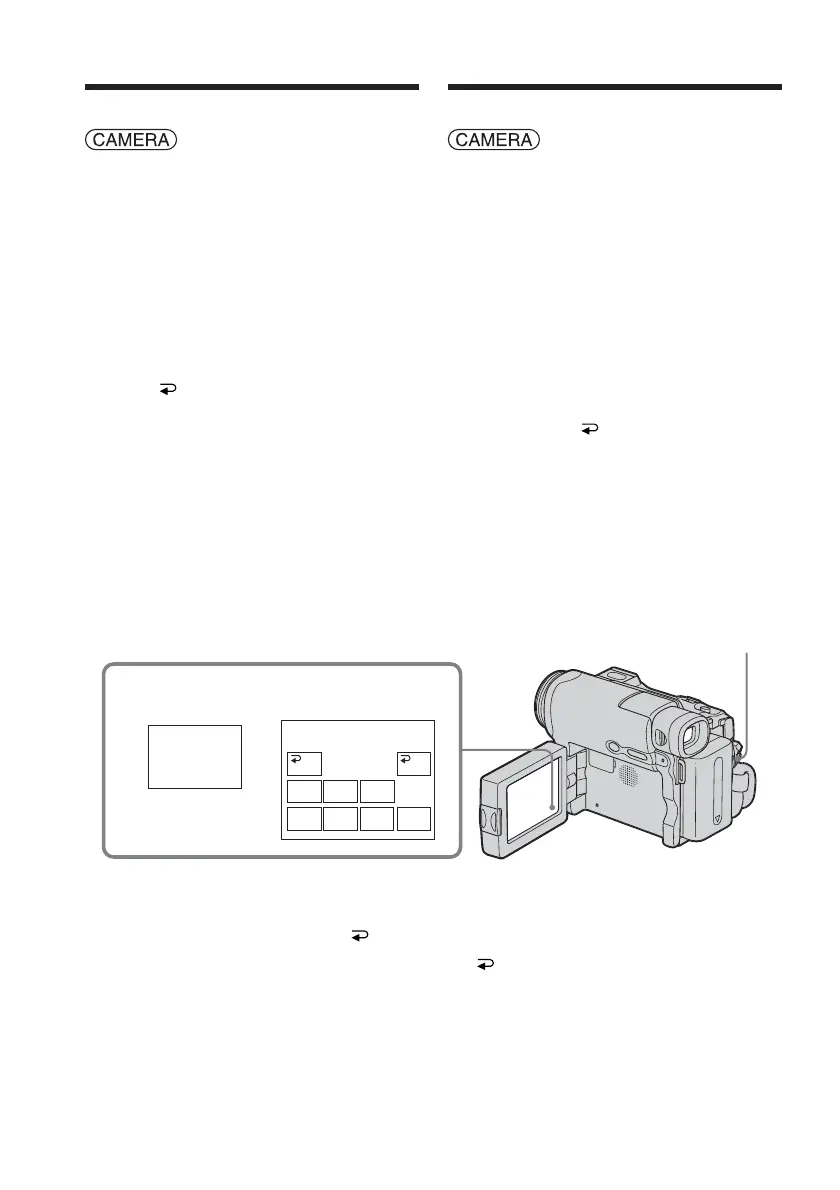
Operate by touching the panel.
(1) When fading in [a]
Press FN to display PAGE1 during
recording standby.
When fading out [b]
Press FN to display PAGE1 during
recording.
(2) Press FADER. The screen to select the
fader mode appears.
(3) Press a desired mode.
(4) Press
OK to return to PAGE1.
(5) Press EXIT to return to FN.
The fader indicator you selected flashes.
(6) Press START/STOP.
After the fade in/out is carried out, your
camcorder automatically returns to the
normal mode.
To cancel the fade in/out
Before pressing START/STOP, press OFF
on the FADER screen to return to PAGE1.
Press EXIT to return to FN.
Using the fader function
2
FADER
FADER
MOSC.
FADER
NORM.
FADER
OFF OK
MONO–
TONE
BOUN–
CE
DOTW
I
PE
OVER–
LAP
START/STOP
Utilisation de la fonction de
transitions en fondu
Réglez le commutateur POWER sur
.
Effectuez cette opération à l’aide de l’écran
tactile.
(1) Pendant l’entrée en fondu [a]
En mode d’attente d’enregistrement,
appuyez sur FN pour afficher PAGE1.
Pendant la sortie en fondu [b]
En cours d’enregistrement, appuyez sur
FN pour afficher PAGE1.
(2) Appuyez sur FADER. L’écran de
sélection du mode de transition en
fondu s’affiche.
(3) Appuyez sur le mode souhaité.
(4) Appuyez sur
OK pour revenir à
PAGE1.
(5) Appuyez sur EXIT pour revenir à FN.
L’indicateur de transition en fondu
sélectionné clignote.
(6) Appuyez sur START/STOP.
Après l’entrée ou la sortie en fondu,
votre caméscope revient
automatiquement en mode normal.
Pour désactiver l’entrée ou la
sortie en fondu
Avant d’appuyer sur START/STOP, appuyez
sur OFF sur l’écran FADER pour revenir à
PAGE1.
Appuyez sur EXIT pour revenir à FN.














 To Next Page